
Preview

Description
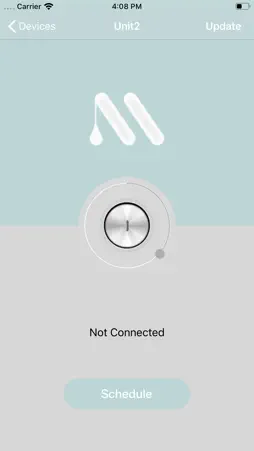
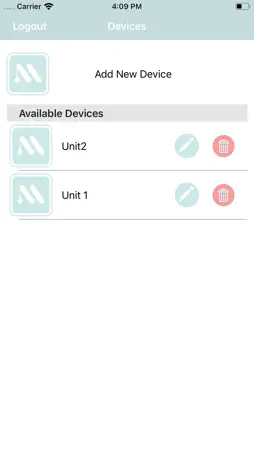
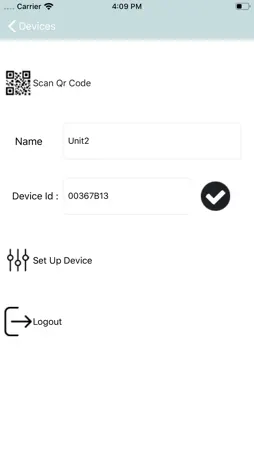
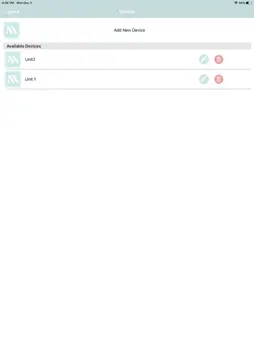
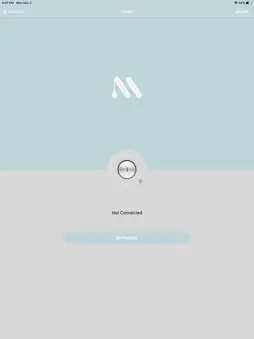
The Mella App is very user friendly and has the features that make our professional lives as estheticians and cosmetologists easier. Save time, save money and always be ready for that first client. Connect up to 6 devices to one phone. Name the device whatever you want for example "Room 1" or "Julie's Room". Connect each device to WiFi and you're all set for mobile control of each device from one phone. Tap Mella on or off for on the fly control or set Mella to an automatic on/off schedule for hands free piece of mind. Manual Mode: Tap the big circle to turn the device ON or OFF. The circle will turn green to indicate the device is on or it will be red to indicate the device is off. Going in for a special client? Tap Mella ON while you travel to the salon. Get home and not sure if you remembered to turn your warmer off? Tap Mella OFF from your couch instead of going back to the salon. Schedule Mode: Set each device to turn ON and OFF according to a schedule you set. Set Mella to turn on well before you arrive so your wax or sugar is ready when you get there. With Mella on an automatic schedule you'll never wonder if you remembered to turn off your warmers. Just take a peak on the app from wherever you are to be sure. Pro Tip: Move the Time Zone slider until it is black 3 simple user friendly steps to connect each device. Turn Mella OFF for the first 2 steps and make sure it's not too hot to handle while you look at the bottom of the device. Step 1 - Either Scan the QR code or enter the Device ID located on the bottom of the warmer. When completed tap the check mark. Step 2 - Name the device whatever floats your boat. Turn Mella ON for the next step and have your WiFi password handy. Step 3 - Tap "Set up" to connect the device to your WiFi. The green light will blink while you choose our WiFi and enter your password. The green light will turn off if you are successful. If you mess up or the light isn't blinking anymore don't worry, turn Mella OFF then ON and try again Pro Tip: Mella must use 4G - go to your phone seetings and make sure you are connected to 4G instead of 5G. Still having trouble? No problem feel free to email us at [email protected] Why doesn't the app change the temperature? Because the app allows you to turn on the device with ample time to heat appropriately there is no longer a need to turn up the temperature to unsafe levels for quick melting. You adjust your temperature throughout the work day, where you leave the temperature at the end of the day is where it should be at the start of your next day. Terms of Service: https://app.termly.io/document/terms-of-use-for-saas/dffbbf12-9335-489b-b9ab-088fb66067a3
What's New
Version 1.08 2022-12-17
Made wifi setup more stable Technical Analysis
Package Overview Basic metadata
Bundle ID
com.themella.themella Current Version 1.08
Minimum iOS 13.0
Package Size App Store Size
Package Metadata 0 / 9 version records
Detailed binary, privacy manifest, framework, and Info.plist results have not been indexed for this package yet. The verified App Store and archive metadata above remains available.
Known Version Records
0 version records with stored package metadata • 9 known version records
Stored metadata does not guarantee a package is currently available to download.
| Details | Version / IDs | Version date | Action |
|---|---|---|---|
| Not archived | App Store ID: 853953648 | Unknown | Request Version |
| Not archived | App Store ID: 853794065 | Unknown | Request Version |
| Not archived | App Store ID: 853774587 | Unknown | Request Version |
| Not archived | App Store ID: 845856406 | Unknown | Request Version |
| Not archived | App Store ID: 838216841 | Unknown | Request Version |
| Not archived | App Store ID: 838114394 | Unknown | Request Version |
| Not archived | App Store ID: 836182907 | Unknown | Request Version |
| Not archived | App Store ID: 834186143 | Unknown | Request Version |
| Not archived | App Store ID: 833424266 | Unknown | Request Version |