
Preview


Description
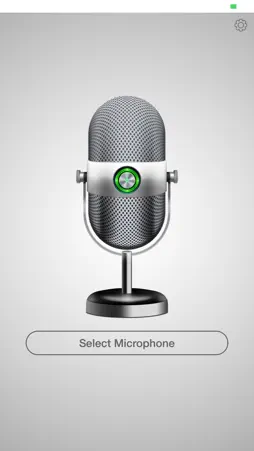
Put your voice to work with MegaPhone! Use your device as a live microphone, capture conversations, and turn recordings into AI summaries, transcripts and to-dos. Keep the discussion and its next steps together. MICROPHONE AND AUDIO RECORDING Route your microphone audio to your device’s speaker or a connected audio output. Record, view speech transcription when available, and save recordings with or without transcript text. Revisit saved audio with playback and seeking. Mic works without an account. FROM CONVERSATION TO CLEAR NOTES Record in-person meetings, discussions and spoken ideas from Notes. Pause when you need a break and resume the same recording. After cloud processing, review the transcript, read the AI summary and find the action items. Add your own thoughts in My Notes, rename notes and keep your library organised. ASK YOUR NOTES Ask questions about a specific note or across your accessible notes. Revisit decisions, find commitments and clarify follow-ups. Answers include links to source notes when returned, so you can explore the context. FOLLOW THROUGH WITH TO-DOS Keep conversation follow-ups alongside tasks you add yourself. Create and edit to-dos, set due dates, mark items complete and switch between open, completed and all tasks. View linked action items directly inside a note. MEETINGS WITH PREEYA Send Preeya, your AI meeting assistant, to a supported Google Meet, Zoom or Microsoft Teams link. Choose participant or silent notetaker mode, view upcoming and past meetings, and open linked notes afterward. Start a Google Meet meeting or schedule a meeting using a configured agent and connected calendar. SHARE THE TAKEAWAYS Create a shareable link to a ready note’s summary and to-dos. Share through the system share sheet or copy the link. Shared recap pages exclude your transcript and personal My Notes text. RECORD FROM APPLE WATCH Capture a note from your wrist, pause and resume, then transfer it to your paired iPhone for upload and processing. Browse note titles and status in the companion library. SIRI AND RECORDING STATUS On supported devices, use Siri to start a note recording. Follow recording status with a Live Activity and return to the recorder from the Lock Screen. WHAT YOU’LL NEED Notes, To-dos and cloud features require an account. Internet access is required for cloud processing, Ask and meeting services. Meeting features depend on the selected agent, connected services and meeting access. Apple Watch recording requires a reachable paired iPhone and a signed-in Notes account to start or resume. Siri recording requires iOS 16 or later and an unlocked device. Recording Live Activities require iOS 16.2 or later. Record conversations only with the necessary permission from participants. --- Privacy Policy: https://web.thareja.ai/privacy-policy.php Terms of Use: https://web.thareja.ai/terms-of-use.php
What's New
Version 5.3.2 2026-11-18
MegaPhone! now helps you turn conversations into clear notes and next steps. • NEW NOTES TAB Record meetings, discussions and spoken ideas. Pause and resume yo...MegaPhone! now helps you turn conversations into clear notes and next steps. • NEW NOTES TAB Record meetings, discussions and spoken ideas. Pause and resume your recording, then review the transcript, AI summary and action items after processing. • ASK YOUR NOTES Ask questions about a single note or across your notes, with links to the source notes behind each answer. • TO-DOS Keep track of follow-ups in a dedicated tab. Create and edit tasks, set due dates, mark items complete and review action items linked to your notes. • DICTATION & KEYBOARD Turn speech into editable text, polish your writing and copy or share the result. Personalize dictation with your own dictionary, snippets, styles and modes, and use the new MegaPhone keyboard in supported apps. • MEETINGS View upcoming and past meetings, schedule meetings and send Preeya to supported Google Meet, Zoom and Microsoft Teams meetings to take notes. • CALLING Make calls from within MegaPhone, choose contacts and verify your caller ID. • APPLE WATCH RECORDING Record, pause and resume from your wrist, then transfer recordings to your iPhone for processing. • ORGANIZE & SHARE Add your own thoughts in My Notes, rename notes and share summaries and action items through shareable links. • REMINDERS & SHORTCUTS Set up calendar meeting reminders, start a note recording with Siri and follow recording progress with Live Activities on supported devices. Technical Analysis
Package Overview Basic metadata
Bundle ID
com.crown.mic Current Version 5.3.2
Minimum iOS 15.0
Package Size App Store Size
Package Metadata 1 / 8 version records
3.9 / 5.0 (118 ratings)
Detailed binary, privacy manifest, framework, and Info.plist results have not been indexed for this package yet. The verified App Store and archive metadata above remains available.
Developer Information
Known Version Records
1 version record with stored package metadata • 8 known version records
Stored metadata does not guarantee a package is currently available to download.
| Details | Version / IDs | Version date | Action |
|---|---|---|---|
 11.0 MB | v4.0 App Store ID: 870060424Build: 1.0 | 2024-10-29 21:02:20 | Get Version |
| Not archived | App Store ID: 857491651 | Unknown | Request Version |
| Not archived | App Store ID: 841787963 | Unknown | Request Version |
| Not archived | App Store ID: 827108378 | Unknown | Request Version |
| Not archived | App Store ID: 825644075 | Unknown | Request Version |
| Not archived | App Store ID: 825220898 | Unknown | Request Version |
| Not archived | App Store ID: 823710768 | Unknown | Request Version |
| Not archived | App Store ID: 822628375 | Unknown | Request Version |