
Preview







Description
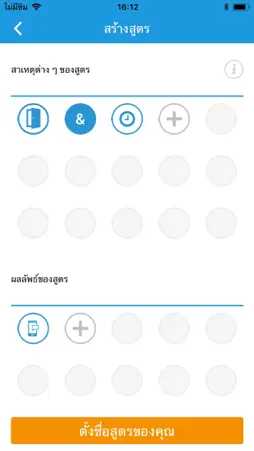
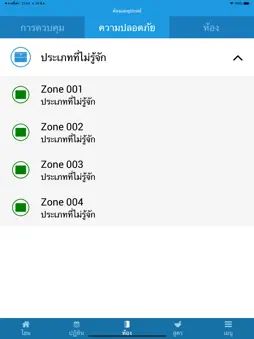
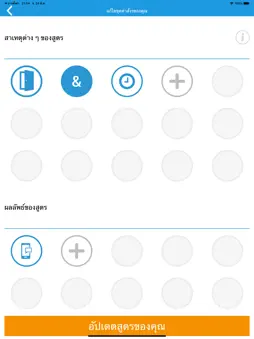
Connect your life to your home and your security. Secom Home Security (Powered by Texecom) transforms the experience of interacting and automating your home or business. It provides an environment where you want to interact and enjoy the new possibilities open to you, delivering the peace of mind that comes with knowing you are in complete control. The Timeline Central to the Secom Home Security App (Powered by Texecom) experience is the timeline. Events are clearly presented, giving you instant access to review events that have transpired, and also to plan and modify predicted events or changes in system status. Calendar The calendar offers a detailed day-by-day record of the previous two weeks events, with one week of recorded video footage. By accessing the calendar, users can view past activity including device activations, home automation recipes and system mode changes. Recorded camera footage can be viewed directly from the calendar as well as the option to view live camera footage. Create your own home or business automation Secom Home Security (Powered by Texecom) puts you in control of building automation. Make lights automatically turn on when you enter a room. Make sure that your hair straighteners are turned off when you leave the house. Receive notifications when your kids come home, or a parcel is delivered while you are at work. Personalise how you automate your home as with Secom Home Security (Powered by Texecom) you can do it all, your way. Devices During commissioning of the Secom Home Security App (Powered by Texecom), security alarm devices are mapped into rooms by the security installer, making these devices accessible to the end user for home automation. Rooms Devices are allocated to rooms within the Secom Home Security App (Powered by Texecom), which makes locating devices and creating home automation recipes from multiple devices in a room easy and intuitive. Recipes Recipes are a user-friendly way of describing the programming actions that are used for automation. The Secom Home Security App (Powered by Texecom) is programmed on the basis of ‘cause and effect’. Example recipes include, ‘when I enter through my front door and it is dark outside, turn on my hall light’ or ‘when someone is detected at my front door, send a notification message to my phone’. Modes A mode is a state in which you would set there home, e.g. holiday mode, bedtime mode, day mode. This is a key ‘shortcut’ that you can use to put your premises into a known state depending on how you want to use the system. For example, in ‘breakfast mode’, we might expect the system to be disarmed, kitchen power sockets on and kitchen lights turned on if it is dark outside. Cameras Secom Home Security (Powered by Texecom) is compatible with IP cameras that support JPEG video formats. View live footage from your Secom Home Security App (Powered by Texecom), anywhere in the world, and locally record video to your smartphone. Users Secom Home Security (Powered by Texecom) puts you in control of who can use the Secom Home Security App (Powered by Texecom) and the level of access for each user.
What's New
Version V2.0.24 2021-09-22
New upgraded version for swifter more reliable operation of your Secom security solution from Texecom Technical Analysis
Package Overview Basic metadata
Bundle ID
com.Texecom.Secom-Cld Current Version V2.0.24
Minimum iOS 10.0
Package Size App Store Size
Package Metadata 1 / 4 version records
Detailed binary, privacy manifest, framework, and Info.plist results have not been indexed for this package yet. The verified App Store and archive metadata above remains available.
Developer Information
Known Version Records
1 version record with stored package metadata • 4 known version records
Stored metadata does not guarantee a package is currently available to download.
| Details | Version / IDs | Version date | Action |
|---|---|---|---|
 26.32 MB | v2.0.24 App Store ID: 844220729Build: 3 | 2021-09-21 01:27:20 | Get Version |
| Not archived | App Store ID: 831990961 | Unknown | Request Version |
| Not archived | App Store ID: 831886650 | Unknown | Request Version |
| Not archived | App Store ID: 829524574 | Unknown | Request Version |