
Preview



Description
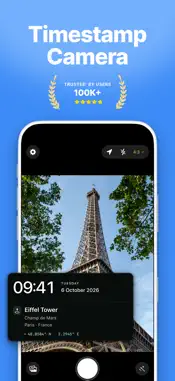
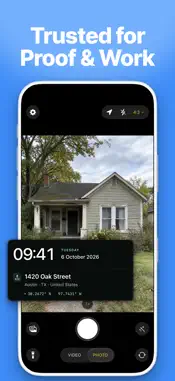
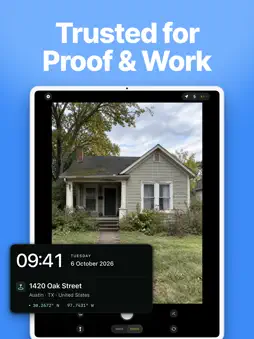
Timestamp puts the date, time and location on every photo and video you take. The stamp is part of the picture. It stays on when you text it to a customer or print it for the family album. It's a simple timestamp camera with no ads and no account to set up. People use it for: • Contractors: before-and-after job photos with the date and address on them • Delivery drivers: a photo of every drop-off with the time and address on it • Renters and landlords: stamped photos and walkthrough videos at move-in and move-out • Inspectors and homeowners: photos of damage or repairs for a report or an insurance claim • Families: the date on photos you took years ago ADD THE DATE TO PHOTOS YOU ALREADY TOOK Pick a photo or video from your library and date stamp it with the day it was actually taken. If a photo saved its GPS coordinates, those can go on too. No saved date, like a scanned print? Pick the date yourself. Timestamp saves a new copy, so your original stays exactly as it was. TIME STAMP EVERY NEW SHOT • The date and time go on the photo automatically, the moment you take it • Show your location as the street address, city, state, country, GPS coordinates or a nearby place. You choose which lines appear. • Add a short note to the stamp, like the job name or which room it is • Tap refresh to update your location before you shoot • What you see in the preview is what gets saved VIDEO, WITH SOUND • The time stamp stays on the whole clip, and your audio records as usual • Crop, recolor or restamp a video after you record it A STAMP YOU CAN READ • Drag it anywhere, or snap it to one of nine spots • Change the font, color, size or background until it reads clearly on a white wall or in a dark basement • 6 date and time styles, plus GPS cards that show the address and coordinates together FILM LOOKS Give any shot a warm vintage tone, a 90s film feel or classic black and white. There are 18 looks, and you can turn each one up or down in the camera or later in the editor. You'll also find 12 zodiac stamps. Terms of Use: https://teserastudio.com/terms Privacy Policy: https://teserastudio.com/privacy
Technical Analysis
Package Overview Basic metadata
Bundle ID
com.teserastudio.stampphoto Current Version 1.0.0
Minimum iOS 16.0
Package Size App Store Size
Package Metadata 0 / 0 version records
Detailed binary, privacy manifest, framework, and Info.plist results have not been indexed for this package yet. The verified App Store and archive metadata above remains available.
Developer Information
Known Version Records
0 version records with stored package metadata
Stored metadata does not guarantee a package is currently available to download.
| Details | Version / IDs | Version date | Action |
|---|