Preview


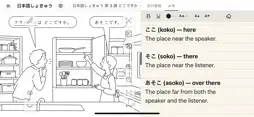


Description
Finger Book turns your PDF books into touch-friendly, interactive material — ready to present on a big screen. Import a PDF, hide parts of a page and reveal them with a tap, add pop-ups with text, images, audio or video, and present it all with zoom and pen tools. No conversion and no programming needed. See below for more details! 1. Import Your PDF Books Import any PDF as a book. Bookmarks in the PDF become chapters automatically. A sample book is included, so you can try everything right away. 2. Hide and Reveal Cover any part of a page, and reveal it with a tap during your presentation. Great for answers, new words, or anything you want to show at just the right moment. 3. Add Touch Actions Select any area of a page, or an image or text box you placed, and choose what happens when it is touched: zoom in on the area, pop up text or images, play audio or video, move it around, flip or rotate it, and more. Furigana (ruby) can be added to text automatically. 4. Present Freely Zoom and scroll smoothly, draw with the pen, enlarge any part of a page, or pull a part of a page out and move it around — on the spot, without any preparation. Focus Mode shows just the area you want your audience to look at. 5. Your Files Stay with You Your books and everything you create are saved on your device, in the Files app. Nothing is uploaded to our servers. ■ Free Plan and Full Plan With the Free Plan, you can view your books and use all the presentation tools on every page. You can place the items you create on one page in total (the sample book does not count). The Full Plan removes this limit. It is a one-time purchase, with no subscription. Sign-in is not required. Sign in only if you want to use the Full Plan on other devices or in the web version (Google Chrome / Microsoft Edge on a computer). Bring your PDFs to life with Finger Book!
What's New
Version 1.0.1 2026-11-14
- Bug fix. Technical Analysis
Package Overview Basic metadata
Bundle ID
education.semiosis.app.fingerbook Current Version 1.0.1
Minimum iOS 15.0
Package Size App Store Size
Package Metadata 0 / 0 version records
Detailed binary, privacy manifest, framework, and Info.plist results have not been indexed for this package yet. The verified App Store and archive metadata above remains available.
Known Version Records
0 version records with stored package metadata
Stored metadata does not guarantee a package is currently available to download.
| Details | Version / IDs | Version date | Action |
|---|