Preview


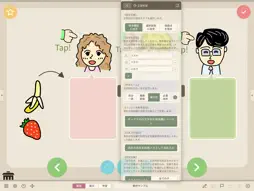


Description
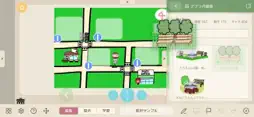
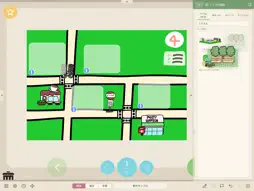
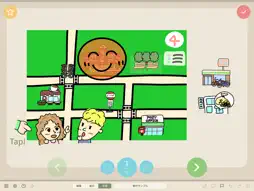
Finger Board Pro 2 lets you create exciting and interesting touch-optimized e-learning content even WITHOUT any programming knowledge or experience. You can create whatever content you like. Create content as far as your IDEAS can take you! The activities you create are easily shared with your students and can be accessed whether online or offline. ■ For Finger Board Pro users Finger Board Pro 2 is the new version of Finger Board Pro. You can import and use the content you made with Finger Board Pro. Content saved in the new format cannot be opened in Finger Board Pro. You can keep using Finger Board Pro as well. See below for more details! 1. Create Cards Get started by creating cards in a file. These cards can be used for VARIOUS LEARNING ACTIVITIES. You can create quizzes, flash cards, presentations etc. on each card. 2. Add Items on Cards You can add texts and images on a card. Select from MORE THAN 5,000 IMAGES pre-installed in the app. You may also add your own photos and images. 3. Assign Actions to the Item Assign actions to the item that will RESPOND TO THE TOUCH OF A FINGER. Items may play sounds, disappear and reappear, may move like they're alive, and much more! 4. Enable Check-answer Add Magnet Box to CREATE A QUIZ. Magnet Box enables you to create not only a simple tap-selection quiz, but also drag-pairing, drag-sorting quizzes and so on. 5. Set Presentation The cards can be used as presentation slides as well. You can drag, move, tap, and initiate actions on the items to make your presentations MORE interactive and fun! 6. Organize Cards in Card Pack You may choose to create a BUNDLE OF CARDS or a CARD PACK. A Card Pack allows you to create a set of activities consisting of multiple cards. Each pack has various options such as Keep-score, Countdown etc. that will challenge and improve the skills of your students. 7. Share with Your Students Publish your activities to your own Google Drive, and share the link with your students. You can also save the activities as a file and send them via email or any cloud storage. Make learning more EXCITING & INTERESTING with your ideas!
What's New
Version 1.0.2 2026-11-08
- Minor bug fix. Technical Analysis
Package Overview Basic metadata
Bundle ID
education.semiosis.app.fingerboard Current Version 1.0.2
Minimum iOS 15.0
Package Size App Store Size
Package Metadata 0 / 0 version records
Detailed binary, privacy manifest, framework, and Info.plist results have not been indexed for this package yet. The verified App Store and archive metadata above remains available.
Known Version Records
0 version records with stored package metadata
Stored metadata does not guarantee a package is currently available to download.
| Details | Version / IDs | Version date | Action |
|---|