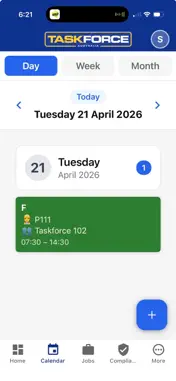
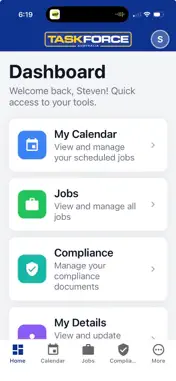
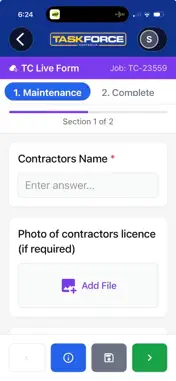
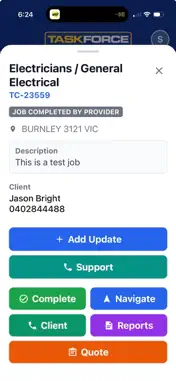
Stay up to date on new pending jobs that are a fit you and your trade. Have the ability to fully complete jobs while being able to upload files and images on the go. You'll get all important details on a job as well as a map feature to ensure you don't get lost on the way to a client.
What's New
Version 1.2.7 2026-10-07
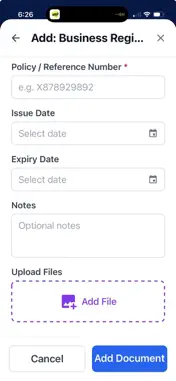
Jobs and offers • Quote requests: tap "Yes, I'll quote this" on the card, fill in the real quote form, and see the quote fee exactly as it's paid. • The Offered...Jobs and offers • Quote requests: tap "Yes, I'll quote this" on the card, fill in the real quote form, and see the quote fee exactly as it's paid. • The Offered pill now says what kind of offer it is, and the help text matches. • Do-and-charge jobs show "Do and charge, up to" — a ceiling, not a promise. • Job cards show every job type on the job, and rectifications get one clear banner. • Jobs that went to another trade drop off your list. Cancelled jobs no longer show an Accept button or the client's number. • Search results open the full job sheet. • See a property's job history and open the completed report — photos included, with a lightbox. Completing a job • Log your hours and parts. The form shows what they come to, warns if you're over the amount you were sent for, and asks why. • Add costs after you've completed — a costs-only form and an "Add costs" button. • Attach a PDF where a photo goes, and every photo is kept when you upload several at once. • A warning if a price is typed into the write-up. • Asset register jobs open their own completion form. • TradieConnect forms draw every field type properly, including cost fields and "other" options, and only require a comment when the form asks for one. Account setup • A step-by-step setup wizard: your trades and areas, business details and address, your rates, the agreement, bank details and documents — each one skippable. • Enter your own hourly and day rate for each trade, with the standard rate shown as a guide. • Eighteen trades to choose from, named the way the office names them, now including Glazier, Cleaning, HVAC Commercial, Garage Doors and Landscaping. • Police Check and Working With Children shown as preferred documents — some customers require them. • The agreement signs as one flowing page, and reading a standard takes you straight back to the list. • My Details matches the rest of the app and shows your ABN and GST status. Compliance and payments • A document awaiting review shows as pending, not a green tick, with a warning while it's being checked. • The RCTIs screen shows what's been paid and what's owed, straight from Xero, with one-tap bank confirmation. Roster • My Roster — the daily team roster on your phone, with your own shifts assignable. Smart locks • Every code, card and fingerprint gets a name, each lock model shows what it supports, and a lock must confirm it has reset before it's decommissioned. Plus a new app icon and many smaller fixes.
Technical Analysis
Package Overview Basic metadata
Bundle IDcom.taskforceaustralia.tradieapp
Current Version1.2.7
Minimum iOS15.1
Package SizeApp Store Size
Package Metadata0 / 1 version records
Detailed binary, privacy manifest, framework, and Info.plist results have not been indexed for this package yet. The verified App Store and archive metadata above remains available.