Preview

Description
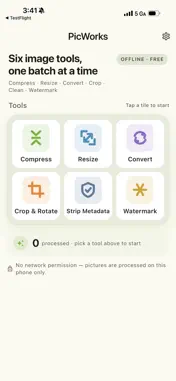
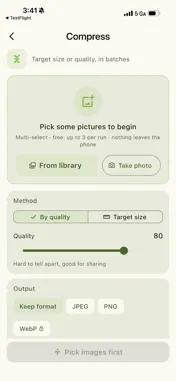
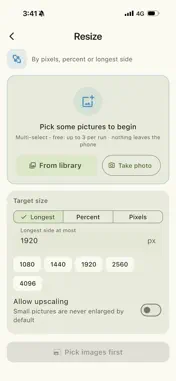
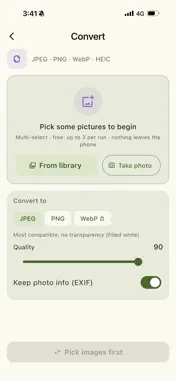
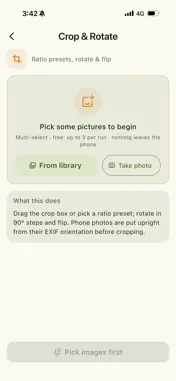
PicWorks puts the six image tools you actually use into one fully offline app: compress, resize, convert, crop & rotate, strip metadata, and watermark. Every tool works in batches, and everything happens on your phone — no network permission, no account, no ads. ■ Six tools • Compress: by quality, or set a target like "under 500 KB / 2 MB" — quality first, then size, with before/after numbers for each picture • Resize: by pixels, percent or longest side; never upscales unless you ask; keep aspect or stretch • Convert: JPEG, PNG and WebP in any direction; reads HEIC; transparent images get a white background when going to JPEG • Crop & Rotate: free, 1:1, 4:3, 16:9, 9:16 and more (13 presets), 90° rotation and flips; phone photos are put upright before cropping • Strip Metadata: see the device, time, software and GPS coordinates hidden in each picture, then remove all of it (metadata is cut out at the byte level, so this step adds no recompression of its own; HEIC is converted to JPEG first) • Watermark: text marks placed on a 3×3 grid or tiled diagonally across the picture; size, opacity, colour and shadow, with a live preview that matches the export ■ Why PicWorks • Six-in-one: no separate app (and separate subscription) for compressing, stripping EXIF and watermarking • Truly offline: the app requests no network permission, so your pictures never leave your phone • Batch: pick many, watch one progress bar, then compare every result with a draggable before/after slider • Buy once: the free version runs every tool in full on up to 3 pictures per run; Pro is a one-time purchase for unlimited batches, WebP export, watermark presets and remembered settings in the compress, resize, convert, crop and watermark tools • Dark mode, English and Chinese ■ Who it's for Anyone squeezing photos under a forum, email or form limit, anyone removing location data before sharing, creators signing their work in bulk, and everyone converting between HEIC, PNG and WebP. Free: all six tools, up to 3 pictures per run. Pro (one-time): unlimited batch size, WebP export, saved watermark presets, and the compress, resize, convert, crop and watermark tools remember your last settings.
Technical Analysis
Package Overview Basic metadata
Bundle ID
com.noobclaw.picbox Current Version 1.0
Minimum iOS 15.0
Package Size App Store Size
Package Metadata 0 / 0 version records
Detailed binary, privacy manifest, framework, and Info.plist results have not been indexed for this package yet. The verified App Store and archive metadata above remains available.
Known Version Records
0 version records with stored package metadata
Stored metadata does not guarantee a package is currently available to download.
| Details | Version / IDs | Version date | Action |
|---|