
Preview





Description
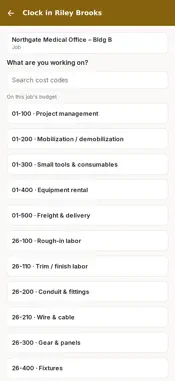
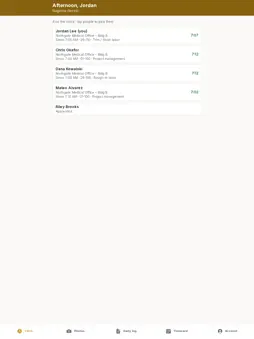
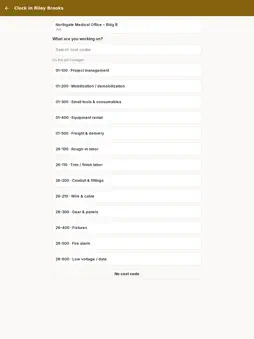
AdvantaBuild Field is the mobile time clock and job site app for companies that run their projects on AdvantaBuild. Crews clock in from their phones, field leads keep the crew's hours straight, and everything lands on the right job and cost code in AdvantaBuild. An AdvantaBuild company account is required. Your company's office sets up your access; crew members sign in with their mobile number and field leads with their work email. FOR CREW MEMBERS • Clock in and out on the job with one tap • Pick the cost code you're working on, and switch it when the work changes • Take unpaid breaks • Confirm your hours at clock-out • See your timecard for the current work period, including overtime FOR FIELD LEADS • Clock in the whole crew at once • Approve the crew's hours for the work period • Fix a start time, end time, break or cost code before approving • File the daily log from the site • Take job photos and see the photos for every job you're on BUILT FOR THE JOB SITE • Works without signal: clock-ins and clock-outs are saved on the phone and sent when you're back in range • Large buttons and text that grows with your phone's text size • Records your location only at clock-in and clock-out, so the office can see you were on site. It does not track you during the day. TIED TO YOUR JOB COST Hours flow straight into AdvantaBuild's Time page, timesheets and job cost reports, so the office stops retyping paper timecards. Questions or account help: [email protected]
Technical Analysis
Package Overview Basic metadata
Bundle ID
com.advantabuild.field Current Version 1.0
Minimum iOS 16.4
Package Size App Store Size
Package Metadata 0 / 0 version records
Detailed binary, privacy manifest, framework, and Info.plist results have not been indexed for this package yet. The verified App Store and archive metadata above remains available.
Developer Information
Known Version Records
0 version records with stored package metadata
Stored metadata does not guarantee a package is currently available to download.
| Details | Version / IDs | Version date | Action |
|---|