Preview


Description
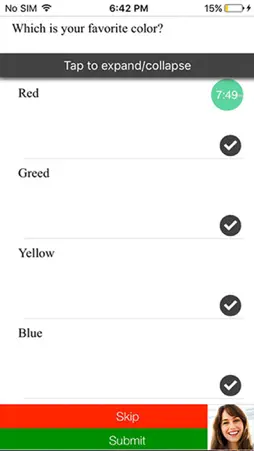
Betterment candidate app is a convenient way for candidates to do their screening interview or test from the time and location of their choice. If the prospective employer has invited you to attend the assessment or you have a QR code of a job from any advertisement by the employer you can download the app and enter/scan the code to complete your assessment. Important: This app supports two types of assessment- 1. Asynchronous or Automated Video Interviews 2. Video Proctored Objective Test (Multiple Choice Questions) Below are some of the tips that will help you to have a successful video interview 1. Prepare for the interview as you would for a traditional face to face one. 2. Make sure the your phone is fully charged and and you have taken a practice interview prior to attending the actual interview. 3. The position of the front camera is very important, make sure you are holding it parallel to your posture. 4. Good to have a neat background with no noise. 5. Do not keep any other application running on your phone that might interfere with the ongoing assessment. 6. Dress appropriately to look good on camera and have a good impression over the employer. 7. Be wary of your expressions while answering, since video interaction enables more focus on your body language. 8. Ensure that you have good signal and internet speed is optimum. 9. If you have slow connection it might take little longer for transition between answers and for final submission. Do not panic and close the app. 10. If the assessment gets disrupted and the app gets closed, you can resume the assessment by entering/scanning the code again. For any queries regarding the application or for any technical support please contact us at [email protected].
What's New
Version 2.1.6 2017-07-12
This update from Apple will improve the functionality of this app. No new features are included. - Fixes localization for Chinese Traditional Technical Analysis
Package Overview Basic metadata
Bundle ID
com.talview.candidate.betterment Current Version 2.1.6
Minimum iOS 9.0
Package Size App Store Size
Package Metadata 1 / 4 version records
Detailed binary, privacy manifest, framework, and Info.plist results have not been indexed for this package yet. The verified App Store and archive metadata above remains available.
Known Version Records
1 version record with stored package metadata • 4 known version records
Stored metadata does not guarantee a package is currently available to download.
| Details | Version / IDs | Version date | Action |
|---|---|---|---|
| 22.83 MB | v2.1.6 App Store ID: 841772568Build: 2.1.6 | 2017-07-12 02:46:21 | Get Version |
| Not archived | App Store ID: 822530891 | Unknown | Request Version |
| Not archived | App Store ID: 822399068 | Unknown | Request Version |
| Not archived | App Store ID: 822277875 | Unknown | Request Version |