Preview


Description
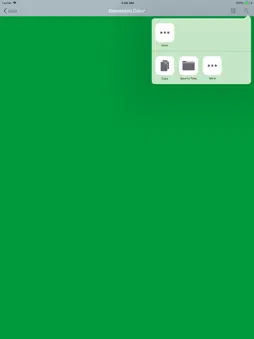
Hello, I am an iOS application engineer in Japan. Everyday I work with various people such as designers and planners. One of the many instructions by the designer's designation is color designation. For example, the theme color of this application is "#9CAEB7". This color is the same as the line color of Japanese subway, "Hibiya line". Just by looking at this, I do not know what color it is. And in implementing it, our iOS application engineers have to generate program code for Objective-C and Swift. So I made this App. You can see what color it is in full screen display. At the same time, you are able to generate program code, so you just send it to Mac with any sharing method you like. This app is written in modern Swift 5 produced by Apple. As a latest technology, I implemented Peek & Pop of 3D Touch. Please try pressing the color part after conversion. Full screen display is possible as it is. I think that there are users who use iPhone which is not compatible with 3D Touch so I made it possible to tap. There is still room for additional functions. I plan to find the gap time of other projects and add useful functions. If you find a bug or you would like to suggest adding functionality, please send feedback from the Settings Tab. From iOS 13, you can use this app with dark mode! Please enjoy! Thank you very much for your downloading at the end.
What's New
Version 1.4.2 2023-03-27
Thank you very much for using my App. This update includes following contents. - Bug fixes and stability improvement Technical Analysis
Package Overview Basic metadata
Bundle ID
com.ASTK.ColorConvertor Current Version 1.4.2
Minimum iOS 12.0
Package Size App Store Size
Package Metadata 0 / 13 version records
Detailed binary, privacy manifest, framework, and Info.plist results have not been indexed for this package yet. The verified App Store and archive metadata above remains available.
Known Version Records
0 version records with stored package metadata • 13 known version records
Stored metadata does not guarantee a package is currently available to download.
| Details | Version / IDs | Version date | Action |
|---|---|---|---|
| Not archived | App Store ID: 855831527 | Unknown | Request Version |
| Not archived | App Store ID: 852233333 | Unknown | Request Version |
| Not archived | App Store ID: 848193687 | Unknown | Request Version |
| Not archived | App Store ID: 837809068 | Unknown | Request Version |
| Not archived | App Store ID: 836894159 | Unknown | Request Version |
| Not archived | App Store ID: 835365073 | Unknown | Request Version |
| Not archived | App Store ID: 832824961 | Unknown | Request Version |
| Not archived | App Store ID: 830708264 | Unknown | Request Version |
| Not archived | App Store ID: 828607229 | Unknown | Request Version |
| Not archived | App Store ID: 826225922 | Unknown | Request Version |
| Not archived | App Store ID: 824214528 | Unknown | Request Version |
| Not archived | App Store ID: 821950108 | Unknown | Request Version |
| Not archived | App Store ID: 820863744 | Unknown | Request Version |