Preview




Description
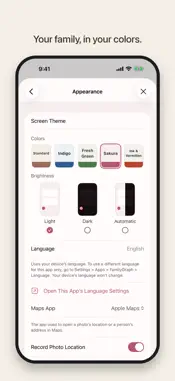
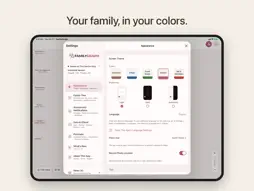
FamilyGraph is a family tree app that draws clear family trees automatically, even for big families, and lets you print them on large paper. Build your family tree Add people and relationships (parent-child, spouse, partner), and FamilyGraph builds your family tree automatically, arranging even large families neatly with as few crossing lines as possible. Switch between vertical (parents above, children below) and horizontal at any time. Multiple marriages, separations, and bereavements are all supported. Generation bands show at a glance which generation you're looking at. Switch the person at the center at any time, and use − and + to show your family one step wider or narrower. Export to PDF and print Export your family tree as a PDF. Choose the orientation, depth, face photos, birth and death dates, ages, and a title, and fit it all on one page, from A4 up to an A1 poster. Gather around it at family get-togethers. Available in the free version. Explore in 3D and back in time In 3D Family Tree, each family spreads out into its own branch. Go Back in Time shows who in your family was alive in a chosen year, and how old they were. Connect photos to people Add several photos at once and tag each face to the right person. You can also send photos from the Share menu in the Photos app. Photos from the same scene are grouped into large cards. Register photos from a wedding, memorial, trip, or other event as an Event, and they appear on the timeline of everyone in them. For old photos with no date, tap "Around what year?" to add an approximate year. Type an address into a photo's location and a pin drops on the map. Bring black-and-white photos to color Add AI-estimated color to old black-and-white photos (part of the Unlimited Version; you can preview the result on your own photos before buying). Processing happens entirely on your device, and photos are never uploaded. The original is kept, so you can switch back or delete the color version at any time. Every life, as a timeline A person's page brings together their family's faces, photos, and timeline. The timeline lays out births, marriages, events, and photos decade by decade. A Profile brings together Life at a Glance, family, photos, episodes, and timeline, and can be exported as a PDF (A4 landscape spread) or an HTML file. Question cards help you ask about memories, and Compare at Same Age places family members' face photos from the same age side by side. You can also record places of birth, occupations, maiden names, multiple phone numbers, email addresses, and addresses, and uncertain dates such as "c. 1925". Over the New Year holidays, your timeline suggests questions to ask when the family gets together, and you can keep the stories you hear in the Family Story Book. Find and tidy up Search people and photos together, merge two entries for the same person, and import people from Contacts. Keep your family's records safe All data is stored on your device, and can sync automatically across devices via iCloud. You can export and restore backup files at any time from Settings. Deleted people and photos can be restored from Recently Deleted for 30 days. A lock using Face ID, Touch ID, or your device passcode keeps sensitive family records private. Multilingual, in your colors Available in 13 languages: Japanese, English, Korean, Traditional Chinese, Simplified Chinese, German, Spanish, French, Italian, Portuguese (Brazil), Thai, Indonesian, and Vietnamese. Choose from five color themes under Screen Theme in Settings. Privacy-respecting by design No ads, no analytics, no data sent to our servers. Access to Contacts and Photos happens only through the system's standard picker, so the app never reads your entire library. Free to try The free version supports up to 5 people and 10 photos. The Unlimited Version (a one-time purchase, not a subscription) removes those limits and includes Photo Colorization.
What's New
Version 1.3.3 2026-11-07
• Photo lists now show each event's name and type. Small thumbnails show the type icon in the corner, and trips now use a suitcase instead of a plane. • "Annive...• Photo lists now show each event's name and type. Small thumbnails show the type icon in the corner, and trips now use a suitcase instead of a plane. • "Anniversaries" are now called "Important Dates." • In group photos, you can now set the face position later for people who don't have a face frame. • The vertical family tree has fewer unneeded line crossings. • Fixed an issue where Open Timeline sometimes didn't open when you touched and held a person. • Other stability improvements. Technical Analysis
Package Overview Basic metadata
Bundle ID
com.capris.familygraph Current Version 1.3.3
Minimum iOS 18.0
Package Size App Store Size
Package Metadata 0 / 0 version records
Detailed binary, privacy manifest, framework, and Info.plist results have not been indexed for this package yet. The verified App Store and archive metadata above remains available.
Known Version Records
0 version records with stored package metadata
Stored metadata does not guarantee a package is currently available to download.
| Details | Version / IDs | Version date | Action |
|---|