
Preview

Description
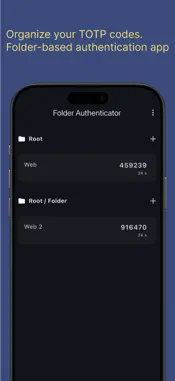
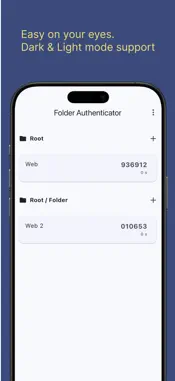
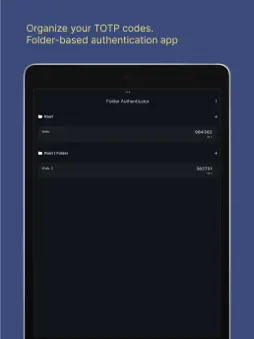
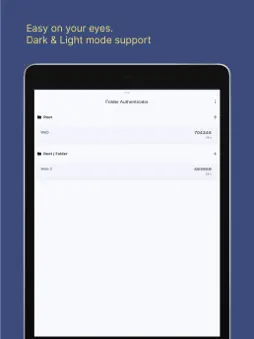
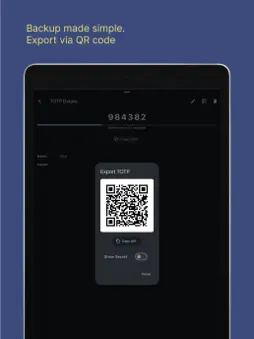
Folder Authenticator - Organize Your TOTP Codes Like Never Before Take control of your two-factor authentication with Folder Authenticator, the only TOTP app that lets you organize your codes in folders for ultimate convenience and security. Smart Organization • Create custom folders to group your TOTP codes by category • Business, Personal, Social Media - organize however you like • Never scroll through endless lists again Effortless Setup • Scan QR codes instantly with built-in camera • Manual entry support for all services • Bulk import from other authenticator apps Security • AES-256 encryption protects your secrets • Secure local storage - your data stays on your device • No cloud sync means no privacy concerns Beautiful Design • Clean, intuitive interface • Dark and Light mode support • Smooth animations and responsive design Easy Backup & Migration • Export codes as QR codes for easy backup • Transfer to new devices in seconds • Never lose access to your accounts again Perfect for professionals, security-conscious users, and anyone tired of cluttered authenticator apps. Download Folder Authenticator today and experience organized, secure two-factor authentication.
What's New
Version 1.1.0 2025-07-11
You can select language, English or Japanese. Technical Analysis
Package Overview Basic metadata
Bundle ID
dev.miyado.folder-authenticator Current Version 1.1.0
Minimum iOS 12.0
Package Size App Store Size
Package Metadata 0 / 2 version records
Detailed binary, privacy manifest, framework, and Info.plist results have not been indexed for this package yet. The verified App Store and archive metadata above remains available.
Known Version Records
0 version records with stored package metadata • 2 known version records
Stored metadata does not guarantee a package is currently available to download.
| Details | Version / IDs | Version date | Action |
|---|---|---|---|
| Not archived | App Store ID: 876292573 | Unknown | Request Version |
| Not archived | App Store ID: 875414839 | Unknown | Request Version |