
Preview




Description
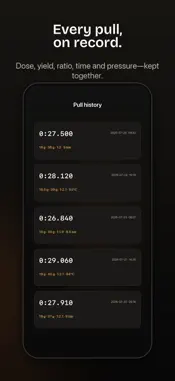
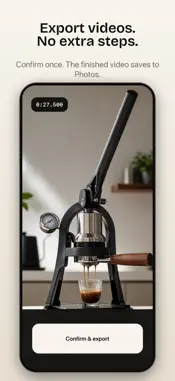
Espresso Mirror is a hands-free camera, shot timer, and pull log for dialing in espresso. RECORD THE PULL Start the video before you touch the machine. Start the extraction timer exactly when the pump or lever engages. Separate recording and timer controls keep pre-infusion and the full workflow on camera without distorting shot time. WORK HANDS-FREE Say “Start recording,” “Start timer,” “Stop timer,” or “Stop recording.” Repeated commands are safely ignored. If “start” or “stop” could mean two things, the app asks you to choose. READ THE EXTRACTION Review time, dose, yield, ratio, pressure, roast, grinder setting, and notes. Shot history syncs through iCloud so you can compare pulls and dial in with evidence. EXPORT CLEANLY Save the finished video to Photos and share it in five restrained layouts designed around extraction data. Espresso Mirror has no account and no ads. A one-time Pro purchase unlocks clean exports and full shot history. COMPLETE DIAL-IN TOOLKIT • Tap the preview to focus. • Save and reuse beans, grinders, and espresso machines. • Record dose, yield, ratio, pressure, temperature, roast, grind setting, dates, and notes. • Rate pulls from one to five stars and filter history by bean name. • Preview five export styles, rotate video by 0°, 90°, 180°, or 270°, and see percentage progress while large videos render.
What's New
Version 1.1.2 2026-10-10
Updated the Goals and Priorities icons in the Mindful Suite app list. Technical Analysis
Package Overview Basic metadata
Bundle ID
com.mindfulsuite.espresso Current Version 1.1.2
Minimum iOS 17.0
Package Size App Store Size
Package Metadata 0 / 0 version records
Detailed binary, privacy manifest, framework, and Info.plist results have not been indexed for this package yet. The verified App Store and archive metadata above remains available.
Developer Information
Known Version Records
0 version records with stored package metadata
Stored metadata does not guarantee a package is currently available to download.
| Details | Version / IDs | Version date | Action |
|---|