Preview




Description
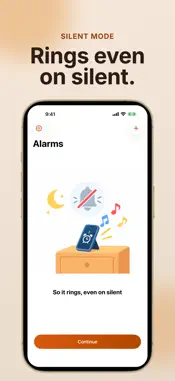
My Sound Alarm is an iPhone alarm clock app that wakes you up to your favorite part of a song, or to the sound from a video. You set your alarms in this app, and the part you choose plays on repeat until you stop it. KEY FEATURES Wake Up to the Part You Love Open a video or an audio file, look at the waveform, and select a range. Keep just the chorus or the whole song. You can listen while you adjust it. When it reaches the end, it starts again. No Length Limit Ringtones made in GarageBand can be up to 30 seconds. My Sound Alarm takes up to 10 minutes from a video, and long audio files can be imported as they are. Take the Audio From a Video Choose a video from your photo library or the Files app and keep only the sound. A trip video, or the voices of your family or pet, can become your alarm sound. Import Audio Files MP3, AAC, WAV and M4A all work. Add them from the Files app, or send them from another app with the Share button. Rings in Silent Mode My Sound Alarm schedules its alarms with AlarmKit, the alarm framework Apple added in iOS 26. They appear on the Lock Screen like alarms from the built-in Clock app and ring in Silent mode and when a Focus is on, even when My Sound Alarm is closed. Oversleep Guard (Pro, early access) If you haven't stopped an alarm by the time you choose, it plays the same sound again, louder. Playlists (Pro, early access) Group your sounds and play them in order, shuffled, or one random track. Choose how tracks blend into each other: a fade or a crossfade. Gentle Start (Pro, early access) The alarm starts quiet and gets louder over 5, 15 or 30 seconds. If you start using these Pro features during early access, you keep them after the full release. See Your Sounds Each alarm shows a frame from your video or the artwork from your audio file. Night Mode Your iPhone becomes a bedside clock, with large, soft numbers you can read in a dark room. NOTES - Requires iOS 26 or later (AlarmKit) - Longer sounds use more storage. A 10-minute sound is about 50 MB. - Songs from streaming services such as Apple Music or Spotify can't be imported.
What's New
Version 1.8.4 2026-11-22
■ Use songs from the Music app When adding a sound, choose "Add from Music" to pick the part to ring from songs in your Music app. ■ Open from Control Center A...■ Use songs from the Music app When adding a sound, choose "Add from Music" to pick the part to ring from songs in your Music app. ■ Open from Control Center Add "My Sound Alarm" and "Add Alarm" to Control Center. Tap to open your alarm list or the add screen. ■ A simpler alarm editor Snooze, Label and Gentle start are now under "More". ■ Also • If you pick a part that is nearly silent, the app tells you. • The email from "Report a bug or ask a question" in Settings now attaches the app's status to help us look into problems. It does not include song names or sound files. You can remove it before sending. • Fixed overlapping text on the trim screen at the largest text size. Thank you for using My Sound Alarm. Technical Analysis
Package Overview Basic metadata
Bundle ID
com.tkysdev.customsoundalarm Current Version 1.8.4
Minimum iOS 26.0
Package Size App Store Size
Package Metadata 0 / 1 version records
Detailed binary, privacy manifest, framework, and Info.plist results have not been indexed for this package yet. The verified App Store and archive metadata above remains available.
Developer Information
Known Version Records
0 version records with stored package metadata • 1 known version records
Stored metadata does not guarantee a package is currently available to download.
| Details | Version / IDs | Version date | Action |
|---|---|---|---|
| Not archived | App Store ID: 883394665 | Unknown | Request Version |