Preview


Description
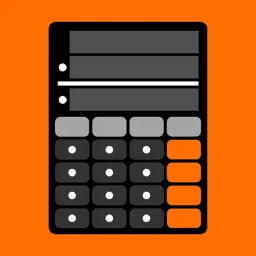
iCalcSpeed is a calculator app that can calculate with the fewest operations. There is no equal key and you can save time by reducing even one tap operation. The two input values are displayed as they are after calculation, so you can check calculations reliably. It has an independent memory that is always visible. There is ⓘ button to display the information page that describes instructions. Thank you for using iCalcSpeed. (Basic operation method) A Calculation is performed each time you tap a key to enter a number or tap an operator key. A number will be entered in the cell with a white frame. If you tap an input cell without a white frame, "0" will be entered with a white frame. If you tap the operator key while the upper input cell is framed in white, the lower input cell will be framed in white and "0" will be entered. If you tap the operator key after entering a number in the lower input cell, the result will be entered in the upper input cell and "0" will be entered in the lower input cell to enter the input state. (Independent memory) [M+] key adds the calculated value to the memory cell. [M-] key subtracts the calculated value from the memory cell. [MR] key inputs a memory cell value into an input cell with a white frame. [MC] key clears the value of the memory cell. Flipping the memory cell also clears it. (Other keys) [>] key deletes the rightmost input value of the cell with a white frame. Flipping a cell with a white frame will also delete the rightmost input value. [copy] key puts the calculated value into the clipboard. [paste] key puts the clipboard value into the cell with a white border. [< Prev] key moves the calculation back one step at a time. [Next >] key advances the calculation returned by the [< Prev] key one step at a time. (Remarks) The calculation range is −999,999,999,999 ~ 999,999,999,999. The maximum number of digits is 12. The developer assumes no responsibility for any loss or claims by third parties which may arise from the use of this app.
What's New
Version 2.1.0 2026-10-27
• The history recall buttons have been changed to “< Prev" and "Next >" • The control buttons in iPad multi-window mode no longer overlap with app buttons • Oth... Technical Analysis
Package Overview Basic metadata
Bundle ID
com.tamagawa.icalcspeed Current Version 2.1.0
Minimum iOS 15.0
Package Size App Store Size
Package Metadata 0 / 13 version records
Detailed binary, privacy manifest, framework, and Info.plist results have not been indexed for this package yet. The verified App Store and archive metadata above remains available.
Developer Information
Known Version Records
0 version records with stored package metadata • 13 known version records
Stored metadata does not guarantee a package is currently available to download.
| Details | Version / IDs | Version date | Action |
|---|---|---|---|
| Not archived | App Store ID: 882726303 | Unknown | Request Version |
| Not archived | App Store ID: 879170856 | Unknown | Request Version |
| Not archived | App Store ID: 873647622 | Unknown | Request Version |
| Not archived | App Store ID: 866134137 | Unknown | Request Version |
| Not archived | App Store ID: 865006446 | Unknown | Request Version |
| Not archived | App Store ID: 863225269 | Unknown | Request Version |
| Not archived | App Store ID: 862223410 | Unknown | Request Version |
| Not archived | App Store ID: 861064989 | Unknown | Request Version |
| Not archived | App Store ID: 860871664 | Unknown | Request Version |
| Not archived | App Store ID: 860188635 | Unknown | Request Version |
| Not archived | App Store ID: 858387464 | Unknown | Request Version |
| Not archived | App Store ID: 856892848 | Unknown | Request Version |
| Not archived | App Store ID: 856041023 | Unknown | Request Version |