
Preview



Description
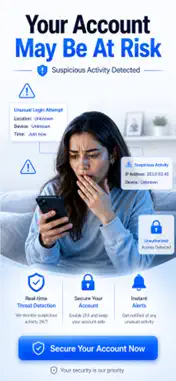
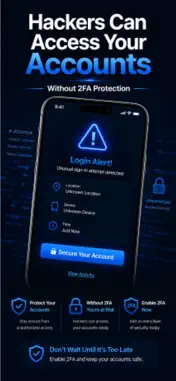
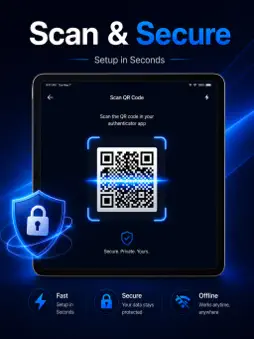
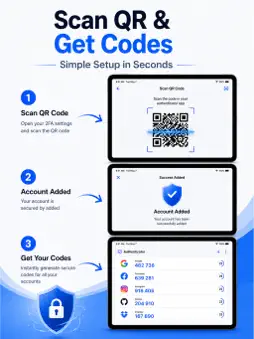
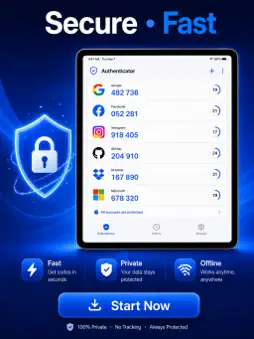
Protect your online accounts with Authenticator, a secure and easy-to-use two-factor authentication (2FA) app that generates time-based one-time passwords (TOTP) for your favorite websites and services. Whether you're securing email, social media, work accounts, banking, or cloud services, Authenticator helps keep your accounts protected with an extra layer of security. Set up new accounts in seconds by scanning QR codes or adding them manually, then access your verification codes anytime. Designed for speed, privacy, and reliability, Authenticator keeps all your login codes organized in one secure place. Easily import accounts from other authenticator apps or add accounts directly from QR code images stored in your photo gallery. Quickly search your accounts, copy verification codes with a single tap, and monitor code expiration using the built in live countdown timer. Accidentally deleted an account? Restore it from Recently Deleted. Export your accounts for local backups with optional encryption, and follow step-by-step 2FA setup guides for popular online services. Free Features • Generate secure TOTP (Time-Based One-Time Password) verification codes • Scan QR codes for quick account setup • Add accounts manually when needed • Import accounts from QR code images in your photo library • Import accounts from other authenticator apps • Migrate from Google Authenticator • Export accounts for secure local backup with optional encryption • Copy verification codes with one tap • Search accounts instantly • Live countdown timer showing code refresh time • Restore deleted accounts with Recently Deleted • Protect the app with a PIN lock and customizable auto-lock timer • Block screenshots for enhanced privacy and security • Follow easy 2FA setup guides for popular services • Available in multiple languages including English, Arabic, Spanish, French, Hindi, Urdu, and more Premium Features Unlock additional security and convenience with Premium: • Secure cloud backup and synchronization across your devices • Store unlimited authenticator accounts • Customize verification code timers with extended options including 15-minute, 20-minute, and 5-hour timers where supported • Priority customer support Whether you're protecting personal accounts, business logins, or developer services, Authenticator provides a fast, private, and dependable way to manage your two-factor authentication codes. Your verification codes remain available even without an internet connection, helping you stay securely connected wherever you are. Subscription Information Some features require a Premium subscription. Subscriptions automatically renew unless canceled at least 24 hours before the end of the current billing period. Payment is charged to your Apple ID account upon purchase, and you can manage or cancel your subscription anytime through your App Store account settings. Prices may vary by region. Download Authenticator today and keep your digital accounts protected with secure, simple, and reliable two-factor authentication. Contact us: [email protected] Privacy Policy: https://sites.google.com/lowbytestudio.com/privacypolicy/home Terms of Service: https://sites.google.com/lowbytestudio.com/terms-of-service/home
What's New
Version 1.3 2026-08-26
Minor bug fixes and performance improvements. Technical Analysis
Package Overview Basic metadata
Bundle ID
com.lbs.authenticatorios Current Version 1.3
Minimum iOS 17.6
Package Size App Store Size
Package Metadata 0 / 0 version records
Detailed binary, privacy manifest, framework, and Info.plist results have not been indexed for this package yet. The verified App Store and archive metadata above remains available.
Developer Information
Known Version Records
0 version records with stored package metadata
Stored metadata does not guarantee a package is currently available to download.
| Details | Version / IDs | Version date | Action |
|---|