Preview


Description
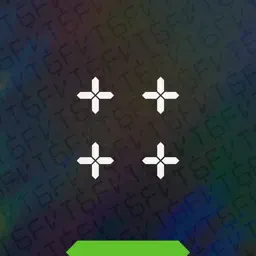
THE ESSENTIAL CHROMA KEY AND MOTION TRACKING DISPLAY FOR FILMMAKERS & VFX ARTISTS. Turn your smartphone or tablet into a mathematically perfect, edge-to-edge chroma key tracking surface. Whether you are an indie director shooting a sci-fi short, a post-production supervisor managing screen replacements, or a YouTube tech reviewer, achieving a clean VFX track is vital. T6FV Green Screen Tracker delivers a hyper-optimized, high-contrast tracking grid that leading compositing software, like After Effects, Premiere Pro, and DaVinci Resolve, will lock onto flawlessly. Stop wasting hours in post-production rotoscoping messy reflections or hand-drawn markers. Repurpose your devices into pre-calibrated tracking slates that guarantee a perfect planar track and 3D camera solve every time. 100% FREE. ZERO SUBSCRIPTIONS. Essential filmmaking tools shouldn't be locked behind expensive paywalls. Download it once, own it forever, and utilize unlimited motion tracking capabilities completely subscription-free. PRECISION GRID & MARKER CUSTOMIZATION Your camera setup is unique, so your tracking markers need to adapt dynamically to match your focal length and lens distortion. • Granular Density Control: Dial in the exact number of grid columns. Create a dense matrix for extreme close-ups, or a sparse grid for wide-angle background screens. • Dynamic Marker Resizing: Scale the pixel dimensions of your tracking crosses. Keep markers large enough to survive motion blur, but small enough to maintain pristine edge detail. • Auto Mark Intelligence: Moving fast on set? Hit "Auto Mark" to instantly generate the optimal, mathematically balanced grid for your specific screen resolution. ADVANCED LIGHTING & SPILL PREVENTION Stop worrying about blown-out exposures and dreaded green color spill ruining your actor's skin tones. Adaptive Contrast Blending: Seamlessly adjust marker contrast. Transition from pure black markers for bright studio lighting, to subtle, low-contrast green markers that minimize reflections on glossy surfaces. Retain maximum trackability while protecting your scene's dynamic range. IMMERSIVE EDGE-TO-EDGE DISPLAY A truly clean slate for seamless visual effects. The app aggressively hides your device's UI, battery icons, status bars, and home indicators. Your vivid green chroma background fills the entire glass surface from corner to corner. Simply tap anywhere on the screen to reveal or hide your control menu. THE T6FV ECOSYSTEM: TRY THE VIDEO PLANNER Level up your workflow before you call "Action." Try our flagship pre-production app: T6FV Video Planner. Harness the power of AI to generate scripts, build cinematic storyboards, outline content strategies, and create detailed shot lists in seconds. Plan your VFX-heavy shoot in the Video Planner, then hit the set and illuminate your Green Screen Tracker to capture perfect compositing plates. PERFECT FOR EVERY PRODUCTION • VFX Artists: Ensure clean planar tracks in Mocha and seamless solves without fighting bad keying. • Tech YouTubers: Capture blank mobile screens that can easily be replaced with custom UI recordings. • Cinematographers: Dial in exact screen brightness to avoid casting unwanted color spill onto practical props. • Indie Filmmakers: Turn any extra phone into a usable prop, so your editor can easily drop in CGI interfaces or text messages later. Eliminate post-production headaches and lock down your tracking points with absolute confidence. Download T6FV Green Screen Tracker today.
What's New
Version 1.1.0 2026-06-09
- General bug fixes Technical Analysis
Package Overview Basic metadata
Bundle ID
com.t6fv.greenscreentracker Current Version 1.1.0
Minimum iOS 14.0.0
Package Size App Store Size
Package Metadata 0 / 3 version records
Detailed binary, privacy manifest, framework, and Info.plist results have not been indexed for this package yet. The verified App Store and archive metadata above remains available.
Known Version Records
0 version records with stored package metadata • 3 known version records
Stored metadata does not guarantee a package is currently available to download.
| Details | Version / IDs | Version date | Action |
|---|---|---|---|
| Not archived | App Store ID: 886578657 | Unknown | Request Version |
| Not archived | App Store ID: 885223577 | Unknown | Request Version |
| Not archived | App Store ID: 884655566 | Unknown | Request Version |