
Preview




Description
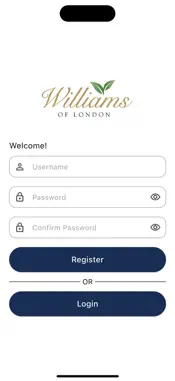
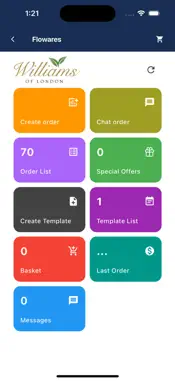
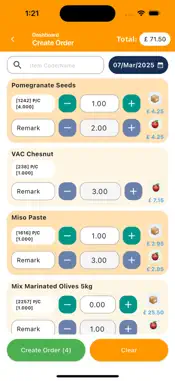
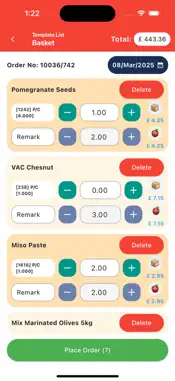
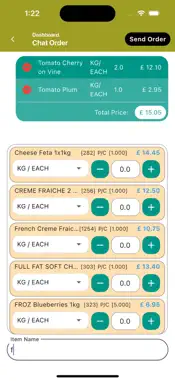
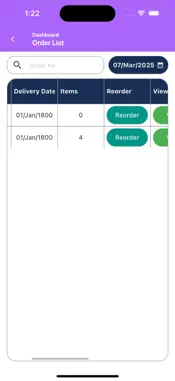
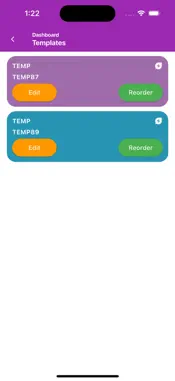
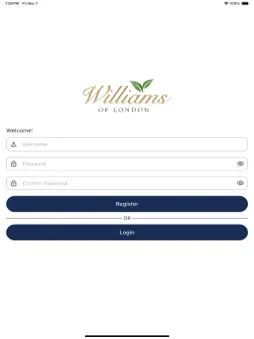
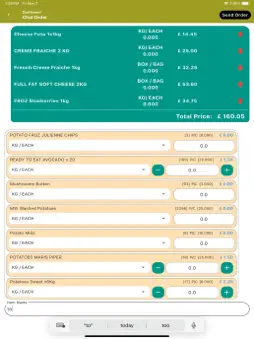
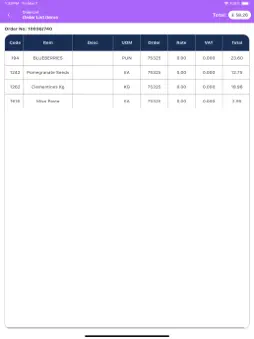
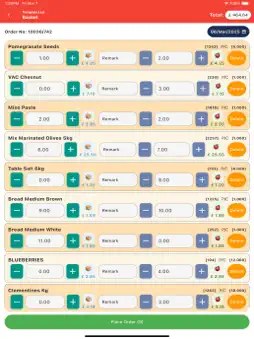
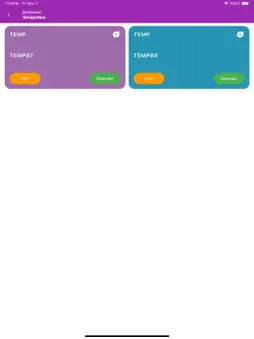
How to Place Orders with Floware Placing an order with Floware is simple, efficient, and tailored to meet the unique needs of your kitchen. Whether creating a new order, reordering from past purchases, or exploring special offers, Floware provides a streamlined process for accuracy and convenience. 1. Create a New Order To start, fill your basket with the needed items. Click "Create Order" to go to a review screen, where you can fine-tune your selections. This step allows you to adjust quantities, add or remove items, ensuring everything is perfect before finalizing your order. Once confirmed, Floware automatically notifies the supplier via email, adding your order to their list. The requested delivery will be prepared and shipped according to your specifications. Floware simplifies kitchen management by streamlining the entire ordering process, saving time and improving efficiency. 2. Chat Order: Quick and Direct Floware also offers a quick, chat-based ordering option. Simply type the product name into the chat, add it to your basket, and click "Place Order". This sends your order directly to the supplier, making it ideal for fast, on-the-go ordering. 3. Reorder: Simplified Repeat Orders Reordering past purchases is easy with Floware: Access Previous Orders: Navigate to the order list to find all past orders. Select the one you wish to reorder. Review and Edit: Once selected, the order is added to your basket. You can adjust quantities, remove items, or add new products to meet your needs. Place Order: After reviewing, click "Place Order" to send the updated order to the supplier, completing the process in one click. 4. Reordering with Templates: Efficient and Customizable Floware allows you to create and reuse templates for recurring orders. This is particularly useful for repeat menus, recipes, or seasonal orders. Create Templates: Set up templates for specific needs like recipes or seasonal menus (e.g., Spring or Summer). These templates save time on regular orders. Access and Reuse Templates: When it’s time to reorder, simply select the appropriate template for your current needs. Whether it’s a bank holiday menu or a regular weekday order, the template is ready to use. Amend if Necessary: You can easily modify templates if adjustments are required before placing the final order. 5. Accessing Special Offers: Discover New Products Floware enhances communication between suppliers and customers by allowing suppliers to update their inventory and showcase special offers directly on the platform. Supplier Updates: Suppliers can upload images and descriptions of unique products, such as specialty fruits (e.g., Alphonso mangoes from India, British strawberries), along with pricing details. Explore Accessible Offers: Once updated, these special products become visible to all users. This gives you the opportunity to browse and explore exclusive items. Place Order: After reviewing the offers, you can easily place an order for any of the specialty products, enjoying a seamless process with just a few clicks. For any further questions visit out website www.flowares.com or email to [email protected]
What's New
Version 1.4.8 2025-12-30
Bug Fix Technical Analysis
Package Overview Basic metadata
Bundle ID
com.coinone.flowares Current Version 1.4.8
Minimum iOS 15.6
Package Size App Store Size
Package Metadata 0 / 16 version records
Detailed binary, privacy manifest, framework, and Info.plist results have not been indexed for this package yet. The verified App Store and archive metadata above remains available.
Developer Information
Known Version Records
0 version records with stored package metadata • 16 known version records
Stored metadata does not guarantee a package is currently available to download.
| Details | Version / IDs | Version date | Action |
|---|---|---|---|
| Not archived | App Store ID: 881086999 | Unknown | Request Version |
| Not archived | App Store ID: 881070694 | Unknown | Request Version |
| Not archived | App Store ID: 875757410 | Unknown | Request Version |
| Not archived | App Store ID: 875611265 | Unknown | Request Version |
| Not archived | App Store ID: 875350557 | Unknown | Request Version |
| Not archived | App Store ID: 875284753 | Unknown | Request Version |
| Not archived | App Store ID: 875170476 | Unknown | Request Version |
| Not archived | App Store ID: 874230177 | Unknown | Request Version |
| Not archived | App Store ID: 873612931 | Unknown | Request Version |
| Not archived | App Store ID: 873424123 | Unknown | Request Version |
| Not archived | App Store ID: 873232477 | Unknown | Request Version |
| Not archived | App Store ID: 873211807 | Unknown | Request Version |
| Not archived | App Store ID: 873179997 | Unknown | Request Version |
| Not archived | App Store ID: 873143659 | Unknown | Request Version |
| Not archived | App Store ID: 873115047 | Unknown | Request Version |
| Not archived | App Store ID: 873048570 | Unknown | Request Version |