
Preview










Description
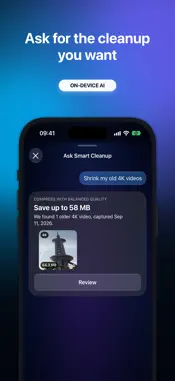
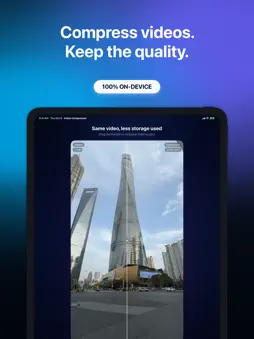
Running out of iPhone storage? Video Compressor helps you reduce the size of videos in your Photos library and recover space—without uploading your photo or video content to SwiftLee servers. See your potential savings before changing anything. Choose the videos you want to compress, select the quality that works for you, and compare the real result before deciding what happens to the original. HOW IT WORKS 1. Scan your library to see how much storage your videos use and what you could save 2. Pick one or more videos, or start with smart collections such as Recent, Long, Large, or 4K 3. Choose High Quality, Balanced, or Max Saving 4. Compare your original and compressed video side by side 5. Keep the original, or delete it only after you explicitly confirm WHY VIDEO COMPRESSOR • On-device HEVC compression helps reduce video size while preserving strong visual quality • Estimated savings are shown before compression starts • Compress multiple selected videos in one session • Compare the actual result using your own video—not stock footage • No account, no advertising, and no media uploads to SwiftLee servers • iCloud originals are downloaded through Apple PhotoKit and processed one at a time with clear progress • Your originals remain untouched until you choose otherwise SIRI, SPOTLIGHT AND SHORTCUTS • Ask Siri how much storage you could save, or how much you have already saved, without opening the app • Start from Siri, Spotlight, or the Action Button to review your recent, large, long, or 4K videos for compression. The app opens on the review screen, so you stay in control • Find the actions in the Shortcuts app and add them to your own automations PRIVACY AND CONTROL Scanning, analysis, and compression happen on your iPhone. If a video is stored in iCloud, Apple PhotoKit downloads it for local processing. Video Compressor never deletes an original automatically. Privacy Policy: https://videocompression.app/privacy Terms of Use: https://videocompression.app/terms
What's New
Version 1.4.3 2026-11-06
Fixed: • Swiping in compression review removes a video from the queue with Remove; deleting from your library is a separate Delete action next to it. • Removing... Technical Analysis
Package Overview Basic metadata
Bundle ID
com.swiftlee.storage-cleaner Current Version 1.4.3
Minimum iOS 17.0
Package Size App Store Size
Package Metadata 0 / 0 version records
Detailed binary, privacy manifest, framework, and Info.plist results have not been indexed for this package yet. The verified App Store and archive metadata above remains available.
Developer Information
Known Version Records
0 version records with stored package metadata
Stored metadata does not guarantee a package is currently available to download.
| Details | Version / IDs | Version date | Action |
|---|