Microsoft SwiftKey AI Keyboard App Icon

Microsoft SwiftKey AI Keyboard

Utilities • SwiftKey
4+ v4.3.7 Recorded price: Free App Store →
★★★★★
★★★★★
(121,950 App Store ratings)
🏆 Best: #51 Free (NGA)
IPA Analysis
Technical Specs
Bundle ID com.swiftkey.SwiftKeyApp
Version 4.3.7
App Store Size 173.59 MB
Minimum iOS 15.0
Devices iPhone, iPad, iPod touch
Catalog release date 2014-09-17
Latest recorded version date 2026-10-09
Features & Support
Vision Pro
Advisory 4+
Languages (6)
English, French, German, Italian, Portuguese, Spanish
Top In App Purchases
Shooting Stars theme Free
Minimal Coal theme Free
Bubble Gum theme Free
Nickel Dusk theme Free
Minimal Carbon theme Free
Nickel Rose theme Free
Minimal Iceberg theme Free
Minimal Aqua theme Free
Nickel Watermelon theme Free
Minimal Blush theme Free
Compare country prices →

Preview

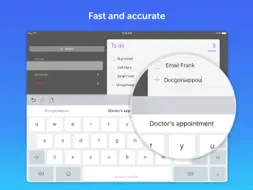
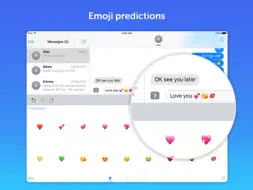
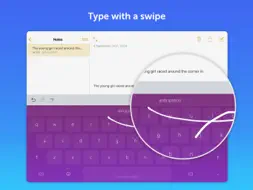
Microsoft SwiftKey AI Keyboard screenshot 1 Microsoft SwiftKey AI Keyboard screenshot 2 Microsoft SwiftKey AI Keyboard screenshot 3 Microsoft SwiftKey AI Keyboard screenshot 4 Microsoft SwiftKey AI Keyboard screenshot 5 Microsoft SwiftKey AI Keyboard screenshot 6 Microsoft SwiftKey AI Keyboard screenshot 7 Microsoft SwiftKey AI Keyboard screenshot 8 Microsoft SwiftKey AI Keyboard screenshot 9 Microsoft SwiftKey AI Keyboard screenshot 10 Microsoft SwiftKey AI Keyboard screenshot 11 Microsoft SwiftKey AI Keyboard screenshot 12 Microsoft SwiftKey AI Keyboard screenshot 13 Microsoft SwiftKey AI Keyboard screenshot 14 Microsoft SwiftKey AI Keyboard screenshot 15 Microsoft SwiftKey AI Keyboard screenshot 16 Microsoft SwiftKey AI Keyboard screenshot 17 Microsoft SwiftKey AI Keyboard screenshot 18 Microsoft SwiftKey AI Keyboard screenshot 19 Microsoft SwiftKey AI Keyboard screenshot 20 Microsoft SwiftKey AI Keyboard screenshot 21 Microsoft SwiftKey AI Keyboard screenshot 22 Microsoft SwiftKey AI Keyboard screenshot 23 Microsoft SwiftKey AI Keyboard screenshot 24 Microsoft SwiftKey AI Keyboard screenshot 25 Microsoft SwiftKey AI Keyboard screenshot 26 Microsoft SwiftKey AI Keyboard screenshot 27 Microsoft SwiftKey AI Keyboard screenshot 28

Description

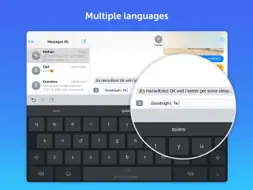
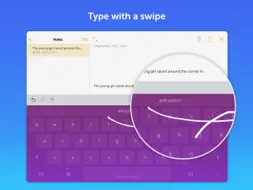
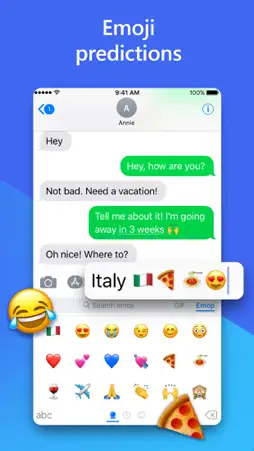
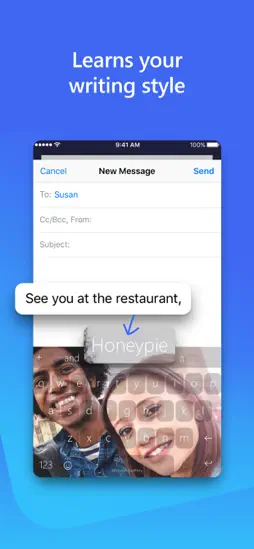
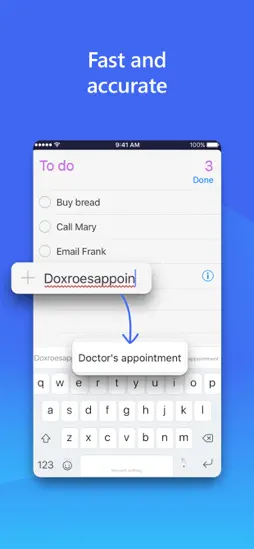
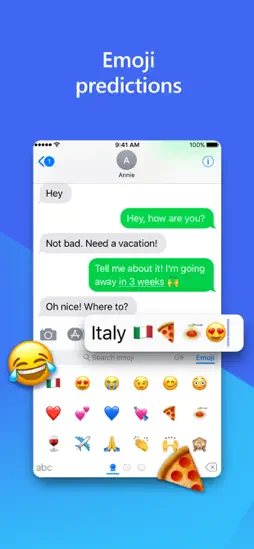
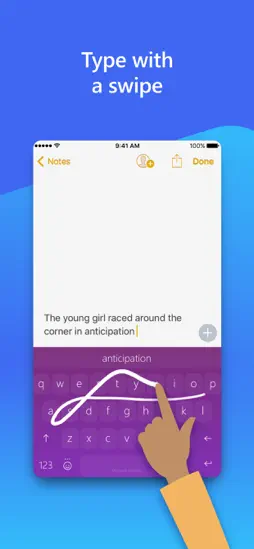
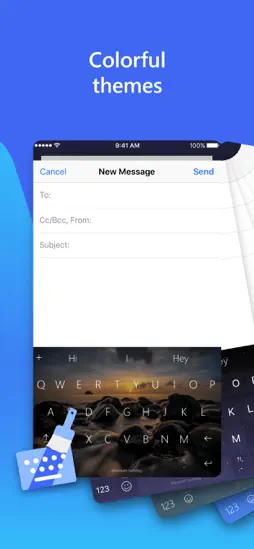
Microsoft SwiftKey is the intelligent keyboard that learns your writing style, so you can type faster. Microsoft SwiftKey is always learning and adapting to match your unique way of typing - including your slang, nicknames and emojis. That means autocorrect that actually works and helpful predictions, so you can get your point across fast, without errors. Customise your keyboard to match your style, with dozens of themes to choose from. Send emojis, GIFs and more to your friends – Microsoft SwiftKey even learns your favourite emoji. Let Microsoft SwiftKey help you text faster with Artificial Intelligence, swipe-to-type and more! Download today. TYPE LESS, DO MORE Intelligent Keyboard - Microsoft SwiftKey learns from you, including your word choice, emoji usage and more - Swipe typing or tap-to-type, whichever you prefer - Toolbar: the expandable menu filled with quick shortcuts

What's New

Version 4.3.7 2026-10-09
General improvements to ensure your Microsoft SwiftKey Keyboard runs smoothly.
Version 4.3.6 2026-09-11
General improvements to ensure your Microsoft SwiftKey Keyboard runs smoothly.
Version 4.3.5 2026-08-25
- New Liquid Glass theme - General improvements to ensure your Microsoft SwiftKey Keyboard runs smoothly.
Version 4.2.9 2026-02-25
General improvements to ensure your Microsoft SwiftKey Keyboard runs smoothly.

App Store User Reviews

SuzieJenke1 2021-05-22
★★★★★
★★★★★

Must have for anyone who has an electronic device!

I've been using SwiftKey for a few years now. I started with my cell phone and now I have it on all 7 devices we have in our home. It's a must have for anyone w...I've been using SwiftKey for a few years now. I started with my cell phone and now I have it on all 7 devices we have in our home. It's a must have for anyone who can appreciate just how much it does and without even realizing. It keeps track of your choice of words and easily guesses and or auto corrects as you go. Can't begin to imagine how much time just that alone has saved me/my family over the years. It does it with such accuracy that when I had to use someone else's device I was amazed. I didn't realize how much this simple app did for me in my every day typing of texts, sending emails, even searching the web. It took all of 30 seconds into using my friends tablet for me to stumble over such basic words, but in a good way. I'd gotten so used to SwiftKey guessing my desired word after only the first or second letter. I recommend SwiftKey to anyone who has an electronic device used for texts, emails, notes, calendars, and any and everything in between and can appreciate the time this app saves you. I'm team SwiftKey 1000% and I never take the time to leave reviews for anything. I mean ever which clearly shows just how awesome this app is. You will not be disappointed!!!
YesImBiased 2024-03-21
★★★★★
★★★★★

Better than the worst, better than GBoard

The settings were really irritating because they didn't cover enough for me.... You are limited to two languages, you cannot customize or add or remove anything...The settings were really irritating because they didn't cover enough for me.... You are limited to two languages, you cannot customize or add or remove anything and are stuck with what is provided. The number row is basically the only reason to buy and use this keyboard... You can just use ChatGPT in your browser, and it has absolutely no integration with real clipboard apps like Copy Better and Snippety. It feels good like the iOS keyboard; Swype does not feel as good although it does work (and autocorrect is better) and Swyping is uglier than on the iOS keyboard. The more you use the keyboard, the better it gets, but you'll never be able to fix the main issues like key misplacement (commas and other special characters are stuck inside the 123). I wish the icon itself looked better and that the app was more useful and looked better. If I was Microsoft, the app itself would at least be ChatGPT and the settings would go into the details of your typing and so on (what the app is now). I hate to have an icon I'll never (want to) open! MICROSOFT READ THIS CAREFULLY: *I wish/demand that I could not be limited to moving the cursor from just the keyboard! At one point there was a beta or final version of iOS that allowed the cursor to be moved anywhere on the screen from anywhere on the keyboard AND THIS NEEDS TO COME BACK*. At the very least, I would like the ability to press into my keyboard ANYWHERE besides just the spacebar to move the cursor. Thanks!
Scottie NH 2023-04-26
★★★★★
★★★★★

Completely Ruined!

Been using this app since way before Microsoft bought it. And I didn't even mind the little label on the space key that says "Microsoft SwiftKey". But the new t...Been using this app since way before Microsoft bought it. And I didn't even mind the little label on the space key that says "Microsoft SwiftKey". But the new toolbar is horrific. First there is an ugly square button on the left (btw... it doesn't even match any of the keyboard themes) for Bing. Bing. Really? The one search engine that no one likes. And also there is no way to remove the button or even allow you to change it to a real search engine. The center of the toolbar now has a border which is ugly and they added an icon menu on the right that doesn't even do everything the original toolbar could do and now I have to press another button. Stop forcing Bing on people and don't fix what isn't broke. I'm praying this is just a nightmare and that everything will go back to normal by the next update or I'm shopping for a new keyboard. Addendum… You made the button a little more theme-friendly, but I still don't want it. And if you read EVERY other review since you added it, I am clearly not alone. Nobody wants Bing and NO ONE wants to be forced into it. Everyone has their preferred search engine. This is also why so many people are switching to Mac. No one wants to be forced into anything. This is wrong! Fix it! Update: Increasing to 3 stars as they at least have an option to remove that dumb button to that search engine that no one likes. But stop making changes now! Just fix the bugs and be done with it.
DJ Scorchie 2024-02-02
★★★★★
★★★★★

Not as useful to me as word flow

1) Misses a lot of words; for instance i can't even simply type "you're" (i don't rely on auto correct and as you can see from this, Swype doesn't properly capi...1) Misses a lot of words; for instance i can't even simply type "you're" (i don't rely on auto correct and as you can see from this, Swype doesn't properly capitalize "i" like word flow did, it also doesn't space words properly but it does get apostrophes right. 2) Requires full keyboard access just to use the swiping feature. Blah. 3) There's a third thing but i forgot what it is since these keyboards mess up my train of thought with their problems. Word flow didn't do that. Yeah, i would use word flow still if it worked on my iPhone x but i had some issues so tried to check this out. Back to Swype i guess. Edit: The “team” responded to my review after SIX YEARS. As we know, MS often changes the features and abilities of apps, adding and removing features as they go along like they’re throwing things at the wall to see what sticks. The point being a review from six years ago is hardly relevant, why are you wasting time now addressing only the smallest issue I brought up (#2) in the review? I’ll add a new negative note that I thought of it, the amount of space available for your app is reduced because this keyboard uses more space. Some apps don’t like that, putting things you need to see while typing i’m the covered area. It appears this is not configurable in the keyboard to turn off unused features if you’re only trying to get swiping, but Apple includes that now (except for the aforementioned ability to recognize and capitalize “I”).
Jackee_Blue 2025-07-30
★★★★★
★★★★★

Julie silvey

I have used SwiftKey for many many years, even before it was strictly for Microcsoft! It did not have as much to offer like now. But it was a super keyboard wi...I have used SwiftKey for many many years, even before it was strictly for Microcsoft! It did not have as much to offer like now. But it was a super keyboard with the changeable screens to personalize to your liking! Plus you have added some extras like the moving or active screens. I do wish though that we could customize the shapes outlines of the buttons and the colors of the buttons & make them a separate color than the screen! I do have other keyboards that you can do that and it makes it so much better seeing while typing! And it seems like you use to be able to change the color of the keyboard with your own imagination, which I have an extremely active & a beautiful one. It has been a gift from GOD as I see it and according to over 6 various Therapists & Psychiatrists that have treated me over 35 years due to severe Post Traumatic events, they have said that to me. A gift in exchange for all the Terror I have been through. Just one more thing would be, if we could also be able to change the fonts on the keys as I also do Word Art! I know it is possible to get as I have a few that allow me do that. Thanks again for making it available for Apple users!!! >Jackee_Blooze🌳🌿🍃
Derfguy113 2018-06-01
★★★★★
★★★★★

I reeeeeeaally want to love this app.

I downloaded it first years ago when you could first install swipe keyboards. Tbh, if was hella buggy and clunky so I got rid of i. I lost all hope in finding a...I downloaded it first years ago when you could first install swipe keyboards. Tbh, if was hella buggy and clunky so I got rid of i. I lost all hope in finding a good swipe keyboard for iOS until I stumbled upon a new flow keyboard in early 2016. And that was Microsoft Word Flow. I believe it's been taken off the app store and up until I recently picked up the iPhone X, that was one of favorite things about my phone. This app is cute or whatever, but honestly word flow still takes the cake. The themes that were offered were sooo much better, they had their own unique one handed swiping design that always made me smile, although I never used it much. But my absolute favorite thing was the customization of your own theme. After you picked the picture and background contrast, it gave you a full color spectrum wheel where you could separately drag the color of the keys, the flow trail, and the pop up key box to any color you could imagine. It was perfect. I made my theme. I felt like I was in control. With swipe keys?? It’s just asking what picture do I want while I type. And that’s not customizing my theme. PLUS plus, you can’t even edit a theme you after you create it?! Whyyyyyy would you all do that?? Like I said, this app is cute or whatever, but it’s not as nearly customizable as it should be and it just feels like I slap a picture of something on my keyboard instead of creating a whole new atmosphere. Thanks for you time reading this and I hope this gets taken into consideration with the next large update.
Kori1701 2023-07-02
★★★★★
★★★★★

Years later~still my fave

This thing learns so fast that I swear that it reads my mind! Being a disabled quad, I can type with only one finger and the longer you use it, the faster and m...This thing learns so fast that I swear that it reads my mind! Being a disabled quad, I can type with only one finger and the longer you use it, the faster and more assured you get sliding and swirling around the letters. I began using this app years before I became disabled so I was already very experienced at it; so afterwards, it became a Godsend; utterly indispensable! I also really like how well it works with any other keyboard I've thrown at it (or onto it rather) but I still think that it should have the extended switch keyboard globe (🌐) NEXT to the smiley instead of on a different screen. I also LOVE the fact that the space bar doubles as a cursor mover! All that being said, I have only one big issue, and because this capability is missing, I have withdrawn a star: this app MUST have a ten (or twelve) key window for numerals (YAs: it looks just like the phone keyboard), this capability makes entering numbers, in areas such as adding and editing someone's phone numbers in the contact listing, typing in account numbers and any other needs to type out long strings of numbers. Since it seems that millennials are more often "thumb-typers," many of us, such as those of us over thirty-five, were taught to use the 10-key instead of the hunt-and-peck way that involves the numbers above the letters on a a computer. PLEASE add this to the capabilities of this app (I am an Apple user because of their better interfaces and the large amount of disability adaptation devices that are available) You already have me hook, line and sinker; if you add the 10- or 12-key number pad, I'll be singing your praises from the rooftops!
enter my review 2018-04-20
★★★★★
★★★★★

Not pleased

I have had this app just about a year now. Having the ability to swipe and not chicken peck on a cellphone to send text and email is huge, but some basic featur...I have had this app just about a year now. Having the ability to swipe and not chicken peck on a cellphone to send text and email is huge, but some basic features on this app are inconsistent and worse than earlier versions or similar apps (hard to know switching from Droid to Apple). For instance, as others have mentioned, it completely forgets previous frequently used words not even suggesting them, instead inputs words I have never used or selected. Where do they come from? I have never heard or seen anyone use this crazy/foreign/ dated language. It does not appear to be improving with usage, as I thought was implied. And to the above point, I use similar language frequently and I don't know why I often have to repeatedly correct it from crazy words I never use. Why isn't it improving? Next, when I begin typing a word or compete a word and it offers a suggestion and I choose that word from the suggestion box it does not input it but leaves the few letters I typed and enters a space after the incomplete word, or just enters a space after the wrong word. I have to go back and select the word again or completely type the word myself. What's the use in suggestions then? I am growing increasingly frustrated with this app and beginning to question if chicken pecking might be faster and more hassle-free.
Dave Smith II 2023-03-10
★★★★★
★★★★★

The Best Keyboard for iPhone: 1 Star

I used the Swype Keyboard for years after it was out of support, until an update removed it from my phone. I don't expect another product to be exactly like Swy...I used the Swype Keyboard for years after it was out of support, until an update removed it from my phone. I don't expect another product to be exactly like Swype, but every keyboard on the app store is garbage, including this one. It is the best, though. A little customization would be nice, for example, I have to manually space after every comma and there is no apostrophe shortcut, but there is a shortcut for emojis. Hallelujah, who needs a comma shortcut when you can send a smiley face? As a 40 year old man, I find emojis to be very helpful in none of my communications. I actually rated this keyboard two stars but having this review gutted by autocorrect was enough to bump it down to one. Still the best keyboard available for iPhone by a mile. Edit: I wish I could leave less than one star for this garbage keyboard. It is absolutely infuriating with its lack of intuition. It doesn't learn anything and I send nonsensical messages constantly, as all its predictions are based on the first letter you pressed. So if you want to type "keyboard," and you start too close to "j," you'll end up with "jester" if you're lucky, but most likely it will get lost and just retype the last word you input (instead of "my keyboard" you'll get "my my"). I've had to make over 60 corrections to this paragraph. Still the best iPhone keyboard.
Jessika Alexandr 2022-12-01
★★★★★
★★★★★

Minor issue that has me searching for another keyboard

**EDIT** PLEASE FIX THIS BUG!!! It's been long enough. It's only gotten worse and this keyboard is becoming unuseable. I don't like any other keyboard but I've ...**EDIT** PLEASE FIX THIS BUG!!! It's been long enough. It's only gotten worse and this keyboard is becoming unuseable. I don't like any other keyboard but I've started having to use other ones because this one has become so horrendously glitchy. I can't type 3 words or tap an emoji from my recently used before it glitches out and resets, not to mention the times it just doesn't show up at all except for a blank screenface. Removed stars until this gets fixed, if it does. **ORIGINAL POST** I've been using SwiftKey for years and it's THE BEST!! I really can't find a better keyboard. However, for the last maybe week or so, it keeps glitching while I'm typing. Sometimes the keyboard takes too long to show up in the first place and then it keeps like "resetting" while typing every few seconds, so I have to wait while it "reloads" before I can continue typing, even when typing something as quick and short as "I'm almost there". I thought maybe it needed to be updated but there's no new update. So I'm hoping this is just an issue that will be fixed in a new update quickly. I just tried a few other keyboards and none of them are nearly as good, and the default iPhone keyboard is crazy awkward with how it's set up for emojis and punctuation.

Technical Analysis

Package Overview Package analysis available
Bundle ID com.swiftkey.SwiftKeyApp
Current Version 4.3.7
Minimum iOS 15.0
Package Size App Store Size
Package Metadata 5 / 209 version records
CameraCommon org.cocoapods.CameraCommon
v1.20.5iOS 14.0+2.16 MB
CameraDevice org.cocoapods.CameraDevice
v1.20.5iOS 14.0+351.57 KB
CameraIO org.cocoapods.CameraIO
v1.20.5iOS 14.0+512.98 KB
CameraTelemetry org.cocoapods.CameraTelemetry
v1.20.5iOS 14.0+630.43 KB
CameraTransform org.cocoapods.CameraTransform
v1.20.5iOS 14.0+309.57 KB
Clarity com.microsoft.clarity.Clarity
v1.0iOS 13.0+2.85 MB
DefaultBoards org.cocoapods.DefaultBoards
v1.20.5iOS 14.0+244.72 KB
DefaultFilter org.cocoapods.DefaultFilter
v1.20.5iOS 14.0+126.68 KB
DefaultFont org.cocoapods.DefaultFont
v1.20.5iOS 14.0+166.15 KB
EffectBackdrop org.cocoapods.EffectBackdrop
v1.20.5iOS 14.0+312.96 KB
EffectBackground org.cocoapods.EffectBackground
v1.20.5iOS 14.0+369.56 KB
EffectBitmapOverlay org.cocoapods.EffectBitmapOverlay
v1.20.5iOS 14.0+159.21 KB
EffectBoard org.cocoapods.EffectBoard
v1.20.5iOS 14.0+265.8 KB
EffectCommon org.cocoapods.EffectCommon
v1.20.5iOS 14.0+296.82 KB
EffectFilter org.cocoapods.EffectFilter
v1.20.5iOS 14.0+1.13 MB
EffectLens org.cocoapods.EffectLens
v1.20.5iOS 14.0+1.17 MB
EffectPen org.cocoapods.EffectPen
v1.20.5iOS 14.0+266.69 KB
EffectPhoto org.cocoapods.EffectPhoto
v1.20.5iOS 14.0+221.68 KB
EffectSticker org.cocoapods.EffectSticker
v1.20.5iOS 14.0+733.73 KB
EffectText org.cocoapods.EffectText
v1.20.5iOS 14.0+913.23 KB
FBLPromises org.cocoapods.FBLPromises
v2.4.0iOS 12.0+179.22 KB
FirebaseCore org.cocoapods.FirebaseCore
v11.13.0iOS 12.0+209.73 KB
FirebaseCoreExtension org.cocoapods.FirebaseCoreExtension
v11.13.0iOS 12.0+76.61 KB
FirebaseCoreInternal org.cocoapods.FirebaseCoreInternal
v11.13.0iOS 12.0+351.17 KB
FirebaseCrashlytics org.cocoapods.FirebaseCrashlytics
v11.13.0iOS 12.0+831.98 KB
FirebaseInstallations org.cocoapods.FirebaseInstallations
v11.13.0iOS 12.0+265.02 KB
FirebaseRemoteConfigInterop org.cocoapods.FirebaseRemoteConfigInterop
v11.13.0iOS 12.0+141.02 KB
FirebaseSessions org.cocoapods.FirebaseSessions
v11.13.0iOS 12.0+367.11 KB
GoogleDataTransport org.cocoapods.GoogleDataTransport
v10.1.0iOS 12.0+388.89 KB
GoogleUtilities org.cocoapods.GoogleUtilities
v8.1.0iOS 12.0+143.15 KB
InterfaceCommon org.cocoapods.InterfaceCommon
v1.20.5iOS 14.0+1.43 MB
InterfaceEdit org.cocoapods.InterfaceEdit
v1.20.5iOS 14.0+833.45 KB
InterfaceRecord org.cocoapods.InterfaceRecord
v1.20.5iOS 14.0+608.47 KB
Keys org.cocoapods.Keys
v1.0.1iOS 12.0+167.24 KB
Lottie com.airbnb.Lottie
v4.5.2iOS 13.0+2.37 MB
MicrosoftCognitiveServicesSpeech com.microsoft.cognitiveservices.SpeechSDK
v1.30.0iOS 11.0+12.26 MB
nanopb org.cocoapods.nanopb
v3.30910.0iOS 12.0+85.15 KB
OCDefaultImplementation org.cocoapods.OCDefaultImplementation
v1.20.5iOS 14.0+409.27 KB
OneCamera org.cocoapods.OneCamera
v1.20.5iOS 14.0+5.14 MB
OneCameraGradientFilter org.cocoapods.OneCameraGradientFilter
v1.20.5iOS 14.0+150.27 KB
OneCameraMediaImporter org.cocoapods.OneCameraMediaImporter
v1.20.5iOS 14.0+296.3 KB
OneCameraNetworking org.cocoapods.OneCameraNetworking
v1.20.5iOS 14.0+322.79 KB
OneCameraNGE org.cocoapods.OneCameraNGE
v1.20.5iOS 14.0+261.7 KB
OneCameraTeleprompter org.cocoapods.OneCameraTeleprompter
v1.20.5iOS 14.0+212.76 KB
Promises org.cocoapods.Promises
v2.4.0iOS 12.0+216.75 KB
SCSDKCameraKit com.snap.camerakit
v1.25.0iOS 12.0+29.22 MB
SKKit com.swiftkey.SKKit
v4.2.8iOS 14.0+59.81 MB

Developer Information

Known Version Records

5 version records with stored package metadata • 209 known version records

Stored metadata does not guarantee a package is currently available to download.

Details Version / IDs Version date Action
Microsoft SwiftKey AI Keyboard icon
Not archived
v4.3.7
App Store ID: 892564924Build: 4.3.7
2026-10-09 05:52:39 Request Version
Microsoft SwiftKey AI Keyboard icon
Not archived
v4.3.6
App Store ID: 890338456Build: 4.3.6
2026-09-11 07:53:47 Request Version
Microsoft SwiftKey AI Keyboard icon
Not archived
v4.3.5
App Store ID: 889322701Build: 4.3.5
2026-08-25 12:32:33 Request Version
Microsoft SwiftKey AI Keyboard icon
124.63 MB
v4.3.4
App Store ID: 888040524Build: 434.0.0
2026-07-08 13:56:22 Get Version
Microsoft SwiftKey AI Keyboard icon
Not archived
v4.3.3
App Store ID: 887090041Build: 4.3.3
2026-06-18 10:27:54 Request Version
Microsoft SwiftKey AI Keyboard icon
Not archived
v4.3.2
App Store ID: 886250081Build: 4.3.2
2026-05-29 12:02:49 Request Version
Microsoft SwiftKey AI Keyboard icon
122.65 MB
v4.3.1
App Store ID: 885826055Build: 431.0.0
2026-05-18 19:18:10 Get Version
Microsoft SwiftKey AI Keyboard icon
Not archived
v4.3.0
App Store ID: 885769465Build: 4.3.0
2026-05-18 17:14:33 Request Version
Microsoft SwiftKey AI Keyboard icon
Not archived
v4.2.10
App Store ID: 882848850Build: 4.2.10
2026-05-11 07:34:14 Request Version
Microsoft SwiftKey AI Keyboard icon
122.23 MB
v4.2.9
App Store ID: 880559400Build: 429.0.0
2025-12-11 13:39:58 Get Version
Microsoft SwiftKey AI Keyboard icon
122.25 MB
v4.2.8
App Store ID: 880432059Build: 428.0.0
2025-12-03 12:36:10 Get Version
Microsoft SwiftKey AI Keyboard icon
Not archived
v4.2.7
App Store ID: 879965701Build: 4.2.7
2025-11-25 05:23:11 Request Version
Microsoft SwiftKey AI Keyboard icon
Not archived
v4.2.6
App Store ID: 879151855Build: 4.2.6
2025-10-28 07:30:54 Request Version
Microsoft SwiftKey AI Keyboard icon
Not archived
v4.2.5
App Store ID: 876220359Build: 4.2.5
2025-07-10 11:33:38 Request Version
Microsoft SwiftKey AI Keyboard icon
Not archived
v4.2.4
App Store ID: 875291821Build: 4.2.4
2025-06-04 15:16:13 Request Version
Microsoft SwiftKey AI Keyboard icon
Not archived
v4.2.3
App Store ID: 874884347Build: 4.2.3
2025-05-26 13:36:46 Request Version
Microsoft SwiftKey AI Keyboard icon
Not archived
v4.2.1
App Store ID: 874135558Build: 4.2.1
2025-04-22 07:01:47 Request Version
Microsoft SwiftKey AI Keyboard icon
Not archived
v4.2.0
App Store ID: 873754962Build: 4.2.0
2025-04-07 13:51:13 Request Version
Microsoft SwiftKey AI Keyboard icon
Not archived
v4.1.9
App Store ID: 873400149Build: 4.1.9
2025-03-24 12:22:50 Request Version
Microsoft SwiftKey AI Keyboard icon
Not archived
v4.1.8
App Store ID: 873180695Build: 4.1.8
2025-03-13 10:18:16 Request Version
Microsoft SwiftKey AI Keyboard icon
Not archived
v4.1.7
App Store ID: 872939541Build: 4.1.7
2025-03-04 16:32:42 Request Version
Microsoft SwiftKey AI Keyboard icon
Not archived
v4.1.6
App Store ID: 872787267Build: 4.1.6
2025-02-26 11:43:08 Request Version
Microsoft SwiftKey AI Keyboard icon
Not archived
v4.1.5
App Store ID: 872628512Build: 4.1.5
2025-02-20 13:11:33 Request Version
Microsoft SwiftKey AI Keyboard icon
Not archived
v4.1.4
App Store ID: 872508970Build: 4.1.4
2025-02-16 11:54:03 Request Version
Microsoft SwiftKey AI Keyboard icon
Not archived
v4.1.3
App Store ID: 872318561Build: 4.1.3
2025-02-09 10:55:50 Request Version
Microsoft SwiftKey AI Keyboard icon
Not archived
App Store ID: 872207934 Unknown Request Version
Microsoft SwiftKey AI Keyboard icon
Not archived
App Store ID: 872149544 Unknown Request Version
Microsoft SwiftKey AI Keyboard icon
Not archived
App Store ID: 872051246 Unknown Request Version
Microsoft SwiftKey AI Keyboard icon
Not archived
App Store ID: 871883052 Unknown Request Version
Microsoft SwiftKey AI Keyboard icon
Not archived
App Store ID: 871614452 Unknown Request Version
Microsoft SwiftKey AI Keyboard icon
Not archived
App Store ID: 871560438 Unknown Request Version
Microsoft SwiftKey AI Keyboard icon
Not archived
App Store ID: 871179071 Unknown Request Version
Microsoft SwiftKey AI Keyboard icon
Not archived
App Store ID: 870896350 Unknown Request Version
Microsoft SwiftKey AI Keyboard icon
Not archived
App Store ID: 869587268 Unknown Request Version
Microsoft SwiftKey AI Keyboard icon
Not archived
App Store ID: 869459278 Unknown Request Version
Microsoft SwiftKey AI Keyboard icon
Not archived
App Store ID: 869427300 Unknown Request Version
Microsoft SwiftKey AI Keyboard icon
Not archived
App Store ID: 869265649 Unknown Request Version
Microsoft SwiftKey AI Keyboard icon
Not archived
App Store ID: 869042775 Unknown Request Version
Microsoft SwiftKey AI Keyboard icon
Not archived
App Store ID: 868928964 Unknown Request Version
Microsoft SwiftKey AI Keyboard icon
Not archived
App Store ID: 868897223 Unknown Request Version