
Preview





Description
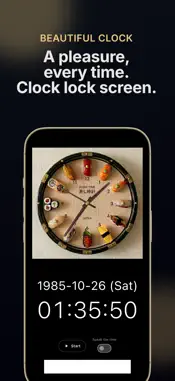
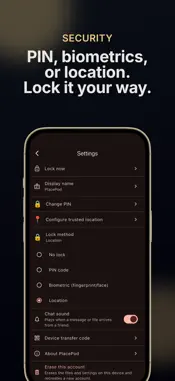
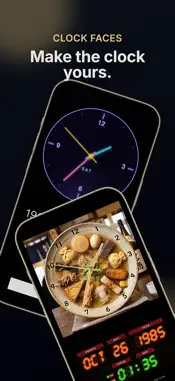
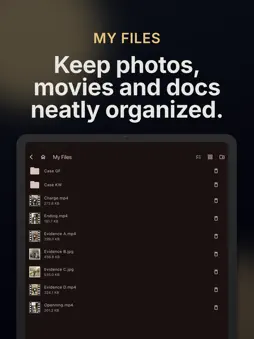
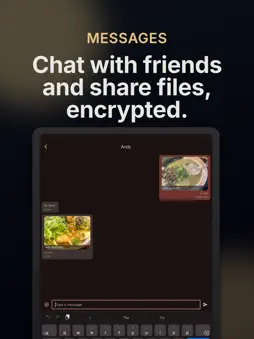
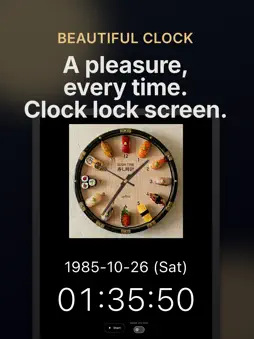
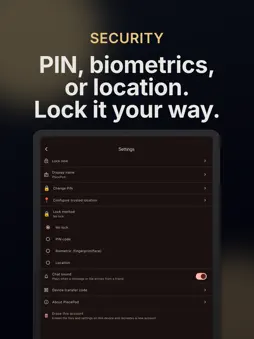
A pleasure every time you open it. A stylish file manager and sharing app with a beautiful digital clock. The lock screen is a clock elegant enough to double as decor. Behind it: serious file management, sharing, and transcription. ■ A beautiful clock - Swipe through classic, minimal, Roman-numeral, neon, and photo-real faces - Alarm and time signal — rings even when the app is closed, like a real alarm clock - Per-second ticks and spoken time announcements ■ File management - Organize and store files safely inside the app in My Files - Move things freely to and from your photo library - Copy or move whole folders; filter lists by photo, video, or audio - Photos and recordings taken in the app go straight to My Files, never to your camera roll ■ Transcription and subtitles (13 languages) - Turn video or audio into a subtitle file (.srt) with one tap - Japanese, English, Chinese (Simplified/Traditional), Korean, Spanish, French, German, Italian, Portuguese, Russian, Turkish, and Vietnamese - Translate subtitles into another language (the original is kept) - Everything runs on your device — audio and text are never sent anywhere - Media with an .srt next to it plays with subtitles automatically ■ Network connections - Connect directly to Samba (Windows/Mac/NAS), NFS, and SFTP servers - Stream videos without downloading - Plays mp4 and far beyond: mkv, webm, wmv, TS, AV1, and more ■ Sharing - Share encrypted files with just the people you choose in Cloud Files (auto-deleted after 7 days) - Chat and exchange files with your circle - Hand files to and from other apps — PlacePod appears in the share menu ■ Privacy and security - No account needed — no email address, no phone number - Lock with a PIN, biometrics, or a trusted location - Intrusion alert silently photographs failed unlock attempts with both cameras - Cloud storage is encrypted with AES-256 Some features require the paid version (monthly, yearly, or one-time purchase). ``` ### What's New in This Version (build 12) ``` Transcription is now much more capable, and subtitles can be translated. ■ Better transcription Now supports 13 languages (Japanese, English, Chinese (Simplified/Traditional), Korean, Spanish, French, German, Italian, Portuguese, Russian, Turkish, and Vietnamese). Every format the player can play — webm, mkv, TS, and more — can now be transcribed. Everything runs on your device; the audio is never sent anywhere. ■ Subtitle translation Translate the current subtitles into another language from the translate button in the player (iOS 18 or later). Translation also runs entirely on-device. The translated subtitle is saved alongside the original file, and the original-language subtitle is kept as "name.language.srt". ■ App languages The app's interface is now available in 13 languages, following your device's language setting. ■ Copying and moving folders Select folders and copy or move them with their contents — including to and from network connections. Destinations without folders, such as the photo library, receive the files inside instead. ■ Other improvements and fixes - AV1 videos can now be played - Large file transfers are more reliable, with progress that reflects actual transfer - Network connections now reconnect automatically when dropped - Tapping the black bars around a video now shows the controls ■ Pricing - The core features are free - Some features require a plan (Monthly / Yearly / Lifetime) ■ Terms of Use https://www.apple.com/legal/internet-services/itunes/dev/stdeula/
What's New
Version 1.0.11(14) 2026-10-22
Text and Markdown files are now easier to read — and you can listen to them, too. ■ Formatted Markdown view Markdown files (.md) now open neatly formatted, wit...Text and Markdown files are now easier to read — and you can listen to them, too. ■ Formatted Markdown view Markdown files (.md) now open neatly formatted, with headings, lists and more laid out properly. Tap the icon at the top right to switch to the original text and back. ■ Read aloud Text and Markdown files can now be read aloud with your device's voice. Tap the lips icon at the top right to start from the beginning. - The sentence being read is highlighted, so you always know where you are - Tap anywhere in the text to continue reading from there - For Markdown, only the text is read — the formatting symbols are skipped - Pausing keeps your place on screen, so you can pick up where you left off after a phone call - Tap × to leave the read-aloud view Technical Analysis
Package Overview Basic metadata
Bundle ID
com.surgespace.placepod Current Version 1.0.11(14)
Minimum iOS 15.0
Package Size App Store Size
Package Metadata 0 / 0 version records
Detailed binary, privacy manifest, framework, and Info.plist results have not been indexed for this package yet. The verified App Store and archive metadata above remains available.
Developer Information
Known Version Records
0 version records with stored package metadata
Stored metadata does not guarantee a package is currently available to download.
| Details | Version / IDs | Version date | Action |
|---|