Preview



Description
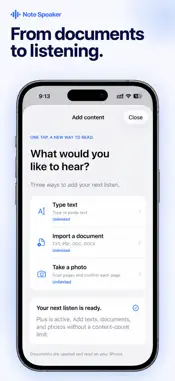
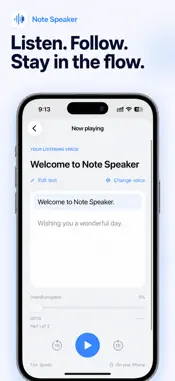
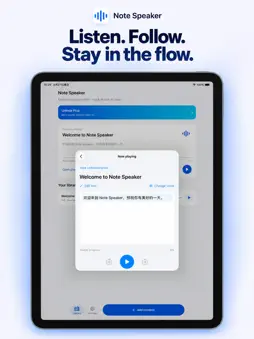
Note Speaker — Turn Words into Listening Make time for the things you want to read. Note Speaker turns your notes, documents, and printed pages into spoken audio. Whether you’re studying, catching up on reading, or taking a break from your screen, listen while you walk, commute, or get things done. FROM TEXT TO SPEECH Type or paste your text, review it, and start listening. Turn study notes, articles, and everyday writing into audio that fits your routine. BRING YOUR DOCUMENTS Import PDF, DOC, DOCX, and TXT files, or open supported documents from other apps. Review the extracted text before listening. SCAN A PAGE. LISTEN TO IT. Capture printed pages with your camera and turn them into editable text. Scan multiple pages, check the results, and listen to your reading in one place. ON-DEVICE PROCESSING Your text is processed on your device for speech generation, without uploading it to a cloud speech service. Download the required voice resources, then listen offline with supported voices. LISTEN IN FIVE LANGUAGES Read aloud in English, Chinese, French, Spanish, and Brazilian Portuguese. Choose from available voices to find a listening style you enjoy. LISTEN AT YOUR OWN PACE Adjust playback speed, pause and resume, or skip forward and back. Use playback controls from your Lock Screen and return to your saved reading when you’re ready. KEEP YOUR READING TOGETHER Find your saved texts and generated audio in your library. Revisit useful notes, continue a document, or listen again without starting over. MORE WITH NOTE SPEAKER PLUS Choose a weekly or annual subscription to unlock more listening, including unlimited text entries and document imports, subject to supported file and processing limits. Available plans, prices, and any eligible free trial are shown in the app. Your notes. Your documents. Your time to listen. Voice availability varies by language and device. Some voices require an initial download. Scanned text and complex document layouts may need correction before playback. Terms of Use (EULA): https://www.apple.com/legal/internet-services/itunes/dev/stdeula/ Privacy Policy:https://notespeaker.mobilesupertools.com/privacy/ Terms of Use:https://notespeaker.mobilesupertools.com/terms/
Technical Analysis
Package Overview Basic metadata
Bundle ID
com.supertool.note.text.to.speech Current Version 1.0
Minimum iOS 17.0
Package Size App Store Size
Package Metadata 0 / 1 version records
Detailed binary, privacy manifest, framework, and Info.plist results have not been indexed for this package yet. The verified App Store and archive metadata above remains available.
Known Version Records
0 version records with stored package metadata • 1 known version records
Stored metadata does not guarantee a package is currently available to download.
| Details | Version / IDs | Version date | Action |
|---|---|---|---|
| Not archived | App Store ID: 891190903 | Unknown | Paid / Arcade |