Preview



Description
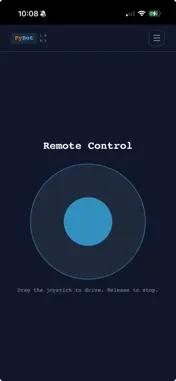
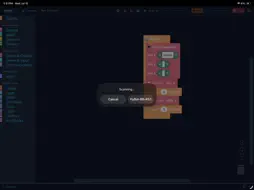
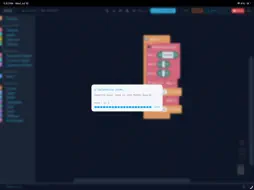
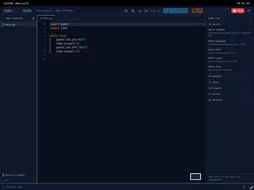
PyBot Labs turns coding into something you can touch. Drag Scratch-style blocks or write real Python — either way, your code controls actual hardware: motors spin, LEDs light up, sensors respond. No simulators, no guessing what your program "would" do. WHAT YOU CAN DO • Build programs with drag-and-drop blocks — no typing, no syntax errors, no frustration • See the real Python your blocks generate, and edit it directly when you're ready to go further • Connect wirelessly over Bluetooth to your PyBot Beaver Board (ESP32) — upload and run code in seconds, no cables • Use everything on the board: motors, LEDs, buttons, light and temperature sensors, a distance sensor, line sensors, a buzzer, an OLED screen and a servo header • Work through guided, hands-on tutorials that teach real programming concepts step by step • Pick up exactly where you left off — your projects and progress are saved to your account • Drive your robot live with an on-screen joystick and four action buttons — trigger lights, sounds, servos and more while you steer WHO IT'S FOR PyBot Labs meets you where you are. Never coded before? Start with blocks. Already comfortable with Python? Skip straight to the code editor. It's the same IDE either way — built for kids ages 8 and up, classrooms, after-school programs, and anyone curious about programming physical hardware. ON IPAD The full drag-and-drop block editor and Python code editor — write, upload, and run programs on your Beaver Board directly from the app. ON IPHONE PyBot Labs is your wireless remote: connect to your Beaver Board over Bluetooth and drive it live with the on-screen joystick and action buttons — hold your phone sideways for easy two-handed control. You can also browse tutorials and manage your account. Write and upload your code on iPad or a computer first, then come back to iPhone to drive. WHAT YOU NEED A PyBot Beaver Board (ESP32) with a 4×AA battery pack. You don't need one to explore the tutorials — but connecting real hardware is where it comes alive. Raspberry Pi Pico W boards running MicroPython are still supported. Questions or feedback? We'd love to hear from you at [email protected]
What's New
Version 1.11.2 2026-11-04
Easier Python coding on iPad: - New toolbar above the keyboard with Tab, Shift+Tab, arrow keys, Home/End, Undo/Redo, and common symbols like : ( ) " " [ ] _ = -... Technical Analysis
Package Overview Basic metadata
Bundle ID
com.pybotlabs.native Current Version 1.11.2
Minimum iOS 15.0
Package Size App Store Size
Package Metadata 0 / 0 version records
Detailed binary, privacy manifest, framework, and Info.plist results have not been indexed for this package yet. The verified App Store and archive metadata above remains available.
Developer Information
Known Version Records
0 version records with stored package metadata
Stored metadata does not guarantee a package is currently available to download.
| Details | Version / IDs | Version date | Action |
|---|