Preview



Description
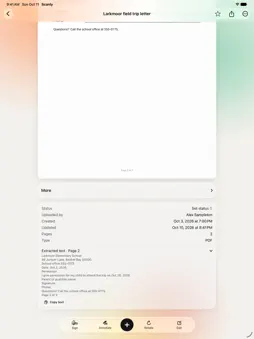
Scan documents, receipts, forms, and notes into PDFs you can organize, find, and share. Scanly brings camera scanning and everyday paperwork tools together on iPhone and iPad. SCAN AND ORGANIZE • Capture multiple pages with edge detection and perspective correction. • Import photos and existing PDFs, including files shared from other apps. • Keep documents in folders with favorites, tags, and searchable names. • Extract text to search and copy information from scanned pages. FIND WHAT YOU REMEMBER • Search document names and recognized text. • Describe remembered words, dates, and colors to find suggested matches in your documents. • See why a result matched. Color suggestions use locally available thumbnails and are approximate. PREPARE THE RIGHT COPY • Prepare PDFs under 2 MB or 5 MB, with an actual file-size check and preview. If the size limit cannot be met, Scanly suggests a larger limit or fewer pages. • Select a picture, diagram, or paragraph and copy or share that area as an image. • Preview two or four pages per sheet, or arrange a folded booklet for printing. • Combine documents, split selected pages, reorder pages, and add typed notes. • Sign, annotate, and fill supported PDF forms. READ AND SHARE • Read extracted text with adjustable size and spacing. • Share PDFs through the iOS share sheet or create browser viewer links. • One-time viewer links give the first person who taps Open a five-minute viewing session. Screenshots and copies cannot be prevented. • Use shared folders when collaborating with family, classmates, or colleagues. MORE WAYS TO USE YOUR DOCUMENTS • Explore online templates, extraction tools and conversion presets, with reviewed results and downloads. Online tools require an account and connection. • Create study cards and turn highlights into notes with page references. • Compare extracted information, prepare labels and explore ebook export and image cleanup tools. TRY IT FIRST Explore synthetic sample documents offline without signing in. Sample changes are temporary and separate from your account. Sign in to scan and manage your own library and use cloud features. Recognition, compression, and search suggestions should be reviewed before use. Smaller exports can flatten interactive fields and reduce image detail; preview your copy before sending. Your original document remains unchanged.
What's New
Version 2.2.6 2026-10-22
• Find a tool: search every feature from the ⋯ menu, the action grid or the Edit bar • Editing text on a scan no longer cuts into nearby lines • New filters: Li... Technical Analysis
Package Overview Basic metadata
Bundle ID
com.sran7117.scanly2026 Current Version 2.2.6
Minimum iOS 17.0
Package Size App Store Size
Package Metadata 0 / 0 version records
Detailed binary, privacy manifest, framework, and Info.plist results have not been indexed for this package yet. The verified App Store and archive metadata above remains available.
Known Version Records
0 version records with stored package metadata
Stored metadata does not guarantee a package is currently available to download.
| Details | Version / IDs | Version date | Action |
|---|