
Preview





Description
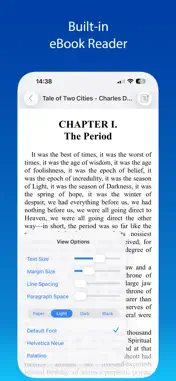
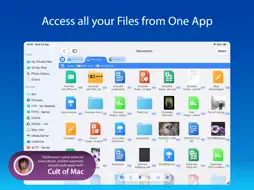
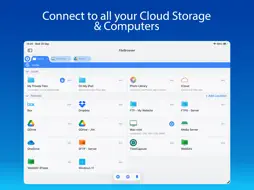
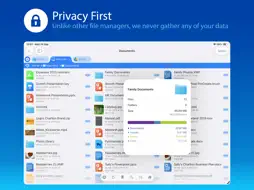
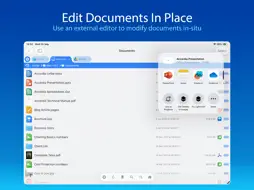
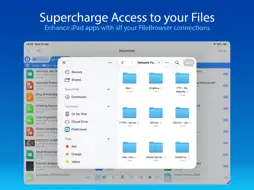
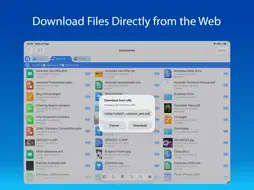
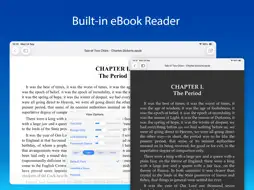
Use your iPad or iPhone to connect to your home computers, network drives and cloud storage. Easily upload/download/copy files and folders from one location to another, and browse your content using a variety of built-in viewers. *** FileBrowser remains the best option if you're looking for a file manager that supports a variety of external connections and also integrates deeply with iOS - Federico Viticci - MacStories *** *** FileBrowser's setup varies for every device, and the automatic wizards work super-well. Charlie Sorrel - Cult of Mac *** Ultra-fast browsing of your computers. Faster than Windows Explorer or Mac Finder and our users agree! GET ORGANIZED FileBrowser gives you everything you need to keep your files effortlessly organized: Move, edit, delete, rename, copy, zip and unzip. Download files from the web and paste them wherever you choose. MULTI-TABBED BROWSING Our FileBrowser suite of apps are the first file management apps to support multiple tabs. Connect to many of your locations at once and switch between them with ease. Use iPadOS split-screen mode to drag & drop between multiple windows. CONNECT TO Windows, Mac, Linux, Time Capsule, NAS drives, portable WiFi drives, SMB, Samba. Google Drive, Dropbox, Box, OneDrive, WebDAV, FTP and SFTP. Link to the same cloud storage with multiple accounts, if you have more than one Dropbox account, for example. EXTEND THE FILES APP FileBrowser allows you to access all your connections from the iOS Files app and other apps that use this as their document chooser, bringing network access to those apps. EDIT IN-PLACE No more copying of documents between apps. Launch an app to edit a network document in-place, such as Word or Pages or any of the Office and Mac suite. Changes are saved to the original document automatically. BLAZINGLY FAST Create bookmarks to your favorite locations & folders. Use a single tap to connect and browse to a favorite folder. PHOTO VIEWER Browse your photos wherever they are stored and display them on your TV or projector using AirPlay or Chromecast. Easily flick through holiday snaps or use the built-in slideshow feature. STREAM YOUR MOVIES / MUSIC Stream movie files or listen to music, both with AirPlay™ and Chromecast support. Use our built-in viewers or stream video to other apps. DOCUMENT VIEWER View Microsoft Office, Apple Pages, Numbers, KeyNote, PDF, text files, source code, HTML, and many more using the built-in viewers. ANNOTATE PDFS AND IMAGES Use the built-in annotation tools for PDFs and images, or use the iOS annotation tools to add notes, drawings or highlight text. SECURITY AND ENCRYPTION FileBrowser securely stores your passwords in the iOS keychain and uses iOS encryption features to protect your local content. Protect local files using a password, TouchID or FaceID. CONNECT ANYWHERE Connect to your Mac or PC when away from home. See our website for details: https://www.stratospherix.com/setupvpn TOO MANY FEATURES TO LIST FileBrowser has many features that we would like to tell you about. Check out our website. You'll be amazed! https://www.stratospherix.com/products/filebrowser FIRST CLASS SUPPORT User manuals and help are available at stratospherix.com/support with how-to articles and videos. You can also email us for fast, friendly support.
What's New
Version 26.7 2026-10-18
New Features * Added support for latest iOS devices. * Shared files will now be opened in a new tab. * Improved performance of thumbnail extraction. * Improved ... Technical Analysis
Package Overview Basic metadata
Bundle ID
com.stratospherix.filebrowser Current Version 26.7
Minimum iOS 15.6
Package Size App Store Size
Package Metadata 1 / 192 version records
Detailed binary, privacy manifest, framework, and Info.plist results have not been indexed for this package yet. The verified App Store and archive metadata above remains available.
Developer Information
Known Version Records
1 version record with stored package metadata • 192 known version records
Stored metadata does not guarantee a package is currently available to download.
| Details | Version / IDs | Version date | Action |
|---|---|---|---|
| Not archived | App Store ID: 827638407 | Unknown | Paid / Arcade |
| Not archived | App Store ID: 827563747 | Unknown | Paid / Arcade |
| Not archived | App Store ID: 827460990 | Unknown | Paid / Arcade |
| Not archived | App Store ID: 826354562 | Unknown | Paid / Arcade |
| Not archived | App Store ID: 826288208 | Unknown | Paid / Arcade |
| Not archived | App Store ID: 826138241 | Unknown | Paid / Arcade |
| Not archived | App Store ID: 825941414 | Unknown | Paid / Arcade |
| Not archived | App Store ID: 825876213 | Unknown | Paid / Arcade |
| Not archived | App Store ID: 825859315 | Unknown | Paid / Arcade |
| Not archived | App Store ID: 825421381 | Unknown | Paid / Arcade |
| Not archived | App Store ID: 824404780 | Unknown | Paid / Arcade |
| Not archived | App Store ID: 824300939 | Unknown | Paid / Arcade |
| Not archived | App Store ID: 824188391 | Unknown | Paid / Arcade |
| Not archived | App Store ID: 824123552 | Unknown | Paid / Arcade |
| Not archived | App Store ID: 824100816 | Unknown | Paid / Arcade |
| Not archived | App Store ID: 823999256 | Unknown | Paid / Arcade |
| Not archived | App Store ID: 823524714 | Unknown | Paid / Arcade |
| Not archived | App Store ID: 822266518 | Unknown | Paid / Arcade |
| Not archived | App Store ID: 821705867 | Unknown | Paid / Arcade |
| Not archived | App Store ID: 821527858 | Unknown | Paid / Arcade |
| Not archived | App Store ID: 820509023 | Unknown | Paid / Arcade |
| Not archived | App Store ID: 819895865 | Unknown | Paid / Arcade |
| Not archived | App Store ID: 819759901 | Unknown | Paid / Arcade |
| Not archived | App Store ID: 818693635 | Unknown | Paid / Arcade |
| Not archived | App Store ID: 818466554 | Unknown | Paid / Arcade |
| Not archived | App Store ID: 817210330 | Unknown | Paid / Arcade |
| Not archived | App Store ID: 816709702 | Unknown | Paid / Arcade |
| Not archived | App Store ID: 816573744 | Unknown | Paid / Arcade |
| Not archived | App Store ID: 815241554 | Unknown | Paid / Arcade |
| Not archived | App Store ID: 814362541 | Unknown | Paid / Arcade |
| Not archived | App Store ID: 813363749 | Unknown | Paid / Arcade |
| Not archived | App Store ID: 813256076 | Unknown | Paid / Arcade |
| Not archived | App Store ID: 813212366 | Unknown | Paid / Arcade |
| Not archived | App Store ID: 813043685 | Unknown | Paid / Arcade |
| Not archived | App Store ID: 812399811 | Unknown | Paid / Arcade |
| Not archived | App Store ID: 811390366 | Unknown | Paid / Arcade |
| Not archived | App Store ID: 810809584 | Unknown | Paid / Arcade |
| Not archived | App Store ID: 768172677 | Unknown | Paid / Arcade |
| Not archived | App Store ID: 727032748 | Unknown | Paid / Arcade |
| Not archived | App Store ID: 706634196 | Unknown | Paid / Arcade |