Preview



Description
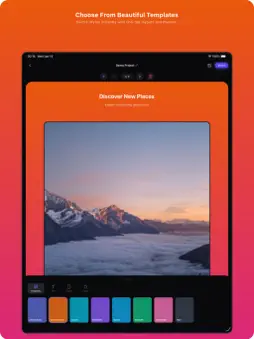
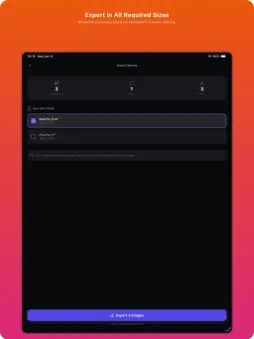
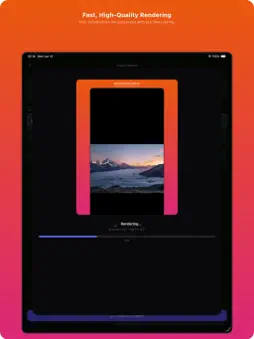
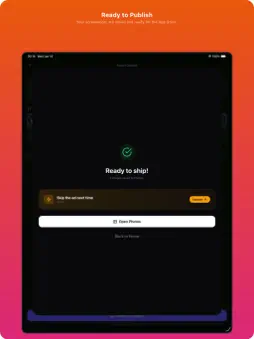
Create App Store screenshots in under 30 seconds. Shotframe is the fastest mobile screenshot generator for developers, with all templates unlocked and completely free. Preparing App Store screenshots shouldn’t take hours or require complex desktop tools. Most screenshot generators are slow, web-based, or hide essential features behind subscriptions. Shotframe removes the friction by giving indie developers, designers, and ASO teams a fast, mobile-first tool that handles everything directly on your iPhone or iPad. Shotframe is a lightweight, privacy-focused screenshot generator designed for speed, simplicity, and accuracy. Import your screenshots, apply themes and device frames, adjust text, and batch export everything in all required App Store sizes instantly. There are no locked templates, no subscriptions, and no cloud processing. Everything happens on-device. Key features: • Create App Store screenshots in under 30 seconds • 8 professional gradient templates • 9 font families including Inter, Poppins, Bebas Neue, Playfair, Montserrat, and more • Fit or Full layout modes • Device-accurate iPhone frames (6.7”, 6.5”, 5.5”) • Import multiple screenshots at once • Apply global styling across all screenshots instantly • Add titles and subtitles to each screenshot • Customize background colors, text colors, and fonts • Save and load multiple local projects • Export all screenshots × all selected sizes in one tap • Works fully offline with no accounts or tracking Workflow: 1. Import multiple screenshots from your photo library 2. Apply a theme, background, and font 3. Add titles and subtitles per screenshot 4. Export all screenshots in all selected sizes instantly Optional Pro Upgrade: Shotframe is fully usable for free with all templates unlocked. A one-time Pro upgrade is available to remove ads before export. No subscriptions, no recurring payments. Why Shotframe: • Built for speed and simplicity • 100% mobile workflow • No design skills required • Privacy-first and offline-capable • All features available with no paywalls Create beautiful, App Store-ready screenshots anywhere, anytime. Download Shotframe and speed up your launch today. Terms apply: http://storqlabs.com/shotframe/terms
What's New
Version 1.1.0 2026-02-12
• Faster batch export for all sizes • New gradient templates and fonts • Improved device-accurate iPhone frames • Smoother multi-screenshot import • Better on-d...• Faster batch export for all sizes • New gradient templates and fonts • Improved device-accurate iPhone frames • Smoother multi-screenshot import • Better on-device performance • Minor UI polish and bug fixes Technical Analysis
Package Overview Basic metadata
Bundle ID
com.storqlabs.shotframe Current Version 1.1.0
Minimum iOS 15.1
Package Size App Store Size
Package Metadata 0 / 2 version records
Detailed binary, privacy manifest, framework, and Info.plist results have not been indexed for this package yet. The verified App Store and archive metadata above remains available.
Developer Information
Known Version Records
0 version records with stored package metadata • 2 known version records
Stored metadata does not guarantee a package is currently available to download.
| Details | Version / IDs | Version date | Action |
|---|---|---|---|
| Not archived | App Store ID: 882374374 | Unknown | Request Version |
| Not archived | App Store ID: 881454094 | Unknown | Request Version |