Preview






Description
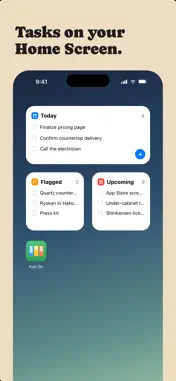
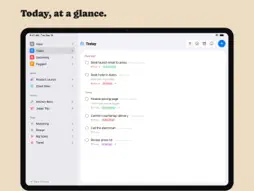
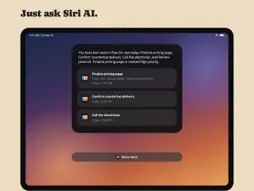
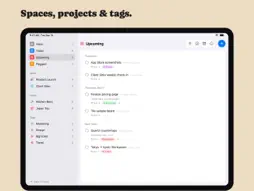
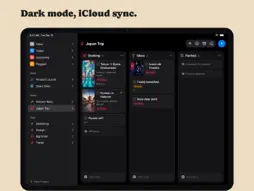
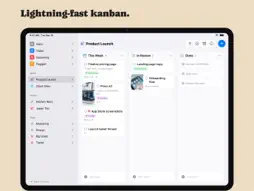
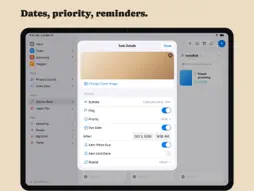
Organize your work into Spaces and Projects, then move tasks across the columns you define. Every card shows what matters at a glance: a cover image, subtitle, tags, priority, and due date. Open any task and you get a full markdown notes editor with headings, lists, checkboxes, images, and file attachments. ORGANIZE YOUR WAY • Kanban boards with drag-and-drop cards, columns, and dividers • A list view for every project, with drag to reorder • Spaces group your projects; tags cut across them • Smart lists for Inbox, Today, Upcoming, and Flagged • Archive completed work, or keep it crossed out on the board CAPTURE THE DETAILS • Rich notes on every task: headings, bold, lists, to-do checkboxes, quotes, and code • Attach images and files right in the note • Cover images, subtitles, priorities, flags, links, and due dates with reminders EVERYWHERE YOU WORK • Native on Mac, iPhone, iPad, and Apple Vision Pro • iCloud sync keeps every device up to date • Spotlight search and Shortcuts actions! • Multi-select to move, complete, or delete tasks in bulk • Light and Dark appearance, color themes, adjustable typography No accounts. No subscriptions to manage your own tasks. Your data lives in your iCloud.
What's New
Version 1.7.5 2026-11-19
Apple Reminders - Sync with Reminders: a new switch in Settings > Sync > Apple Reminders keeps one Reminders list in step with Kan Do. Your open tasks appear i...Apple Reminders - Sync with Reminders: a new switch in Settings > Sync > Apple Reminders keeps one Reminders list in step with Kan Do. Your open tasks appear in the list, and a reminder you add to it becomes a task in the Inbox - Title, due date, priority, and checking off travel both ways - Tasks to Sync chooses All Tasks or only Tasks with a Date - Deleting a reminder never deletes its task - Turn it on on one device only. Your other devices get the changes through iCloud Archive - The Archive box at the top of the sidebar now lists tasks archived inside your projects, grouped by project, with Restore and Delete. It used to read "Nothing Archived" while projects held archived tasks Projects and boards - Duplicate, All Tasks Unchecked: a second button when you duplicate a project makes the copy with every task and subtask open again - Tapping the + beside Add task puts the cursor in the field Selecting several tasks - Due Date in the selection bar: tap Select, pick the tasks, then tap Due Date to move them all to Today, Tomorrow, Next Week, or a date you pick. Good for moving what's left of the day to tomorrow - Select now works in Board Layout for Today, Upcoming, and custom smart lists Reminders - Snooze 15 Minutes: a new button when you press and hold a reminder. It brings the same reminder back in fifteen minutes and leaves the task's date alone - Subtask reminders now have the snooze buttons too Shortcuts - Add Task with Open Task After Creating now opens the new task Comments - The comment box stays above the keyboard. On a task with subtasks and a few comments it slid under the keyboard from about the third comment on, on iPhone and on both screens of iPhone Duo - Typing in the note on a task with subtasks and comments keeps the note in view above the keyboard - Return on a hardware keyboard posts the comment, and Return on an empty comment box puts the keyboard away iPhone Duo - With the sidebar hidden on the open screen, swipe in from the left edge to bring it back Technical Analysis
Package Overview Basic metadata
Bundle ID
fm.beard.KanDo Current Version 1.7.5
Minimum iOS 26.0
Package Size App Store Size
Package Metadata 0 / 0 version records
Detailed binary, privacy manifest, framework, and Info.plist results have not been indexed for this package yet. The verified App Store and archive metadata above remains available.
Developer Information
Known Version Records
0 version records with stored package metadata
Stored metadata does not guarantee a package is currently available to download.
| Details | Version / IDs | Version date | Action |
|---|