
Preview



Description
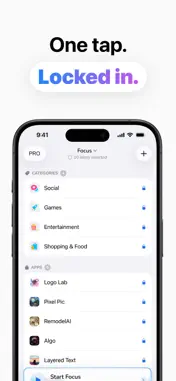
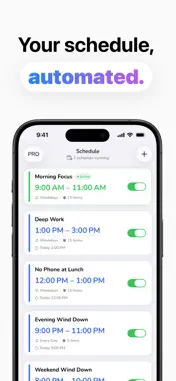
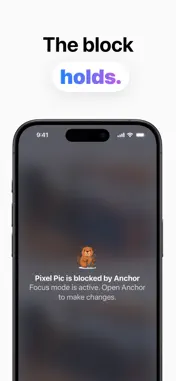
Anchor: Work Smarter, Scroll Less Build better focus habits with scheduled app blocking and intentional screen time Stay Grounded Welcome to Anchor — a focused productivity tool built on Apple's Screen Time framework. Anchor helps you eliminate distractions by blocking apps on a schedule, so you can show up fully for work, study, and the moments that matter. Scheduled Blocking Set recurring focus schedules for any day of the week. Choose the apps and categories you want blocked, pick your hours, and let Anchor handle the rest — automatically, every day. Manual Focus Sessions Need to focus right now? Start an instant focus session in one tap. Select your distracting apps and lock them out for as long as you need. Smart Notifications Get reminded before a focus session starts and notified when it ends, so you can prepare, transition, and stay in control of your time. Usage Insights See a clear breakdown of your screen time, app usage, and pickups. Understand your habits so you can make smarter decisions about where your attention goes. Simple & Private Anchor is designed to be fast, clean, and easy to use. All blocking is powered by Apple's Screen Time API — your usage data never leaves your device. Unlock the complete AppShield experience with Anchor Pro. Choose from three convenient auto-renewable subscription options: - Weekly - Monthly - Lifetime Subscription Details: - Payment will be charged to your iTunes Account at the time of purchase confirmation. - Subscription automatically renews unless auto-renew is turned off at least 24 hours before the end of the current period. - Your account will be charged for renewal within 24 hours prior to the end of the current period, identifying the cost of the renewal. - Manage your subscriptions and turn off auto-renewal by going to your Account Settings after purchase. - Any unused portion of a free trial period will be forfeited upon purchasing a subscription, where applicable. Privacy Policy: https://caseadri.com/appshield/privacypolicy.html Terms & Conditions: https://caseadri.com/appshield/termsandconditions.html Support: [email protected]
What's New
Version 1.5 2026-06-01
- Bug fixes Technical Analysis
Package Overview Basic metadata
Bundle ID
edu.buffalo.sfung3.AppLock Current Version 1.5
Minimum iOS 17.0
Package Size App Store Size
Package Metadata 0 / 4 version records
Detailed binary, privacy manifest, framework, and Info.plist results have not been indexed for this package yet. The verified App Store and archive metadata above remains available.
Developer Information
Known Version Records
0 version records with stored package metadata • 4 known version records
Stored metadata does not guarantee a package is currently available to download.
| Details | Version / IDs | Version date | Action |
|---|---|---|---|
| Not archived | App Store ID: 885506077 | Unknown | Request Version |
| Not archived | App Store ID: 880792717 | Unknown | Request Version |
| Not archived | App Store ID: 873441873 | Unknown | Request Version |
| Not archived | App Store ID: 867804758 | Unknown | Request Version |