
Preview




Description
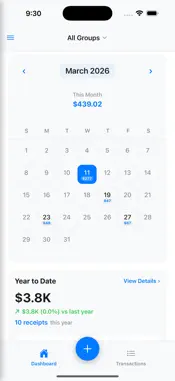
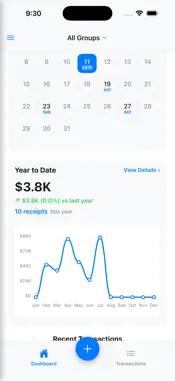
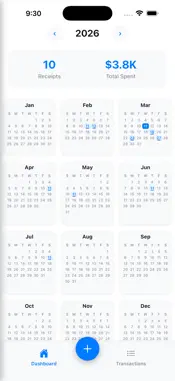
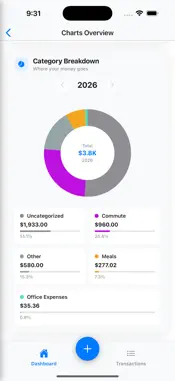
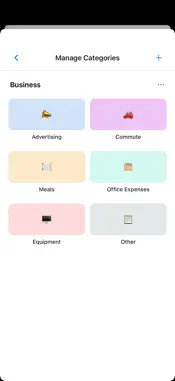
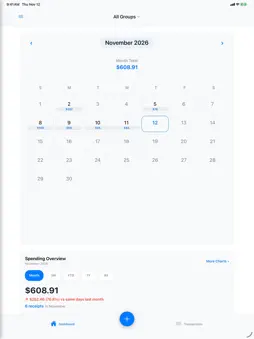
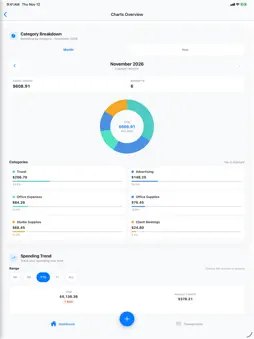
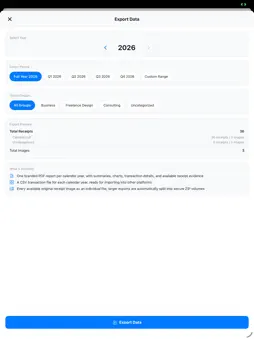
Keep your receipts and spending records together with Vestura. Capture receipt details, organize expenses, and explore your spending over time. CAPTURE AND ORGANIZE Add receipts manually or use optional AI receipt analysis. Choose a receipt photo or use your camera, then review and edit the extracted merchant, amount, date, notes, and suggested category. Keep receipt images attached to your transactions. FIND YOUR RECORDS Browse expenses by day, month, or year. Organize transactions with categories and groups. Search by merchant, notes, category, amount, or date, and narrow your results with date, category, amount, and receipt-image filters. UNDERSTAND YOUR SPENDING Explore category breakdowns, spending trends, group totals, and merchant insights. Compare selected months or years and tap chart values for details. MORE WITH VESTURA ULTRA Bulk Scan turns a batch of up to 30 receipt photos into individual transactions. Follow progress, pause after the current receipt, retry items that need attention, and open saved transactions to review or edit them. Ultra also includes data exports: branded calendar-year PDF reports, CSV transaction files, and available stored receipt images. Choose a full year, a quarter, or a custom range of up to one year. Larger exports are split into ZIP volumes listed on one secure download page. An email lets you know when the export is ready; download links expire after 24 hours. Monthly usage limits apply. AI ANALYSIS IS YOUR CHOICE Before AI receipt analysis, Vestura asks permission to send receipt images, entered receipt details, and category names. You can cancel and enter receipts manually. Reset this permission in Account > Privacy & Security. SUBSCRIPTIONS Bulk scanning and data exports require an active Vestura Ultra subscription. Current prices, billing periods, features, and usage limits are shown in the app. Subscriptions automatically renew unless canceled. Manage or cancel your subscription in your App Store account settings. Vestura is for record keeping and does not provide financial or tax advice. Review scanned receipt details for accuracy. Privacy Policy: https://vestura.app/privacy Terms of Service: https://vestura.app/terms Terms of Use (EULA): https://www.apple.com/legal/internet-services/itunes/dev/stdeula/
What's New
Version 1.1.0 2026-11-13
- Bulk receipt scanning with Ultra, including progress, pause/resume, and retries. - Richer Ultra exports with calendar-year PDF reports, CSV files, stored rece...- Bulk receipt scanning with Ultra, including progress, pause/resume, and retries. - Richer Ultra exports with calendar-year PDF reports, CSV files, stored receipt images, and ZIP volumes for larger exports. - Refreshed spending charts, category trends, and month/year comparisons. - Expanded transaction search and filters. - Monthly scan and export usage indicators. - Explicit permission controls for optional Google Gemini receipt analysis. Technical Analysis
Package Overview Basic metadata
Bundle ID
com.stellartechsystems.stellar-tax-track Current Version 1.1.0
Minimum iOS 15.1
Package Size App Store Size
Package Metadata 0 / 1 version records
Detailed binary, privacy manifest, framework, and Info.plist results have not been indexed for this package yet. The verified App Store and archive metadata above remains available.
Developer Information
Known Version Records
0 version records with stored package metadata • 1 known version records
Stored metadata does not guarantee a package is currently available to download.
| Details | Version / IDs | Version date | Action |
|---|---|---|---|
| Not archived | App Store ID: 879407326 | Unknown | Request Version |