Preview
Description
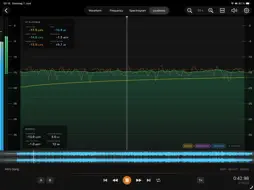
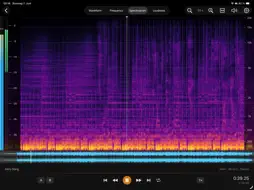
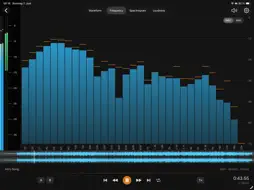
See your sound. SpectraView Studio turns your iPad or Mac into a professional audio analysis lab. The measurements engineers trust, always within reach. Free, no account, no subscription. Whether you mix music, master tracks, edit podcasts, or broadcast audio, SpectraView shows you exactly what's in your file and whether it's ready to deliver. FOUR ANALYZERS IN ONE APP ▸ Waveform: Amplitude, dynamics, and transients at a glance, with separate left/right channels for stereo files. ▸ Frequency Analyzer: Real-time FFT spectrum with smoothing, peak hold, and slope correction. Follows playback live, or freezes on any point when paused. ▸ Spectrogram: A colour-coded map of frequency over time. Spot noise, hum, codec artefacts, resonances, and tonal imbalance instantly. Magma, Inferno, or Grayscale palettes. ▸ Loudness: EBU R128 / ITU-R BS.1770 metering with Integrated, Short-Term, and Momentary LUFS, True Peak, RMS, Crest Factor, Loudness Range (LRA), and a Dynamic Range score. Reference lines for -14, -16, and -23 LUFS cover the most common streaming and broadcast targets. KNOW BEFORE YOU DELIVER One look at the file summary (Integrated LUFS, Max True Peak, LRA, DR) tells you whether a mix is ready for Spotify, Apple Music, YouTube, or broadcast. BUILT FOR REAL SESSIONS ▸ Tile-based rendering opens and plays a 10-hour recording as smoothly as a 3-minute track. ▸ A/B loop markers isolate any section for critical listening; playback from 0.25× to 2×. ▸ Full keyboard control on Magic Keyboard and Apple Silicon Mac: play, seek, zoom, and set loop points. ▸ Fast Forward / Rewind to scan long files, with a latency-compensated playhead so the cursor lands where you actually hear it. ▸ Record straight from the microphone and analyse instantly. SUPPORTED FORMATS WAV · M4A / AAC · MP3 · AIFF · FLAC · CAF YOUR AUDIO STAYS YOURS No account. No subscription. No cloud. Every measurement runs on your device. Your files are never uploaded anywhere. SpectraView Studio. See what you're hearing.
What's New
Version 1.0.2 2026-06-07
- Fast Forward and Fast Rewind buttons in the transport bar: smoothly scroll the timeline through the viewport at a zoom-adapted speed to locate a moment in lon... Technical Analysis
Package Overview Basic metadata
Bundle ID
com.jeemedia.SpectraViewStudio Current Version 1.0.2
Minimum iOS 26.5
Package Size App Store Size
Package Metadata 0 / 3 version records
Detailed binary, privacy manifest, framework, and Info.plist results have not been indexed for this package yet. The verified App Store and archive metadata above remains available.
Developer Information
Known Version Records
0 version records with stored package metadata • 3 known version records
Stored metadata does not guarantee a package is currently available to download.
| Details | Version / IDs | Version date | Action |
|---|---|---|---|
| Not archived | App Store ID: 886611686 | Unknown | Request Version |
| Not archived | App Store ID: 886257909 | Unknown | Request Version |
| Not archived | App Store ID: 886030532 | Unknown | Request Version |