Preview






Description
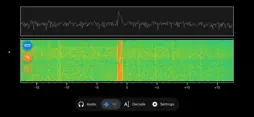
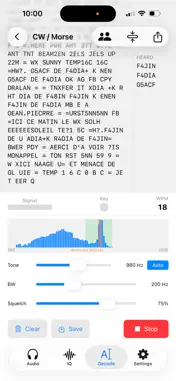
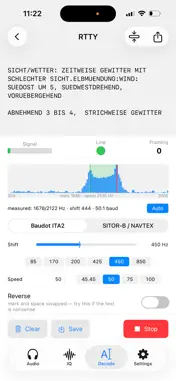
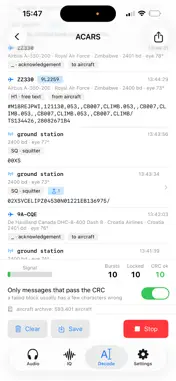
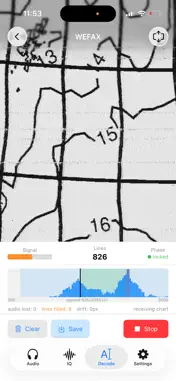
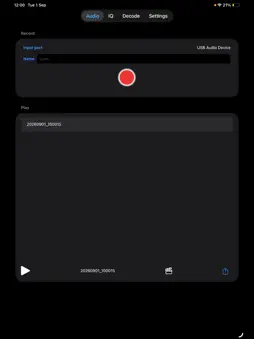
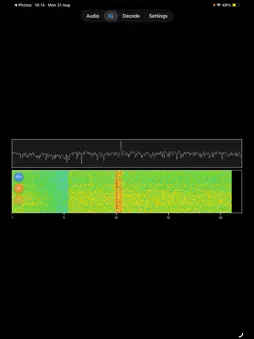
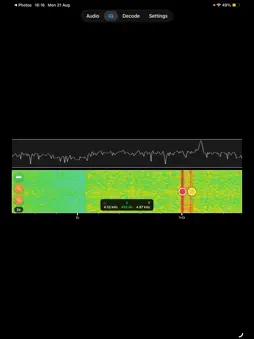
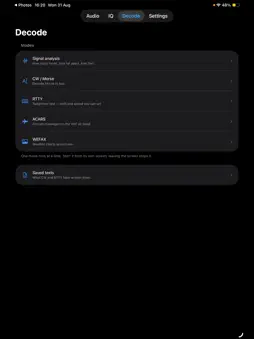
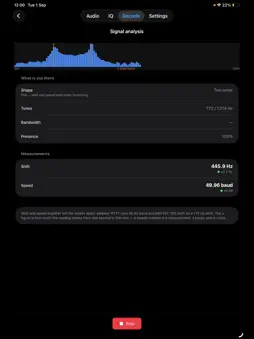
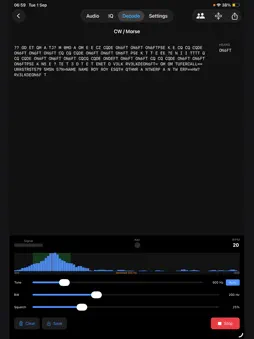
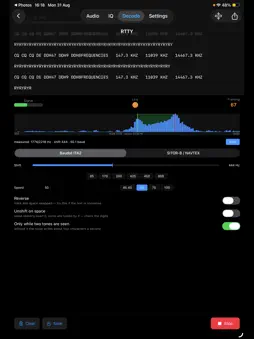
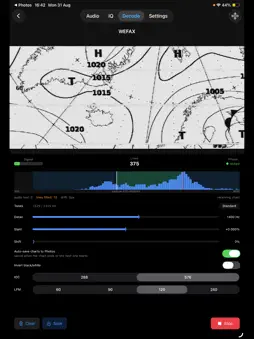
SWLtools: The Companion for Shortwave Listening Enthusiasts SWLtools is an app designed specifically for Shortwave Listening (SWL) enthusiasts who want to enhance their listening experience. It records what you hear, shows you the band, and reads the digital modes that carry text on the air. Whether you are a hobbyist or a dedicated DXer, SWLtools supports your activity from the antenna to the logbook. DECODING THE ON-AIR TEXT MODES Point the app at a signal and it turns it into readable text. - Morse (CW). The app follows the tone by itself and measures the sending speed from the signal, so it keeps up with hand-sent Morse as well as machine-sent. A side panel collects the callsigns it has heard, and each transmission starts on its own line when the operator hands over. - RTTY, in both ITA2 and SITOR-B. - Weather fax (WEFAX). The chart builds up line by line as it arrives, and can be saved straight to your photo library. - ACARS aircraft messages, with the ones carrying a position shown on a map. Decoded text can be saved, reopened later and shared. All times, on screen and in the saved files, are UTC — the way radio logs are kept. SPECTRUM AND WATERFALL If your receiver provides an IQ output, SWLtools displays the real-time spectrum and spectrogram. Visually explore the bands and gain deeper insight into the signals you are receiving. Where the two channels of a USB adapter do not arrive perfectly in step — a common trait of audio codecs — a sample-delay correction removes the mirror image that would otherwise appear beside every signal. AUDIO RECORDING AND STORAGE Easily record and store audio directly from your receiver. Capture signals from around the world and listen to them again whenever you want, or turn a recording into a video to share. OPTIMIZED FOR THE BELKA RECEIVER SWLtools was designed to work seamlessly with the Belka receiver. It is the perfect companion for outdoor listening sessions, letting you record your DX, explore frequencies with the spectrum view, or read a weather fax from the field. The app is optimized for low power consumption when displaying the spectrum and waterfall, making it ideal for portable use. REQUIREMENTS To use SWLtools you need an inexpensive USB audio adapter (ADC/DAC) connected to your iOS device. These affordable dongles typically provide a microphone input and a headphone output, which is enough to record, to decode, and to show a single-channel spectrum. A two-channel audio interface does more: it carries a true I/Q pair, so the spectrum shows the full band above and below the tuned frequency, and it is the only kind that can play the receiver's audio through the iPhone speaker while you listen. The app tells you which class of device you have connected and what it allows, and an audio diagnostics panel shows exactly what iOS is doing with the signal if something does not sound right. Note: please make sure your receiver is compatible with the app's features and that you have the required accessories for optimal performance.
What's New
Version 1.4.1 2026-09-30
LISTEN WHILE YOU DECODE • The monitor now works with any USB audio adapter. The inexpensive ones play the receiver through their own headphone socket; a two-... Technical Analysis
Package Overview Basic metadata
Bundle ID
com.sramp.swltools Current Version 1.4.1
Minimum iOS 17.0
Package Size App Store Size
Package Metadata 1 / 4 version records
Detailed binary, privacy manifest, framework, and Info.plist results have not been indexed for this package yet. The verified App Store and archive metadata above remains available.
Price History (USA store)
2 recorded price change points. These are historical observations, not a guarantee of the current price.
| Recorded at | Price | Currency |
|---|---|---|
| 0.0 | USD | |
| 3.99 | USD |
Developer Information
Known Version Records
1 version record with stored package metadata • 4 known version records
Stored metadata does not guarantee a package is currently available to download.
| Details | Version / IDs | Version date | Action |
|---|---|---|---|
| 5.0 MB | v1.4 App Store ID: 884795348Build: 1.4 | 2026-09-01 21:52:56 | Paid / Arcade |
| Not archived | App Store ID: 882199679 | Unknown | Paid / Arcade |
| Not archived | App Store ID: 868789417 | Unknown | Paid / Arcade |
| Not archived | App Store ID: 868067490 | Unknown | Paid / Arcade |