
Preview





Description
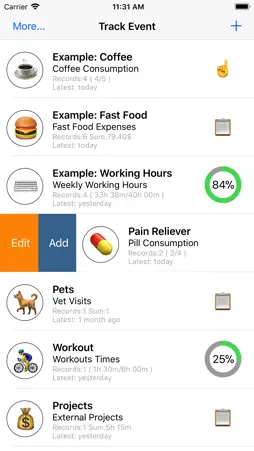
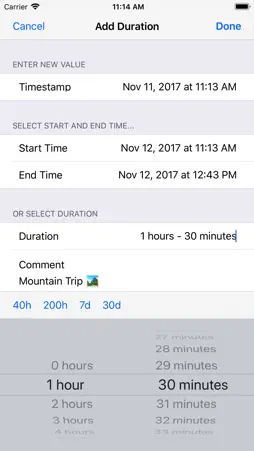
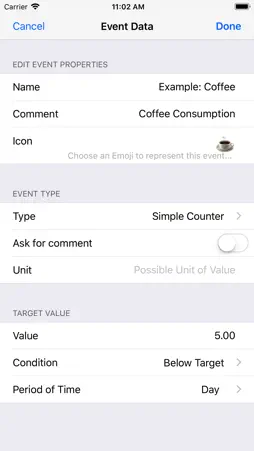
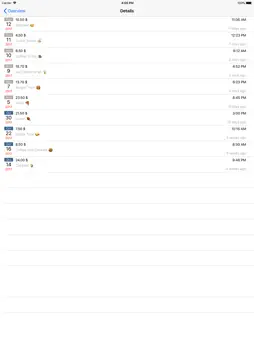
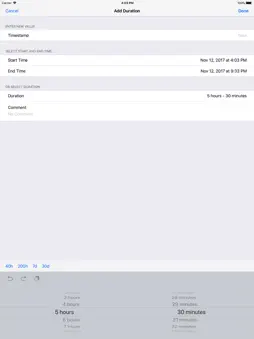
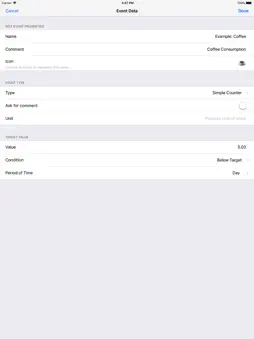
Done Tracker can track and visualize your personal habits, goals, expenses, 'time spent' on something and much more. It simply can gather various 'events' in life and visualize them in a time based bar-graph style or in a calendar view. No matter if you are working on a personal goal, want to track expenses, a time period or just want to 'save a date', Done Tracker can do it for you. Define a targets and goals or just use Done Tracker as an 'event recorder'. For example Done Tracker can track things like: - daily coffee consumption - expenses on fast food - 'save the date' like event like: been at the dentist - weekly bicycle usage - time tracking of working project, or workouts - track average of school grades - gather painkiller consumption Events: ------- Add as many events to your event list as you need. Possible event types are: - a simple counter ( increases by 1, each time you add a record ) - a numeric value ( can be a positive, negative, integer number or float number ) - a time span value ( like 5 hours, 15 minutes ) A unit can be added to each event value ( like: $, €, km, mil ). Each record can also store a comment and the current time stamp along with the value. Sometimes it is useful to define a target value. Target values can be: - a value to reach - a value to keep under In the event list a 'value to reach' target displays the status quo in a progress view. A 'value to keep under' displays an icon to indicate the state: - OK ( thumb up ) in case the value is clearly under the target - attention ( indexing finger ) in case the value is about 80% close to the target - fail ( thumb down ) in case the value reaches the target Finally a time span in which the target should be reached/should be kept under needs to be set. It can be: - Day - Week - Month - Year - Global Data visualization ------------------- Display your data development over time and get an overview using the statistics. Data can be displayed by: - day - week - month - a whole year It is also possible to inspect your data in a Calendar like view. Or browse all your data and comments.
What's New
Version 1.4 2024-05-30
- improve stability - UI improvements Technical Analysis
Package Overview Basic metadata
Bundle ID
com.preussie.eventtracker Current Version 1.4
Minimum iOS 12.0
Package Size App Store Size
Package Metadata 0 / 3 version records
Detailed binary, privacy manifest, framework, and Info.plist results have not been indexed for this package yet. The verified App Store and archive metadata above remains available.
Known Version Records
0 version records with stored package metadata • 3 known version records
Stored metadata does not guarantee a package is currently available to download.
| Details | Version / IDs | Version date | Action |
|---|---|---|---|
| Not archived | App Store ID: 866283169 | Unknown | Paid / Arcade |
| Not archived | App Store ID: 840419417 | Unknown | Paid / Arcade |
| Not archived | App Store ID: 822383174 | Unknown | Paid / Arcade |