
Preview







Description
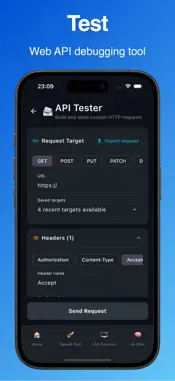
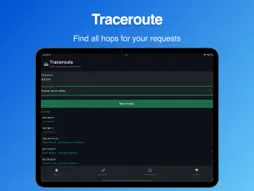
Network Analyzer is an all-in-one network analyzer, Wi-Fi analyzer, and internet diagnosis toolkit. Whether your Wi-Fi feels slow, a website is down, DNS is failing, latency is high, or you need a full suite of network tools on mobile. Network Analyzer puts practical diagnostics and guided analysis in your pocket. Built-in AI NetChat assistant can use basic network tools and give you answers based of facts instead of guessing. Why users install Network Analyzer: - Run fast internet and network diagnosis checks - Ask the built-in AI chat for help with networking questions - Troubleshoot slow Wi-Fi, packet loss, DNS errors, and routing issues - Inspect connection details, local IP, public IP, and DNS servers - Scan devices on your local network - Monitor websites and review saved test history over time Core network tools: => Health Check — multi-step internet diagnosis with plain-English verdict and next steps => Current Network Info — local IP, public IP, gateway, subnet mask, DNS servers, and Wi-Fi SSID => Speed Test — measure download speed, upload speed, and latency => Ping — test reachability, latency, and packet loss for any host => DNS Lookup — query A, AAAA, MX, TXT, and CNAME records => LAN Scanner — discover all devices connected to your local network => Subnet Calculator — compute CIDR ranges, subnet masks, and usable hosts Premium advanced network diagnostic tools: => AI Chat — describe symptoms and get troubleshooting help instantly => Traceroute — trace network hops to find where latency begins => Port Scanner — check whether TCP ports are open, closed, or filtered => HTTP Tester — inspect responses, redirects, headers, and timing => SSL Inspector — review TLS certificate issuer, validity, and expiration => API Tester — send custom HTTP requests for REST and webhook debugging => IP / NAT Diagnostics — analyze public IP, CGNAT, NAT type, and IPv6 availability => DNS Privacy — detect encrypted DNS posture and plain-DNS leakage => DNS Benchmark — compare DNS resolver speed and responsiveness => Captive Portal Check — detect login-gated Wi-Fi on hotel and airport networks => Whois — look up domain and IP registration data => Service Discovery — detect local services via mDNS, Bonjour, SSDP, and UPnP => Wake-on-LAN — send a magic packet to wake compatible devices Monitoring and productivity: => Web Monitor — track website availability, status codes, and uptime history => History — review saved test results and compare outcomes over time => Quality Trends — visualize historical latency and stability metrics => Favorites, recents, and home search for quick access to your most-used tools Network Analyzer answers questions like: => Why is my internet slow? => Is my device really online? => Which DNS servers am I using? => Is this host reachable? => Are there other devices on my network? Who it's built for Useful at home, at work, while traveling, or anytime you need to diagnose connection problems on the go. Built for casual users, IT support, developers, and network enthusiasts who want one unified toolkit instead of switching between multiple apps. Some features require permissions to access device and network information. iOS may require location permission for certain Wi-Fi details such as SSID and nearby network data, in line with platform requirements. Terms of Use: https://www.sqeezstudio.eu/network_analyzer_app_terms.html Privacy Policy: https://www.sqeezstudio.eu/network_analyzer_app_privacy.html
Technical Analysis
Package Overview Basic metadata
Bundle ID
com.sqeez.networkanalyzer.NetworkAnalyzer Current Version 1.1
Minimum iOS 18.2
Package Size App Store Size
Package Metadata 0 / 1 version records
Detailed binary, privacy manifest, framework, and Info.plist results have not been indexed for this package yet. The verified App Store and archive metadata above remains available.
Developer Information
Known Version Records
0 version records with stored package metadata • 1 known version records
Stored metadata does not guarantee a package is currently available to download.
| Details | Version / IDs | Version date | Action |
|---|---|---|---|
| Not archived | App Store ID: 885399247 | Unknown | Request Version |