Preview





Description
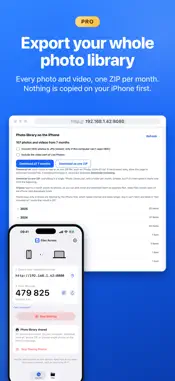
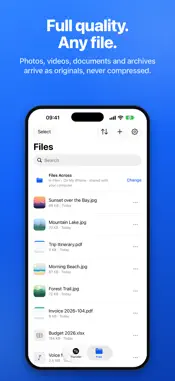
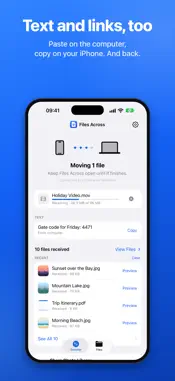
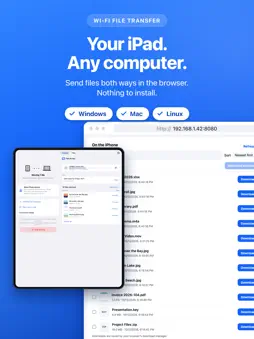
Transfer photos, videos and files between your iPhone or iPad and your PC over Wi-Fi. Open your computer's web browser, enter the pairing code and start moving files in either direction. No cable, account or desktop app required. SEND FILES BETWEEN IPHONE AND COMPUTER Move photos to your PC, send videos to your iPad, or copy documents from your laptop to your phone. Files Across works through a browser on your local network, including Windows and Linux computers. • Upload files from your computer with drag and drop. • Download photos, videos, documents and archives to your computer. • Transfer original files without forced compression. • Send text and links in either direction. • Preview received files and save them to Photos or the Files app. • Choose a shared folder or add files from other locations. • Paste copied screenshots and supported files straight into the browser to send them. • Find files with folder browsing, search, sorting and file-type filters. EXPORT YOUR PHOTO LIBRARY WITH PRO Save a copy of your photo library on your computer, organized by month. Download separate monthly ZIP files or the library as one ZIP. When using monthly downloads, completed months are remembered so you can return for the remaining months. • Include the video parts of Live Photos in photo-library ZIP exports. • Convert HEIC photos to JPG when needed. • Export photos and videos without first copying the entire library into the app. TRY PRO FOR FREE, UPGRADE ONCE The free version transfers up to 5 files per batch in either direction, with no daily transfer quota. Text and links, previews, and saving received files are also free. Files Across Pro is an optional one-time purchase that unlocks: • Larger file batches • Whole-folder uploads from your computer • Photo-library export • HEIC-to-JPG conversion Try all Pro features free for one sharing session. No payment is required for the free try and nothing renews automatically. Pro switches off when that sharing session ends unless you have purchased the upgrade. CONNECT IN THREE STEPS 1. Connect your iPhone or iPad and computer to the same local network. 2. Tap Connect Computer and open the displayed address in your computer's browser. 3. Enter the six-digit code, then upload or download your files. LOCAL TRANSFERS, NO CLOUD RELAY Files travel directly between your devices. There are no ads, tracking or accounts. Local transfers work without internet access; items stored only in iCloud or another cloud provider must be downloaded first. Keep Files Across open and your device unlocked while transferring. Use a trusted network, such as your home Wi-Fi: local transfers are not encrypted. Available storage and technical limits apply. Privacy Policy: https://filesacrossapp.com/privacy/ Terms of Use: https://filesacrossapp.com/terms/
What's New
Version 1.1.0 2026-11-10
Version 1.1.0 makes transferring through your computer’s browser easier. • Paste copied screenshots and supported files to send them to your iPhone or iPad. • ...Version 1.1.0 makes transferring through your computer’s browser easier. • Paste copied screenshots and supported files to send them to your iPhone or iPad. • Jump straight to uploads, downloads, photos or text with section links. • See a warning when queued files exceed your device’s available storage. • See the total size of selected files before downloading. • Send text with Ctrl+Enter, or Cmd+Enter on Mac. • Clearer free batch limits and improved navigation in narrow browser windows. Technical Analysis
Package Overview Basic metadata
Bundle ID
com.stefandasic.filesacross Current Version 1.1.0
Minimum iOS 17.0
Package Size App Store Size
Package Metadata 0 / 0 version records
Detailed binary, privacy manifest, framework, and Info.plist results have not been indexed for this package yet. The verified App Store and archive metadata above remains available.
Known Version Records
0 version records with stored package metadata
Stored metadata does not guarantee a package is currently available to download.
| Details | Version / IDs | Version date | Action |
|---|