Preview


Description
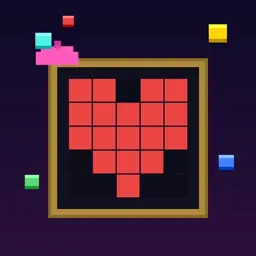
You're a painter on the factory floor. Colored pixels tumble down the supply pipe onto a moving conveyor belt, and whatever rides off the end drops straight into your canvas — bottom row first, left to right. Grab the right pixels, drop them in the right order, and the picture comes together. Get it wrong and it's part of your painting forever. PICK. PLACE. PAINT. Walk the belt with your painter. Tap a pixel to pick it up, carry it where you want it, and set it back down with PLACE. The frame fills automatically as blocks reach the end of the belt, so the whole game is a race to get the right color into the right slot before it lands. TWO WAYS TO PLAY EASY streams endless blocks with distractor colors mixed in — toss anything you don't want on the discard pile and wait for a better one. HARD deals you exactly the blocks the image needs, shuffled, with no discards. Every block must go somewhere. Every mistake is permanent. EARN YOUR POWER-UPS Power-ups aren't handed out at random — place five pixels correctly in a row and one comes down the pipe. Catch it before it rides off the end: • SLOW-MO — the belt drops to half speed (and the music slows with it) • PAINT BUCKET — arms a wildcard: the next block to land becomes exactly the color that cell needs • CHISEL — pops your most recent wrong pixel back out • MAGNET — carry it, place it, and every block on the belt slides over to gather there • PREVIEW LENS — ghosts the finished picture inside your frame for six seconds 13 HAND-CRAFTED PICTURES From a two-color 5×5 Heart to a seven-color 10×10 Rocket, auto-ranked by size, palette, and complexity. Ghosts, mushrooms, invaders, ducks, houses, fish and more. Finish a level and the next one starts automatically — the belt speeds up as you go, but never faster than you can walk. BEAT THE CLOCK Every level is timed. Placing blocks near the end of the belt saves seconds, and your fastest run is saved per level — but only a flawless 100% painting sets a record. Speed only counts when the picture is right. YOUR OWN GALLERY Every painting you finish is saved exactly as you made it, mistakes and all. Browse them all in the Gallery, and watch them fill the workshop wall in gold frames as you work through a run. PURE 8-BIT An '80s workshop rendered in chunky pixels: spinning belt rollers, a flickering work lamp, weather drifting past the windows, and a chiptune soundtrack synthesized live — a brand new melody composed for every single level. Optional CRT scanlines if you want the full cathode-ray experience. No account. No sign-up. No internet required to play. Your progress stays on your device. Pickasso is free, supported by ads between levels — or remove them forever with a single purchase.
What's New
Version 1.3 2026-10-11
Ready for iPhone Duo — and for bigger screens everywhere! Pickasso now plays beautifully on the foldable iPhone Duo, folded or open. Your belt, canvas, and con... Technical Analysis
Package Overview Basic metadata
Bundle ID
com.stackref.pickasso Current Version 1.3
Minimum iOS 17.0
Package Size App Store Size
Package Metadata 0 / 0 version records
Detailed binary, privacy manifest, framework, and Info.plist results have not been indexed for this package yet. The verified App Store and archive metadata above remains available.
Developer Information
Known Version Records
0 version records with stored package metadata
Stored metadata does not guarantee a package is currently available to download.
| Details | Version / IDs | Version date | Action |
|---|