
Preview


Description
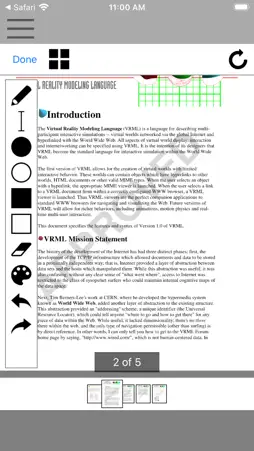
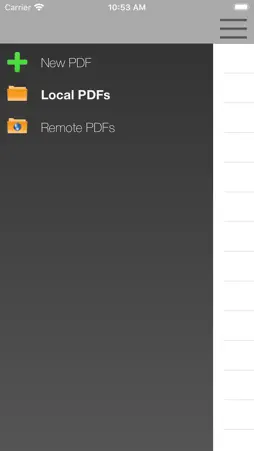
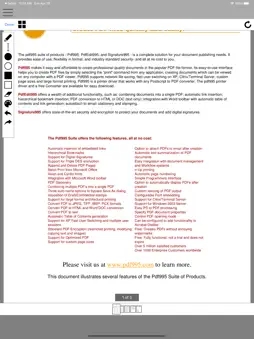
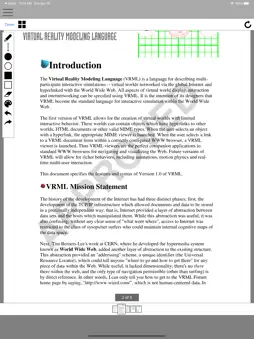
XPdfNotes is an application for PDF editing and for notetaking, sketching, keeping a journal using a stylus. It is the application xournal running remotely and integrated in our cloud system- As such, it inherits the xournal functionalities and tools. XPdfNotes features are: - "Pen" is the default drawing tool in Xournal. It comes in a variety of colors and thicknesses - "Eraser" can either delete everything in its radius of operation, act as a white pen.mode or delete the whole length of any continuous stroke in the affected area. - "Highlighter" acts as a semitransparent pen allowing the user to highlight areas of text or image. - Text tool allows insertion of basic blocks of character-based text. - Image tool allows to move or resize the newly inserted or any selected image. - Shape recognizer can be enabled alongside with the pen to automatically detect circles, lines and polygons when they are drawn and replace them with a clean version. Additionally, strokes and blocks of text can be selected, moved and copied using a rectangular selection tool. This app is an access to a Xournal app that is run remotely. Note that in order to use this app you must use the following actions with your fingers: - Left-click: Tap once. - Double-click: Double-tap. - Mouse-drag: Tap, hold long and move your finger. - Scroll-wheel: Two-finger drag up/down and left/right. - Zoom in/out with your fingers. - Send text: Click on the button keyboard.
What's New
Version 3.4 2021-10-04
Compliance with IOS 15 Technical Analysis
Package Overview Basic metadata
Bundle ID
org.movilsland.xournal Current Version 3.4
Minimum iOS 12.0
Package Size App Store Size
Package Metadata 1 / 6 version records
2.5 / 5.0 (2 ratings)
Detailed binary, privacy manifest, framework, and Info.plist results have not been indexed for this package yet. The verified App Store and archive metadata above remains available.
Developer Information
Known Version Records
1 version record with stored package metadata • 6 known version records
Stored metadata does not guarantee a package is currently available to download.
| Details | Version / IDs | Version date | Action |
|---|---|---|---|
| 13.23 MB | v3.4 App Store ID: 844461983Build: 3.4 | 2021-10-04 18:52:41 | Get Version |
| Not archived | App Store ID: 840995034 | Unknown | Request Version |
| Not archived | App Store ID: 840571767 | Unknown | Request Version |
| Not archived | App Store ID: 835701394 | Unknown | Request Version |
| Not archived | App Store ID: 825053041 | Unknown | Request Version |
| Not archived | App Store ID: 818034726 | Unknown | Request Version |