
Preview






Description
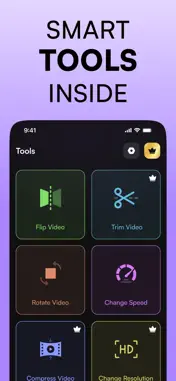
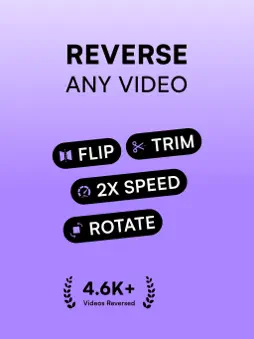
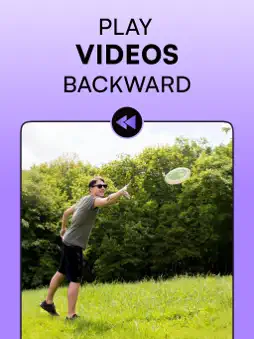
Looking for a simple way to reverse a video on iOS? Rewind8 is designed to do exactly that — no complicated editing tools, no clutter, just a clean app that reverses your videos quickly and reliably. It also has the option to enable/disable audio reversing. Isn’t it amazing? A focused tool for one job Most video editing apps bury the reverse feature three menus deep. Rewind8 puts it front and center. Open the app, pick your clip, tap reverse. That's the entire workflow. It's built for people who want results, not a learning curve. Made for social content Reverse videos are everywhere on TikTok, Instagram Reels, and YouTube Shorts right now. Coffee pouring backwards. Water flowing uphill. Satisfying rewind moments that make people stop scrolling. Rewind8 makes it easy to create these clips directly on your iPhone and export them ready for posting. Full control when you need it Reverse any video from your camera roll. Adjust playback speed — slow it down for dramatic effect or speed it up. Trim to the exact moment you want. Flip horizontally if needed. Keep the original audio, reverse it for that eerie effect, or mute it entirely. How to reverse a video on iPhone With Rewind8, it takes three steps: open the app, select a video, tap reverse. No account creation. No mandatory tutorials. The app is designed to get out of your way and let you create. Besides Video Reverser, you also do the following on the app: ・Trim videos
・Adjust Playback speed (slow / fast)
・Flip videos
・Rotate Videos
・Video Compression
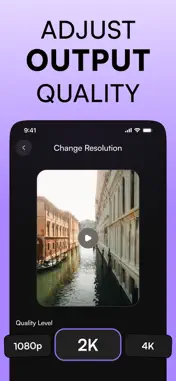
・Change Resolution (Upscale / Downscale)
・Reverse audio too! What are you waiting for? Install Rewind8 now!!! Privacy Policy: https://ss-media.co/privacy-policy/ Terms & Conditions: https://ss-media.co/terms-and-conditions/ Support: https://ss-media.co/contact/
What's New
Version 1.1 2026-02-13
Welcome to v1.1, we’ve made the following changes: - Faster reversing. - Bug Fixes - Reverse Audio For any issues, please contact on support email. Technical Analysis
Package Overview Basic metadata
Bundle ID
com.reverse8.video.reverser.app Current Version 1.1
Minimum iOS 17.0
Package Size App Store Size
Package Metadata 0 / 2 version records
Detailed binary, privacy manifest, framework, and Info.plist results have not been indexed for this package yet. The verified App Store and archive metadata above remains available.
Developer Information
Known Version Records
0 version records with stored package metadata • 2 known version records
Stored metadata does not guarantee a package is currently available to download.
| Details | Version / IDs | Version date | Action |
|---|---|---|---|
| Not archived | App Store ID: 882446642 | Unknown | Request Version |
| Not archived | App Store ID: 881880966 | Unknown | Request Version |