Screen Prep: VFX Track Marks App Icon

Screen Prep: VFX Track Marks

Utilities • Squirrel FX LLC
4+ v20261020.04 Recorded price: $9.99 App Store →
IPA Analysis
Technical Specs
Bundle ID com.lezone.Screen-Prep
Version 20261020.04
App Store Size 3.04 MB
Minimum iOS 16.0
Devices iPhone, iPad, iPod touch
Catalog release date 2021-10-14
Latest recorded version date 2026-10-21
Features & Support
Apple Watch
Advisory 4+
Languages (1)
EN
Top In App Purchases
No In App Purchases Listed

Preview

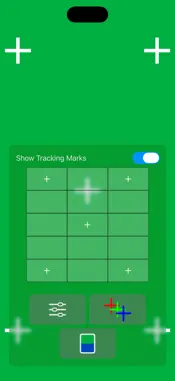
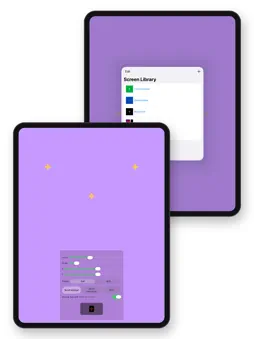
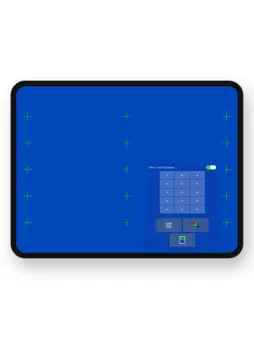
Screen Prep: VFX Track Marks screenshot 1 Screen Prep: VFX Track Marks screenshot 2 Screen Prep: VFX Track Marks screenshot 3 Screen Prep: VFX Track Marks screenshot 4 Screen Prep: VFX Track Marks screenshot 5 Screen Prep: VFX Track Marks screenshot 6 Screen Prep: VFX Track Marks screenshot 7 Screen Prep: VFX Track Marks screenshot 8 Screen Prep: VFX Track Marks screenshot 9 Screen Prep: VFX Track Marks screenshot 10 Screen Prep: VFX Track Marks screenshot 11 Screen Prep: VFX Track Marks screenshot 12 Screen Prep: VFX Track Marks screenshot 13 Screen Prep: VFX Track Marks screenshot 14 Screen Prep: VFX Track Marks screenshot 15 Screen Prep: VFX Track Marks screenshot 16 Screen Prep: VFX Track Marks screenshot 17 Screen Prep: VFX Track Marks screenshot 18 Screen Prep: VFX Track Marks screenshot 19 Screen Prep: VFX Track Marks screenshot 20

Description

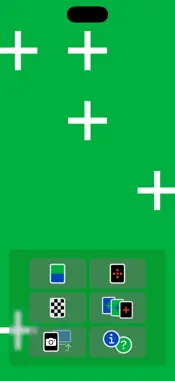
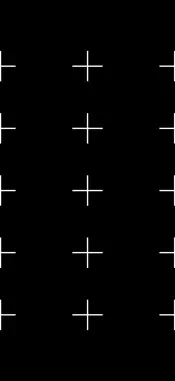
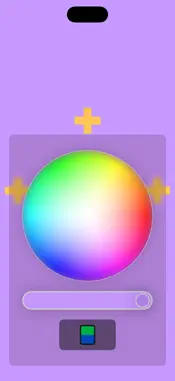
Screen Prep readies any iPhone, iPad, or Apple Watch for VFX screen replacement. Fill the display with a chroma key color, add tracking marks, and lock it down so your compositor gets a screen that's easy to key and track. • Choose from preset chroma colors or pick your own with a color wheel • Add tracking marks and adjust their position, size, and color • AddAdded: Tracking marks can scroll vertically, horizontally or both, and pinch to zoom, so actors can scroll the screen • Frame marks for the full screen, 16:9, or an Apple Watch display • Display color bars, a grid, or a checkerboard instead • Lock the screen so actors can't trigger the controls by accident • Save setups and recall them in a tap • Export a 16:9 image to Photos to show on a TV or monitor via AirPlay APPLE WATCH Send saved screens to Apple Watch. Swipe or turn the Digital Crown to choose one, then double tap to lock it while the actor wears the watch. WORKS EVERYWHERE In addition to iPhone, Screen Prep supports portrait and landscape on iPad, the outer and open screens of iPhone Duo, and full screen on Apple silicon Macs. Need it on another screen? Export an image, then transfer it or AirPlay it to a TV or another display. A built-in Manual covers every feature. Site and Privacy Policy: https://squirrelfx.llc/screen-prep.html

What's New

Version 20261020.04 2026-10-21
Major Update: • Added: Apple Watch app. Screens saved with the new Watch frame are sent to the watch, where you swipe or turn the Digital Crown to choose...Major Update: • Added: Apple Watch app. Screens saved with the new Watch frame are sent to the watch, where you swipe or turn the Digital Crown to choose one and double tap to lock it. • Added: Tracking marks have a Frame setting: Full, Watch or 16:9. Watch outlines an Apple Watch screen and sizes the marks as they'll look on the watch. • Added: Tracking marks can scroll vertically, horizontally or both, and pinch to zoom, so actors can scroll the screen. They repeat endlessly, or start at the top-left and bounce there. Triple tap to put them back. Saved Watch screens scroll on the watch once it's locked. • Added: Saved screens remember their Frame and scroll settings. • Added: iPhone Duo support. Screen Prep fills the outer screen and the full open screen. • Added: Landscape on iPad and the open iPhone Duo, with the controls on the right side of the screen. • Added: Runs on Apple silicon Macs and fills the display edge to edge in full screen. • Added: A Manual, in About, covering every panel. It replaces Help. • Improved: Controls resize when the window changes size, from folding, rotating, or resizing windows. • Improved: Grab 16:9 Image is more reliable, crops to a true 16:9 on every device, and doesn't rotate screens that are already landscape. • Improved: Better performance while the color wheels are open. • Improved: Saved screens keep the same identity between launches. • Fixed: With the 16:9 frame, tracking marks could go off the screen on wider displays. • Fixed: The tracking mark color and custom screen color are now remembered between launches. • Fixed: The custom color wheel didn't respond to some greens and blues, and its brightness slider was applied twice. • Fixed: Adjusting the screen color wheel could change the tracking mark color. • Fixed: Opening the color picker for the first time made the screen one stop brighter. • Updated for iOS 27 and watchOS 27.

Technical Analysis

Package Overview Basic metadata
Bundle ID com.lezone.Screen-Prep
Current Version 20261020.04
Minimum iOS 16.0
Package Size App Store Size
Package Metadata 0 / 7 version records
Detailed binary, privacy manifest, framework, and Info.plist results have not been indexed for this package yet. The verified App Store and archive metadata above remains available.

Developer Information

Known Version Records

0 version records with stored package metadata • 7 known version records

Stored metadata does not guarantee a package is currently available to download.

Details Version / IDs Version date Action
Screen Prep: VFX Track Marks icon
Not archived
App Store ID: 880576285 Unknown Paid / Arcade
Screen Prep: VFX Track Marks icon
Not archived
App Store ID: 860073950 Unknown Paid / Arcade
Screen Prep: VFX Track Marks icon
Not archived
App Store ID: 856958648 Unknown Paid / Arcade
Screen Prep: VFX Track Marks icon
Not archived
App Store ID: 854132219 Unknown Paid / Arcade
Screen Prep: VFX Track Marks icon
Not archived
App Store ID: 853753062 Unknown Paid / Arcade
Screen Prep: VFX Track Marks icon
Not archived
App Store ID: 848056286 Unknown Paid / Arcade
Screen Prep: VFX Track Marks icon
Not archived
App Store ID: 844319969 Unknown Paid / Arcade