Preview







Description
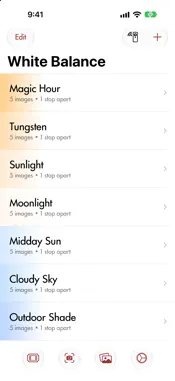
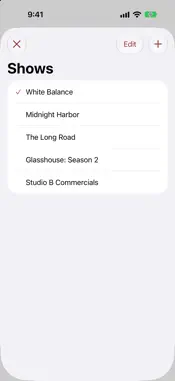
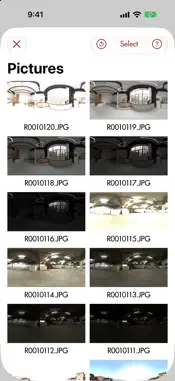
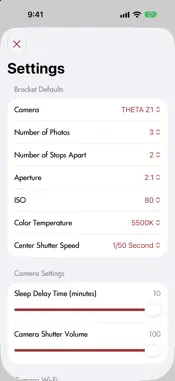
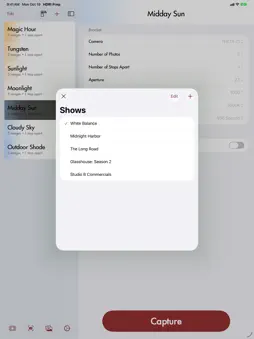
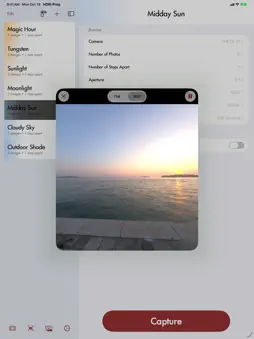
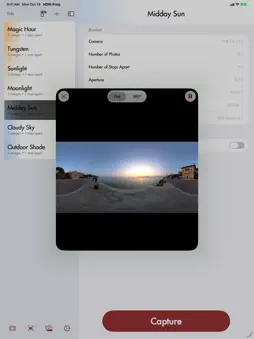
Build a library of HDRI exposure brackets for your RICOH THETA V, Z1 or X, and fire them off on set in seconds. The THETA can shoot multi-exposure brackets, but setting them up in the official app is slow, and you can't save them to reuse later. HDRI Prep fixes that. Set up a bracket once, name it, file it under your show, and call it up whenever the lighting calls for it. BUILD BRACKETS THE WAY YOU THINK • Choose 3 to 19 photos, 1 to 3 stops apart. No need to set each exposure by hand. • Pick a center shutter speed, and the bracket spreads evenly above and below it. • Set aperture, ISO and color temperature for the whole bracket at once. Choices are limited to what your camera can actually do. ORGANIZED FOR PRODUCTION • Name brackets, group them by show, drag to reorder, and copy or move them between shows. • Each bracket is tinted by its color temperature, so tungsten and daylight setups stand out at a glance. ON SET • Live View, flat or as a 360° view you can drag around, to check the frame before you shoot. • A shot counter and timer while the bracket runs, and Cancel if you need to stop. • View the photos from that bracket the moment it finishes. • Browse the camera's photos, inspect them full screen or in 360°, share them to Photos, Files or AirDrop, or delete them from the camera. • Find nearby THETAs and join their Wi-Fi from the app. Cameras you've used are remembered. • Adjust the camera's shutter volume and sleep delay. TRY IT WITHOUT A CAMERA Demo Mode loads sample 360° brackets so you can explore every feature before you plug in a THETA. Works on iPhone, iPad and iPhone Duo, and includes a built-in Manual. GOOD TO KNOW • HDRI Prep connects over the camera's own Wi-Fi (the camera's access-point mode). • Shutter volume and sleep delay are saved to the camera itself, so they stay set even when HDRI Prep isn't running. • HDRI Prep focuses on bracketing. It isn't a replacement for the official THETA app, which works well alongside it. Built by a VFX artist for VFX artists. If "HDRI" and "THETA" mean something to you, this was made for you. HDRI Prep is not affiliated with or endorsed by RICOH. RICOH THETA is a trademark of Ricoh Company, Ltd. Site and Privacy Policy: https://squirrelfx.llc/hdri-prep.html
What's New
Version 20261020.02 2026-10-21
New in this release: • Demo Mode: no camera handy? Tap Try Demo Mode on the Camera Connection screen to explore the app with sample 360° brackets. Capt... Technical Analysis
Package Overview Basic metadata
Bundle ID
com.lezone.HDRI-Prep Current Version 20261020.02
Minimum iOS 17.0
Package Size App Store Size
Package Metadata 1 / 5 version records
Detailed binary, privacy manifest, framework, and Info.plist results have not been indexed for this package yet. The verified App Store and archive metadata above remains available.
Developer Information
Known Version Records
1 version record with stored package metadata • 5 known version records
Stored metadata does not guarantee a package is currently available to download.
| Details | Version / IDs | Version date | Action |
|---|---|---|---|
| 1.34 MB | v20251211.1 App Store ID: 880576128Build: 20251211.1 | 2025-12-12 21:41:01 | Paid / Arcade |
| Not archived | App Store ID: 878346673 | Unknown | Paid / Arcade |
| Not archived | App Store ID: 860074277 | Unknown | Paid / Arcade |
| Not archived | App Store ID: 854132175 | Unknown | Paid / Arcade |
| Not archived | App Store ID: 847923184 | Unknown | Paid / Arcade |