
Preview



Description
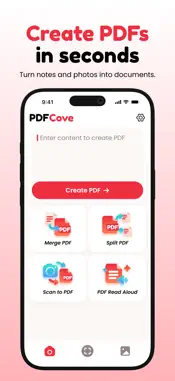
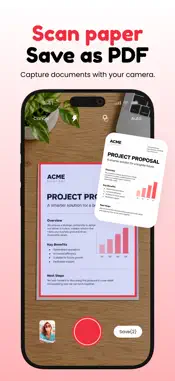
PDFCove turns paper, photos, and notes into PDFs, then helps you sort them out. Everything runs on your iPhone: no account, no uploads, no ads. MAKE A PDF • Write a note and save it as a PDF. Choose A4, US Letter, or A5. • Turn photos into a PDF, one image per page. Pick from your library or use the photo picker. • Scan paper with the camera. Line the page up in the frame, fix the corners, rotate it, and pick a filter: color, grayscale, black and white, or photo. Keep going for the next page. ORGANIZE • Merge PDFs. Tap the files in the order you want, then drag pages around or remove the ones you don't need. • Split a PDF. Tap the pages you want and PDFCove saves them as a new file. The name shows the range, like "Report p3-5,9.pdf". • Reordering pages saves a copy. Your original is never overwritten. READ AND LISTEN • Scan or import a photo and PDFCove reads the English text off it. Copy it anywhere, or save the images as a PDF. • Read Aloud speaks any PDF a page at a time and highlights the sentence it's on. It keeps going with the screen locked, and you can skip sentences from the lock screen or your headphones. Change the speed or pick another voice. • In the viewer: search inside the document, jump with page thumbnails, pinch to zoom, print, or share. PRIVACY • No account and no sign-in. • Nothing you make or open is uploaded. Camera frames, photos, and PDFs stay on your iPhone unless you share them yourself. • Delete a file and it's gone.
Technical Analysis
Package Overview Basic metadata
Bundle ID
com.starkspeed.pdfcove Current Version 1.0.0
Minimum iOS 17.0
Package Size App Store Size
Package Metadata 0 / 0 version records
Detailed binary, privacy manifest, framework, and Info.plist results have not been indexed for this package yet. The verified App Store and archive metadata above remains available.
Developer Information
Known Version Records
0 version records with stored package metadata
Stored metadata does not guarantee a package is currently available to download.
| Details | Version / IDs | Version date | Action |
|---|