
Preview






Description
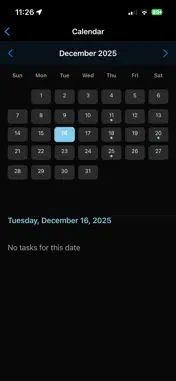
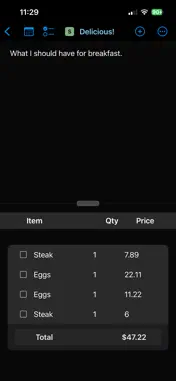
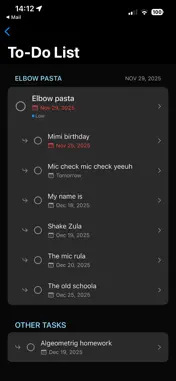
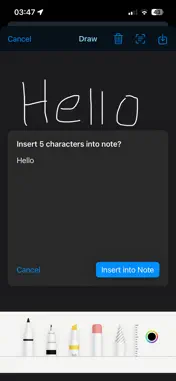
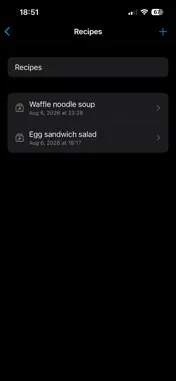
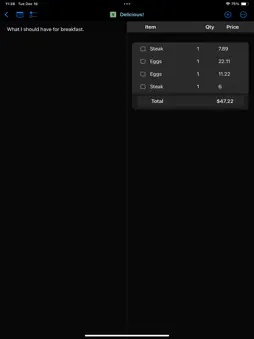
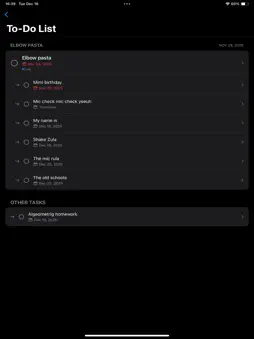
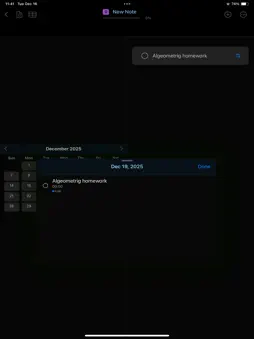
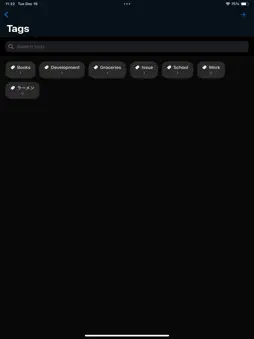
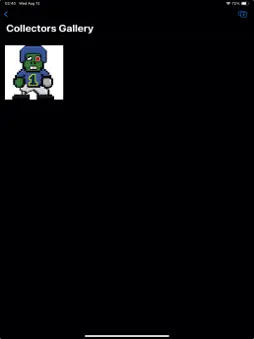
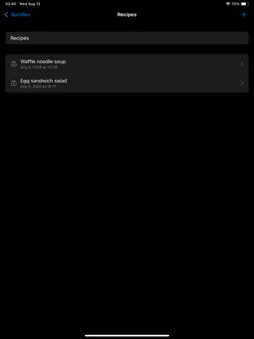
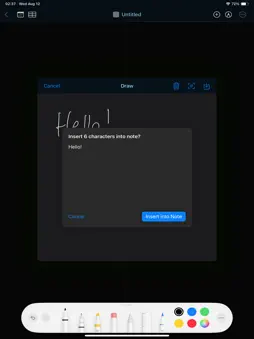
Space Notes was built for people who like to make lists. Shopping lists, to-do lists, recipe lists, lists of modules for the apps you're building, or cards you're collecting. But sometimes just having a list isn't good enough. You know that your recipe needs a particular type of cheese, but there's only store in town that sells it. Space Notes gives you an entire notepad for every item in your checklist, allowing you to provide as much, or as little detail as you need for every single item. Expand your notes from a galaxy to a whole universe of ideas! New in Space Notes 3.0: - Note Bundles: Keep notes organized with Note Bundles. You can create a bundle and add your notes to it so that you can quickly locate related entries. - Card Collector's Gallery: A gallery where you can store images of your favorite trading or collector's cards. - Handwriting with OCR: Use handwriting to enter text into your notes with Optical Character Recognition (OCR). Features: - Note types with exclusive functionality for creating goals with progress bars, comparing notes, making shopping lists. - Expand checklist items into notes for taking as much detail as you need, without crowding your screen. - Randomly select an item from your lists, for those times when you can't decide on something, like where to go for lunch! - Checklist table view: You can now switch to a table view for your checklists, allowing you to quickly edit your checklist items. - Convert to checklist: you can now type out rows of text in the main notepad, then convert them to items in your checklist. - Consolidated to-do list: all your due dates in one central location for quick reference and navigation. - User-defined category tags: create tags to categorize your notes any way you'd like. - Note priorities: assign priority levels for low, medium, high, and urgent. - Three new note types: shopping, recipe, and character cards. - Checklist item due dates: prior to version 2.0, due dates could only be assigned to primary notes. Now they can be assigned to checklist items for 'Goal' notes. - Custom color schemes: add a personal touch to your Space Notes experience by creating your own color schemes. - In-app calendar: access a calendar right within your notes so that you don't have to keep switching between apps when you're making to-do lists. - Due date quick add: when viewing a 'goal' note with the in-app calendar, you can tap on a date in the calendar, then tap the calendar button on a checklist item to instantly create a due date. Space Notes Pro features: - Compare checklists: see two checklists, side by side. Space Notes will automatically highlight if the same item appears in both checklists. - Historical timeline: if you're working on a project, or tracking responsibilities at your job, you can commit your completed tasks to a historical timeline, which removes them from your note lists, but keeps them in a timeline that you can access when it's time to write your resume or review. - Calculator: an in-app calculator so that you don't have to switch to a separate calculator app when you need to do basic arithmetic. Once you've arrived at the result, simply tap on it to insert it into your note. The next version of Space Notes is being completely rebuilt, from the ground up. This will provide greater performance and stability, while also reducing the app's footprint.
What's New
Version 3.0 2026-08-13
What's new in Space Notes 3.0 - Note Bundles: Keep notes organized with Note Bundles. You can create a bundle and add your notes to it so that you can quickly ... Technical Analysis
Package Overview Basic metadata
Bundle ID
com.spacejapanstudios.SpaceNotes Current Version 3.0
Minimum iOS 17.6
Package Size App Store Size
Package Metadata 0 / 7 version records
Detailed binary, privacy manifest, framework, and Info.plist results have not been indexed for this package yet. The verified App Store and archive metadata above remains available.
Developer Information
Known Version Records
0 version records with stored package metadata • 7 known version records
Stored metadata does not guarantee a package is currently available to download.
| Details | Version / IDs | Version date | Action |
|---|---|---|---|
| Not archived | App Store ID: 889422099 | Unknown | Request Version |
| Not archived | App Store ID: 880785993 | Unknown | Request Version |
| Not archived | App Store ID: 879065769 | Unknown | Request Version |
| Not archived | App Store ID: 878979030 | Unknown | Request Version |
| Not archived | App Store ID: 878647417 | Unknown | Request Version |
| Not archived | App Store ID: 878441116 | Unknown | Request Version |
| Not archived | App Store ID: 877036260 | Unknown | Request Version |