Preview




Description
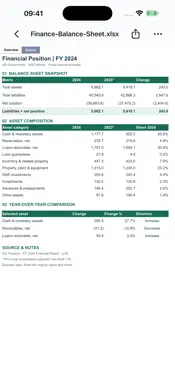
Office Editor is an all-in-one document viewer and PDF editor for your phone. Open Word documents, Excel spreadsheets, PowerPoint presentations, PDFs and more, then annotate, edit, organize and convert PDF files with easy-to-use tools. Everything in this release is free. No subscription, no in-app purchases, no ads, and no account required. Open Microsoft Word, Excel and PowerPoint files for viewing, including DOC, DOCX, XLS, XLSX, PPT and PPTX formats. PDF editing tools let you modify PDF content, add annotations, manage pages and convert files. Word, Excel and PowerPoint documents are supported for viewing only. Editing these Office formats is not currently available. OPEN WORD, EXCEL, POWERPOINT & PDF FILES View documents in multiple formats, all in one place. * Word documents: DOC, DOCX, DOT, DOTX, DOCM, DOTM * Excel spreadsheets: XLS, XLSX, XLT, XLTX, XLSM, XLTM, CSV * PowerPoint presentations: PPT, PPTX, POT, PPS, PPSX, POTX, PPTM * PDF documents, including password-protected PDFs * OpenDocument files: ODT, ODS, ODP (text content) * RTF and plain text files Whether you’re opening a Word document, reviewing an Excel spreadsheet or reading a PDF, Office Editor makes it easy to access your files. KEEP YOUR DOCUMENTS ORGANIZED Manage Word, Excel, PowerPoint and PDF files in one document library. * Search documents by name * Filter files by document format * Sort by date modified, name, size or file type * Bookmark frequently used documents * View bookmarked documents separately * Restore deleted documents from Trash within 30 days * Import documents from the Files app * Open supported files directly from Files ANNOTATE AND MARK UP PDF DOCUMENTS Highlight important information and add notes to your PDFs. * Highlight, underline and strike through PDF text * Draw with a freehand brush * Add rectangles, circles and lines * Insert text notes anywhere on a page * Edit or delete existing annotations * Save changes to the original PDF or create a separate copy ORGANIZE PDF PAGES Rearrange and manage PDF pages without complicated tools. * Drag and drop to reorder pages * Delete unwanted pages * Split PDFs by custom page ranges * Merge multiple PDF documents * Extract selected pages into a new PDF EDIT PDF TEXT AND IMAGES Make changes directly to existing PDF content. * Edit text already present in a PDF * Move images within PDF pages * Replace or remove PDF images Replacement text must fit within the existing text box. Automatic text reflow, as found in word processors, is not supported. CONVERT PDF FILES AND IMAGES Convert files directly on your device. * Convert PDF pages into PNG images * Combine multiple images into a single PDF * Convert files without daily limits * Process conversions locally without uploading documents No conversion quotas, subscriptions or hidden fees. PRIVATE, ON-DEVICE DOCUMENT MANAGEMENT Your documents stay on your phone. * Store files in the app’s local document library * Open and manage documents without creating an account * No cloud drive sign-in required * No document uploads * Local PDF and image conversion Choose your preferred interface language in Settings, independently of your phone’s system language. FREE DOCUMENT VIEWER & PDF EDITOR Office Editor brings together the document tools you need: * Word document viewer * Excel spreadsheet viewer * PowerPoint presentation viewer * PDF reader and editor * PDF annotation tools * PDF page organizer * PDF and image converter * Local document manager This first release focuses on the essentials: open your documents, read Word and Excel files, view PowerPoint presentations, annotate PDFs and organize your files. All features are free, with no ads, no subscriptions and no paywall. Try Office Editor and tell us what you’d like to see next.
What's New
Version 0.3.0 2026-11-24
What’s New Word Document Editing You can now edit Word documents (DOC, DOCX) directly in the app, not just view them. PDF Editing Edit PDF text and images, an...What’s New Word Document Editing You can now edit Word documents (DOC, DOCX) directly in the app, not just view them. PDF Editing Edit PDF text and images, annotate documents, and organize PDF pages with improved editing tools. Refreshed UI Enjoy a cleaner, more intuitive interface for reading, editing, and managing your documents. Update now to make working with Word and PDF files easier than ever! Technical Analysis
Package Overview Basic metadata
Bundle ID
com.wordaioffice Current Version 0.3.0
Minimum iOS 16.0
Package Size App Store Size
Package Metadata 0 / 0 version records
Detailed binary, privacy manifest, framework, and Info.plist results have not been indexed for this package yet. The verified App Store and archive metadata above remains available.
Developer Information
Known Version Records
0 version records with stored package metadata
Stored metadata does not guarantee a package is currently available to download.
| Details | Version / IDs | Version date | Action |
|---|