
Preview




Description
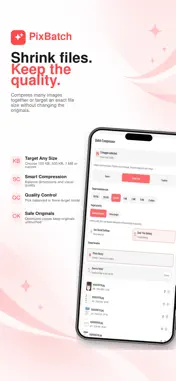
PixBatch is an all-in-one image toolkit for artists, creators, photographers, designers, and anyone who works with lots of images. Resize, compress, convert, watermark, and rename whole batches of photos at once, then export clean, ready-to-share copies. Crop and resize for social media, blur private details, remove metadata, turn images into PDFs, and build comic pages, all in one simple app. Key features: Batch Resize Resize many photos to exact dimensions in one go. Choose fit or fill, and add padding when you need a fixed canvas. Batch Compressor Reduce photo size for sharing, storage, uploads, and portfolio delivery. Use Smart compression, set a target file size, or pick your own quality. Batch Converter Convert images between JPG, PNG, WebP, and more. Convert HEIC to JPG so your iPhone photos open everywhere. Batch Watermark Add text or logo watermarks across many photos. Tile a watermark over the whole image for extra protection, and save your designs to reuse. Batch Rename Rename many images with custom names, numbering, dates, separators, and sorting. Add more photos and drag them into the order you want. Batch Actions Create reusable workflows and run several steps in one go. Combine resize, rename, convert, compress, watermark, and metadata cleanup. Social Media Resize Turn one photo into every size you need: square, portrait, and tall posts, stories and reel covers, video thumbnails, and profile pictures. Crop Image Crop to 1:1, 4:5, 3:4, 2:3, 9:16, 16:9, and more, or crop freely. Comic Page Builder Create comic pages with panel layouts, your own artwork, speech balloons, captions, and lettering. Choose whether to add page numbers, then export a single page or the whole comic as images or a PDF, a CBZ file for comic reader apps, a vertical scrolling strip, carousel or story slides, or lettering only on a transparent background. Images to PDF Turn image sets, artwork, comics, portfolios, or reference pages into clean PDF files in the page order you choose. Blur Tool Hide faces, text, license plates, and private information with blur, mosaic, frosted effects, or emoji overlays. Zoom in for detail and work across several photos. Metadata Cleanup Remove hidden metadata such as camera, GPS location, and author information before you share. Collage Maker Arrange photos with customizable layouts, frames, backgrounds, and styles. Adjust and reframe each image inside its cell. Text and Design Tools Add styled text, speech bubbles, stickers, emojis, and other visual elements to images. Private by design Image processing happens on your device. Your photos are not uploaded to a server for editing. PixBatch helps you prepare finished, export-ready image copies faster while keeping your original images safe. Terms of Use (EULA): https://www.apple.com/legal/internet-services/itunes/dev/stdeula/
What's New
Version 1.0.2 2026-11-07
• New Comic Page Builder: panel layouts, your artwork, speech balloons and lettering, with export to PDF, CBZ, a scrolling strip or social slides, and optional ...• New Comic Page Builder: panel layouts, your artwork, speech balloons and lettering, with export to PDF, CBZ, a scrolling strip or social slides, and optional page numbers • New Batch Resize: exact sizes, fit or fill, padding • New Social Media Resize: posts, stories, thumbnails and profile pictures from one photo • Blur several photos at once, with zoom • Collage: reframe photos inside their cells • Batch Actions redesigned, with a Resize step • Batch Rename: add more photos and drag to reorder • Pro: no limit on batch size • Polish and fixes across every tool Technical Analysis
Package Overview Basic metadata
Bundle ID
com.pixbatch.app Current Version 1.0.2
Minimum iOS 16.4
Package Size App Store Size
Package Metadata 0 / 0 version records
Detailed binary, privacy manifest, framework, and Info.plist results have not been indexed for this package yet. The verified App Store and archive metadata above remains available.
Developer Information
Known Version Records
0 version records with stored package metadata
Stored metadata does not guarantee a package is currently available to download.
| Details | Version / IDs | Version date | Action |
|---|