
Preview




Description
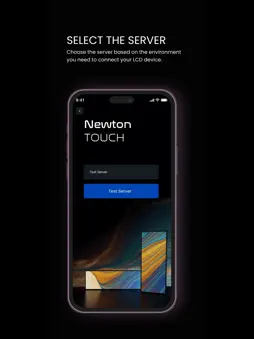
SoluM LCD Setup App Configure and manage your SoluM LCD device settings with the SoluM LCD Setup app. This intuitive app simplifies the process with just a few simple steps: 1. Login: Begin by logging in with your SoluM SaaS credentials for secure access. 2. Select Company & Store: Choose the relevant company and store to ensure accurate device settings are applied. 3. Customize Settings: Configure essential settings, including MAP selection, LED color, duration, and more for your SoluM LCD devices. 4. Scan QR Code: Use the app’s built-in QR code scanner to scan the code displayed on your SoluM LCD device, instantly syncing your settings. 5. Ready to Go: After scanning the QR code, your SoluM LCD device is fully configured and ready for use. The SoluM LCD Setup app streamlines the setup process, making it faster and more efficient to get your devices up and running. Download the app today to enhance your SoluM LCD experience!
What's New
Version 2.0 2025-04-15
New Feature: Integrated on-premises along with SaaS. Bug Fixes: Resolved issues to enhance app performance and stability. Technical Analysis
Package Overview Basic metadata
Bundle ID
com.solum.lcdConfig Current Version 2.0
Minimum iOS 15.6
Package Size App Store Size
Package Metadata 0 / 2 version records
Detailed binary, privacy manifest, framework, and Info.plist results have not been indexed for this package yet. The verified App Store and archive metadata above remains available.
Developer Information
Known Version Records
0 version records with stored package metadata • 2 known version records
Stored metadata does not guarantee a package is currently available to download.
| Details | Version / IDs | Version date | Action |
|---|---|---|---|
| Not archived | App Store ID: 873168877 | Unknown | Request Version |
| Not archived | App Store ID: 870012990 | Unknown | Request Version |