Preview


Description
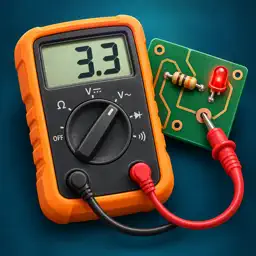
Step into your electronics workshop and learn to solve faults, one measurement at a time. Circuit Detective combines a diagnostic game with a virtual 3D laboratory. Inspect components, follow circuit traces, place your probes and test your ideas against measurements. 77 MISSIONS TO BUILD YOUR SKILLS Start with resistors, LEDs and switches. Then explore capacitors, diodes, transistors, rectification and signals. Measure, calculate, choose a component or identify a fault. INVESTIGATIONS AND GUIDED PROJECTS Finish the progression with four investigations: measure, find the fault and check your repair. Three guided breadboard projects take you step by step through building a circuit. After each successful mission, explore the schematic and the explanation of your result. HANDS-ON VIRTUAL INSTRUMENTS Use a multimeter, a two-channel oscilloscope, a function generator and an adjustable power supply. Rotate around circuit boards, zoom in on components and inspect the solder side. A WORKSHOP FOR EXPERIMENTS Practice diagnostics and repairs, replace components and build circuits on a virtual breadboard. UNDERSTAND AS YOU PLAY Read lessons, component datasheets and hints. Use the built-in calculator to work through your measurements. Your progress is saved on your device. ONE PURCHASE, THE COMPLETE GAME All missions and the workshop are included. No ads, subscription or in-app purchases. Play offline without creating an account. Available in English, French, Spanish, German, Portuguese (Portugal) Traditional Chinese and Japanese on iPhone and iPad. Circuits are educational simulations: measurements and components are modeled for learning.
What's New
Version 1.4 2026-10-24
• On smaller iPhones, power supply and oscilloscope settings are grouped into tabs. Bottom controls remain accessible, and the component box adjusts to its list...• On smaller iPhones, power supply and oscilloscope settings are grouped into tabs. Bottom controls remain accessible, and the component box adjusts to its list. • Enlarge the trace with the dedicated button. Freeze or move it, rotate your device, then return to the settings. • The selected power supply channel stays consistent after rotation. Abandon is easier to tap, and instrument controls have been checked again on iPhone and iPad. Technical Analysis
Package Overview Basic metadata
Bundle ID
com.Simorgh.RepairMaster Current Version 1.4
Minimum iOS 26.0
Package Size App Store Size
Package Metadata 0 / 0 version records
Detailed binary, privacy manifest, framework, and Info.plist results have not been indexed for this package yet. The verified App Store and archive metadata above remains available.
Developer Information
Known Version Records
0 version records with stored package metadata
Stored metadata does not guarantee a package is currently available to download.
| Details | Version / IDs | Version date | Action |
|---|