Preview


Description
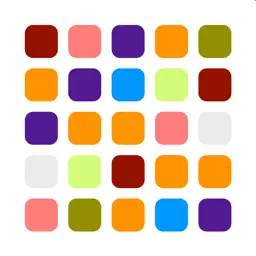
This app provides a quick and easy way to generate a color palette from an image, screenshot or a photo from your camera. Start by selecting an image from your photo library, maybe a screenshot, or by taking a photo with your camera. Once an image is selected, we will calculate the average color from the image, as well as the main colors in the image. There are filters, max colors and rounding, that allow you to tailor the automatically calculated colors. • Max colors: will limit the maximum number of colors that are calculated • Rounding: will reduce the over all colors that can be calculated by rounding the value of each color component, red, green, blue, to fewer decimal places. You can also manually select colors from the image, or from a color picker to create your own custom palette. Click on the colored circle to open the color picker. Then either select a color, or use the eye dropper tool to allow you to manually select specific colors from the image / screen. Hint: when using the eye dropper to select colors, if you select a color from the palette first, then the screen will scroll to the top of the image so that you should be able to select from the whole image. If you tap on a color in one of the color grids, it will show you the hexadecimal value for that color. You can long press on a color in a color grid to remove it from the palette. You can select the sharing option to export: • All colors: all the manually selected and automatically calculated colors • Manual colors only: only export the colors that you manually chose • Automatic colors only: only export the automatically chosen colors Privacy This app does not use any 3rd party frameworks or tracking libraries. We do not store or use any personal information, and only have access to use your photo library if you permit it.
Technical Analysis
Package Overview Basic metadata
Bundle ID
com.software101.picto-palette Current Version 1.0
Minimum iOS 15.0
Package Size App Store Size
Package Metadata 1 / 1 version records
0.0 / 5.0 (0 ratings)
Detailed binary, privacy manifest, framework, and Info.plist results have not been indexed for this package yet. The verified App Store and archive metadata above remains available.
Developer Information
Known Version Records
1 version record with stored package metadata
Stored metadata does not guarantee a package is currently available to download.
| Details | Version / IDs | Version date | Action |
|---|---|---|---|
| 533.0 KB | v1.0 App Store ID: 847410749Build: 1.0 | 2022-03-06 11:52:07 | Get Version |