Preview



Description
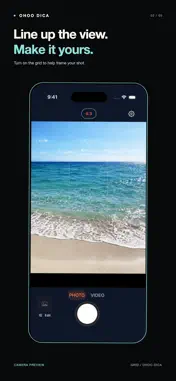
The old phone look, without carrying an old phone. OHOO DICA brings the warm color, softer detail, and digital texture of mid-2010s smartphone photos to everyday moments. One automatic signature look keeps shooting simple: frame your shot and capture it. MAKE THE MOMENT YOURS A coffee break, a walk with friends, a little detail you want to remember. See the signature look in the camera preview, then save your shot to Photos. No filter selection needed. PHOTOS AND VIDEOS, IN THE SAME MOOD Switch between photo and video. Record sound with microphone permission, and keep your memories in motion. Videos are processed and saved after recording stops. GIVE A SAVED PHOTO A NEW FEEL Choose a photo from your library and apply the signature look. Adjust warmth, brightness, and detail, then save an edited copy. SIMPLE TOOLS FOR YOUR SHOT • Front and rear cameras • Tap to focus and adjust brightness • Flash and zoom options supported by your device • 4:3, square, 16:9, and circular framing • A 3-, 5-, or 10-second timer • Sequential bursts of 3, 5, or 10 photos • An optional composition grid YOUR PHOTOS, PROCESSED ON YOUR DEVICE No account registration is required. Photo and video processing takes place on your device. OHOO DICA does not upload your captures to its own server. WATERMARK AND PURCHASES Camera-captured photos include an OHOO DICA watermark unless watermark removal is active. An optional one-time in-app purchase permanently removes it from future camera-captured photos. Purchases can be restored in Settings. There is no subscription. English, Korean, and Japanese interfaces are available. Requires iOS 17 or later. Available lenses, zoom, flash, and silent capture depend on device, system, and regional support.
What's New
Version 1.2.1 2026-09-30
OHOO DICA 1.2.1 makes the shutter easier to reach. • Capture with the volume buttons On the camera screen, press and release either volume button on your devic...OHOO DICA 1.2.1 makes the shutter easier to reach. • Capture with the volume buttons On the camera screen, press and release either volume button on your device to take a photo. • Keep your capture settings Use your existing burst and timer settings. Press again during a countdown to cancel the timer. In video mode, press to start or stop recording. • External shutter input Capture input from compatible Bluetooth remotes now uses the same action as the on-screen shutter. Compatibility depends on the remote model and the input it sends. • Controls that follow your screen Volume-button capture is disabled while viewing settings or the photo library. Volume-button and compatible remote capture require iOS 17.2 or later. Watermark removal is not required. Technical Analysis
Package Overview Basic metadata
Bundle ID
com.softica.ohoodica Current Version 1.2.1
Minimum iOS 17.0
Package Size App Store Size
Package Metadata 0 / 0 version records
Detailed binary, privacy manifest, framework, and Info.plist results have not been indexed for this package yet. The verified App Store and archive metadata above remains available.
Developer Information
Known Version Records
0 version records with stored package metadata
Stored metadata does not guarantee a package is currently available to download.
| Details | Version / IDs | Version date | Action |
|---|