Preview





Description
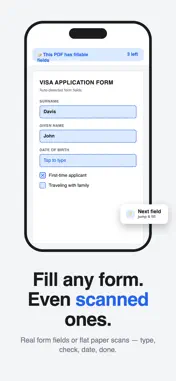
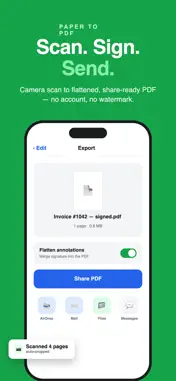
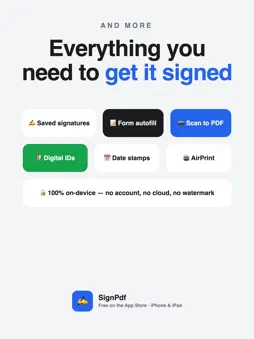
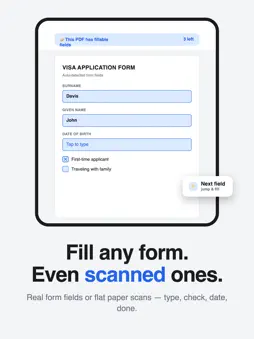
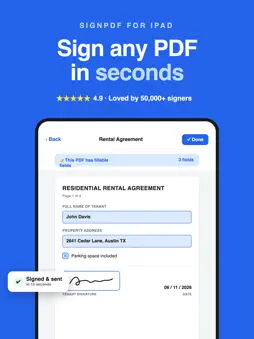
Got a lease, contract, or form to sign? SignPdf gets it signed and sent back in under a minute — no account, no watermark, and nothing ever uploaded. HOW IT WORKS 1. Import any PDF (Files, email attachment) or scan paper with your camera 2. Tap to fill — real PDF form fields are detected automatically 3. Sign with your finger, a typed signature, or a photo of your ink signature 4. Share a flattened, locked-in PDF anywhere FILL ANY FORM • Auto-detects fillable PDF forms (AcroForm) — tap and type • Flat or scanned PDFs too: add text, checkmarks, and dates anywhere • Date stamps in one tap EVERY KIND OF SIGNATURE • Draw with your finger or Apple Pencil • Type it — three signature styles • Photograph your signature on paper — the background is removed automatically, leaving clean ink • Save signatures and initials, set a default, reuse everywhere • Black or blue ink SCAN PAPER TO PDF • Built-in document scanner with automatic edge detection • Multi-page scans become clean PDFs ready to sign PRIVATE BY DESIGN • 100% on-device processing — your documents are never uploaded • No account, no sign-up, no tracking • Signatures stored only on your iPhone EXPORT & SHARE • Flatten annotations so nothing can be moved or edited • Share by email, AirDrop, Messages, or save to Files • Original file stays untouched Perfect for leases, NDAs, contracts, invoices, W-9s, school forms, medical forms, permission slips — any PDF that needs your name on it.
Technical Analysis
Package Overview Basic metadata
Bundle ID
ai.printer Current Version 1.0
Minimum iOS 15.0
Package Size App Store Size
Package Metadata 0 / 1 version records
Detailed binary, privacy manifest, framework, and Info.plist results have not been indexed for this package yet. The verified App Store and archive metadata above remains available.
Known Version Records
0 version records with stored package metadata • 1 known version records
Stored metadata does not guarantee a package is currently available to download.
| Details | Version / IDs | Version date | Action |
|---|---|---|---|
| Not archived | App Store ID: 886720101 | Unknown | Request Version |