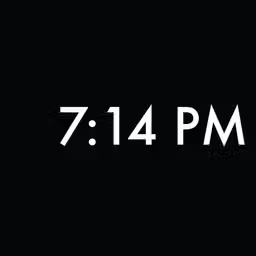
Preview







Description
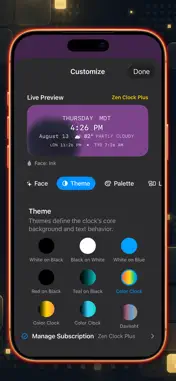
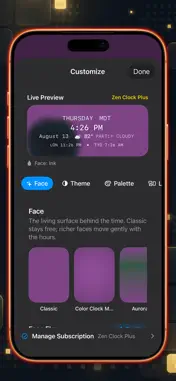
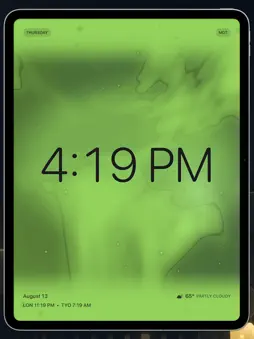
Zen Clock is a minimalist iPhone clock built around calm, legibility, and strong typography. Designed to work beautifully on a desk, nightstand, charging stand, or an always-nearby spare iPhone, it offers a full-screen time surface that never demands your attention. We intentionally avoided building a generic alarm, timer, or productivity app. Instead, Zen Clock’s promise is simple: make checking the time feel quiet, polished, and visually intentional. Signature Color Clock Modes Experience time as a living color, not just digits. Our signature Color Clock modes transform the current time into a shifting, live background gradient. Full Spectrum: Maps Unix time across the entire color spectrum. Day Mode: Maps the current day from midnight to night. Hour Mode: Maps the current hour from the top to the end of the hour. Curated Visual Themes & Typography Choose from seven striking visual themes, including White on Black, Black on White, White on Blue, Red on Black, and our signature Color Clock modes. Pair your theme with four distinct typographic styles (Zen, Rounded, Mono, and Serif) to make your clock feel airy, friendly, precise, or editorial. Composed for Your Space With our preview-first settings, you aren't just toggling options—you are composing a timepiece. Choose the layout that fits your environment: Pure: The ultimate minimalist experience. Time only. Calendar: Elegantly integrates the weekday and date. Editorial: A beautiful, designed asymmetric composition. Board: A restrained status surface that gracefully holds supporting information without overpowering the time. Supporting Context (Premium) For those who want a bit more at a glance, Zen Clock gracefully integrates extra details without the clutter. Add a curated World Clock rail to display up to two global cities (such as Los Angeles, New York, London, Paris, Tokyo, or Sydney). Access live local weather conditions and temperatures seamlessly integrated into your composed layout while the app is open. Home Screen Widget Bring a touch of Zen Clock to your Home Screen with our included minimal clock widget, featuring a stark black background, crisp white text, and our signature aesthetic. Terms of Use: https://www.apple.com/legal/internet-services/itunes/dev/stdeula/ Privacy Policy: https://sociallycs.com/privacy.html
What's New
Version 26.4 2026-08-14
Six new clock faces. Koi Pond, Rainfall, Sea of Clouds, Fireflies, Sakura, and Nebula join the collection — sixteen faces of time rendered as light. Koi drift ... Technical Analysis
Package Overview Basic metadata
Bundle ID
com.sociallycs.zenclock Current Version 26.4
Minimum iOS 26.0
Package Size App Store Size
Package Metadata 1 / 3 version records
Detailed binary, privacy manifest, framework, and Info.plist results have not been indexed for this package yet. The verified App Store and archive metadata above remains available.
Developer Information
Known Version Records
1 version record with stored package metadata • 3 known version records
Stored metadata does not guarantee a package is currently available to download.
| Details | Version / IDs | Version date | Action |
|---|---|---|---|
 Not archived | App Store ID: 884561035 | Unknown | Request Version |
| Not archived | App Store ID: 837149609 | Unknown | Request Version |
| 2.3 MB | v1.0 App Store ID: 837149606Build: 2 | 2020-07-30 15:34:34 | Get Version |